Blog

  • Smashpoint iOS 2.5 Release

    Smashpoint iOS 2.5 Hero Image

    What’s New in Smashpoint iOS App 2.5

    APPLE WATCH
    • Updated design
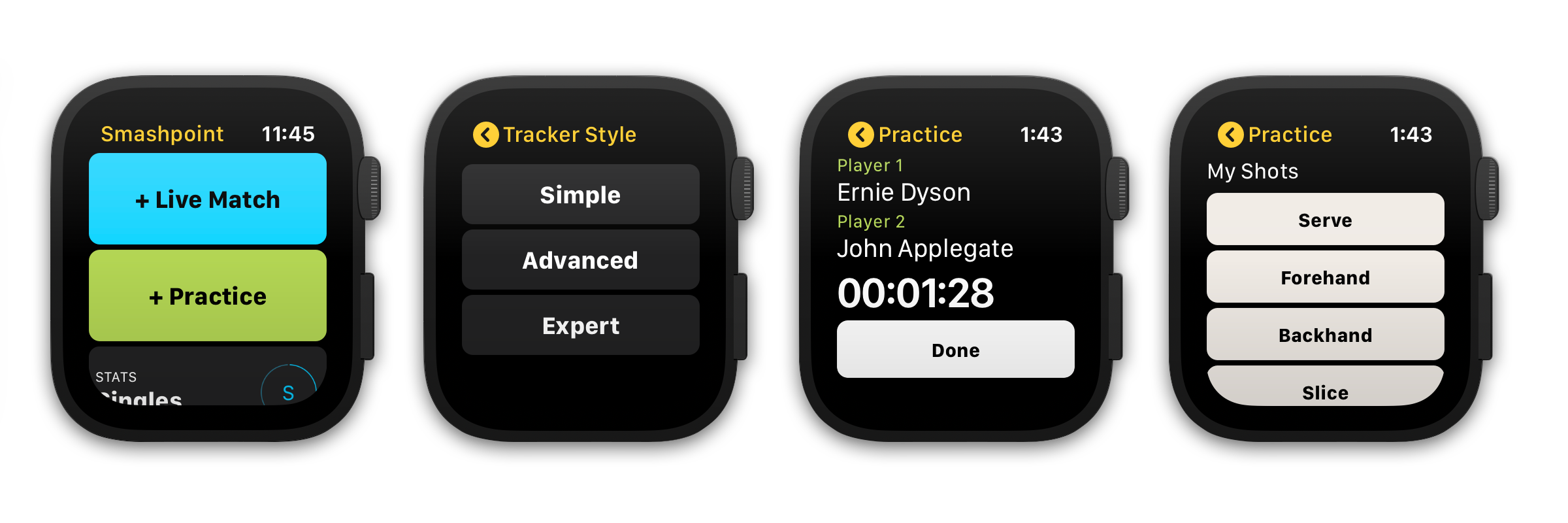
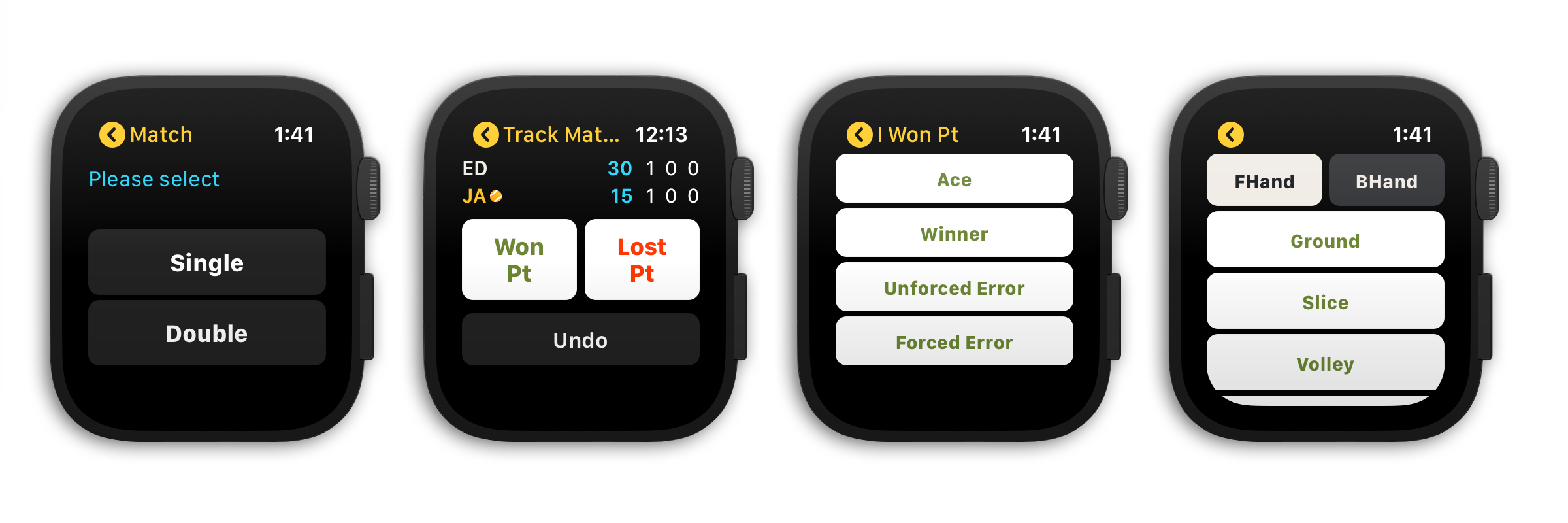
    • Select from 3 match tracking styles (Simple, Advanced, Expert)
    • Track a single or double match and practice sessions
    • Save your preferred tracking style in settings
    • New Apple Watch Complications
    • Complete a match or practice session at any time

    GENERAL
    • Updated home banner design (switch between Player Profile and Activity Rings in Settings)
    • 3 new match scoring rules
    • Embed a YouTube video in match and practice results
    • Updated match bio table design
    • Added shot results to player profile stats tab
    • Add photo and additional information to player profile

    CLOUD PLATFORM ACCESS FOR ALL USERS
    https://app.smashpoint.pro

    Apple App Store

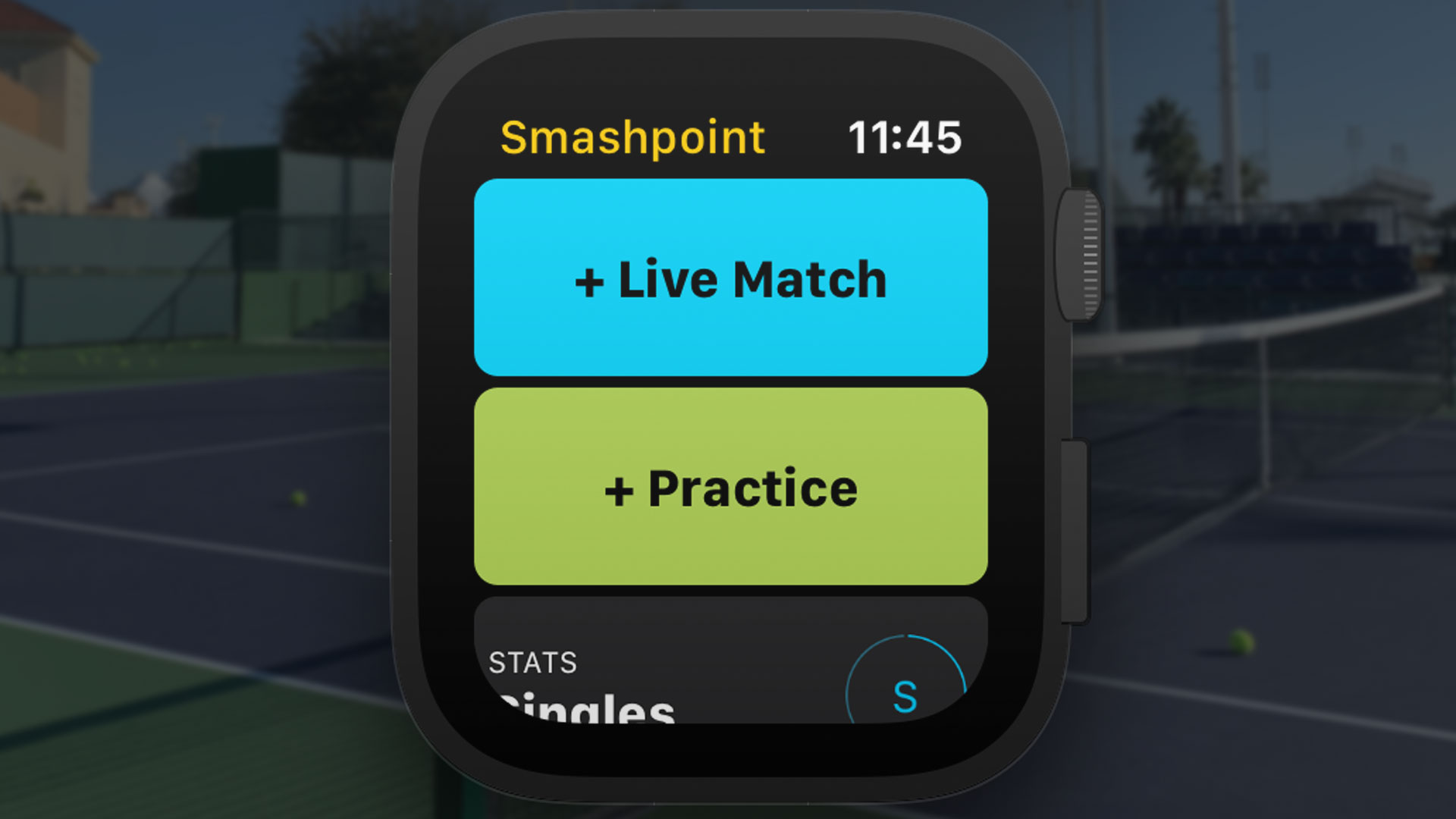
    New and Improved Apple Watch Design
    Select from 3 tracking styles that fit your needs to track your match or practice session directly on the Tennis court.
    Smashpoint Apple Watch App
    Smashpoint Apple Watch App
    Smashpoint Apple Watch App 2.5

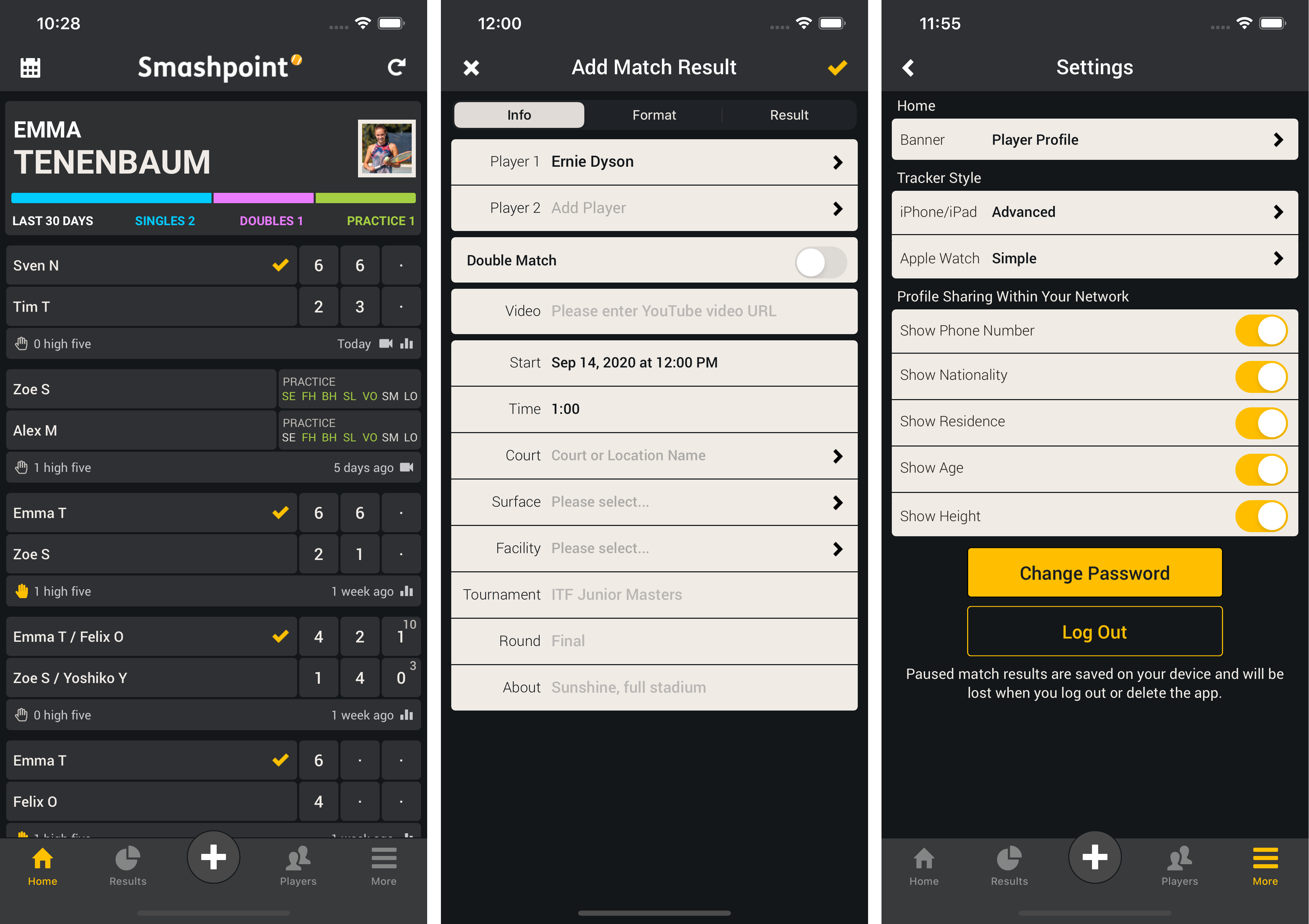
    New Mini User Profile & Add Video to Match and Practice Results
    Show your mini user profile directly on the home screen to see quick statistics (screenshot 1). Go to Settings to switch between Player Profile and Activity Rings (screenshot 3). Embed a YouTube URL in a match or practice result (screenshot 2).
    Smashpoint iOS 2.5

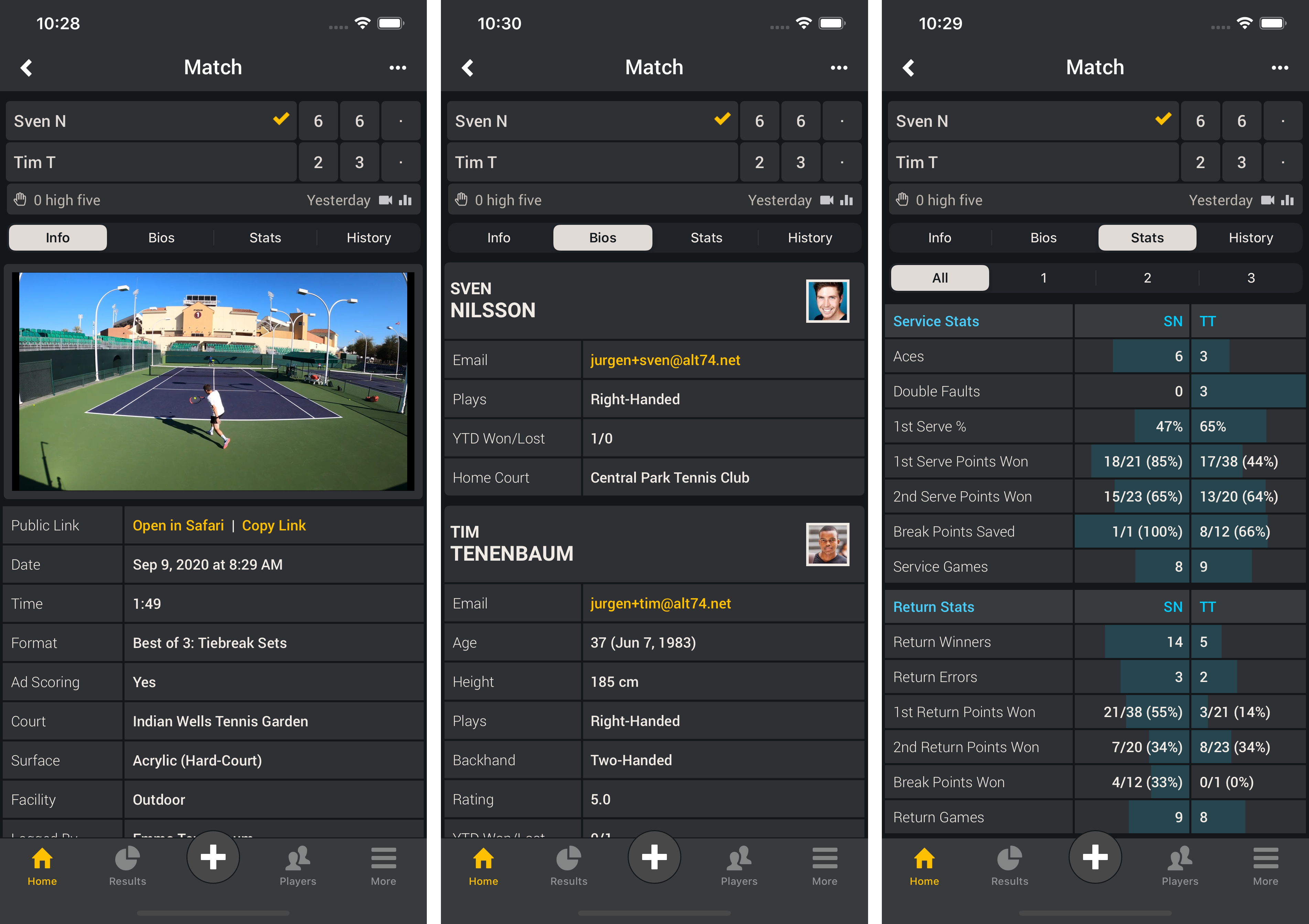
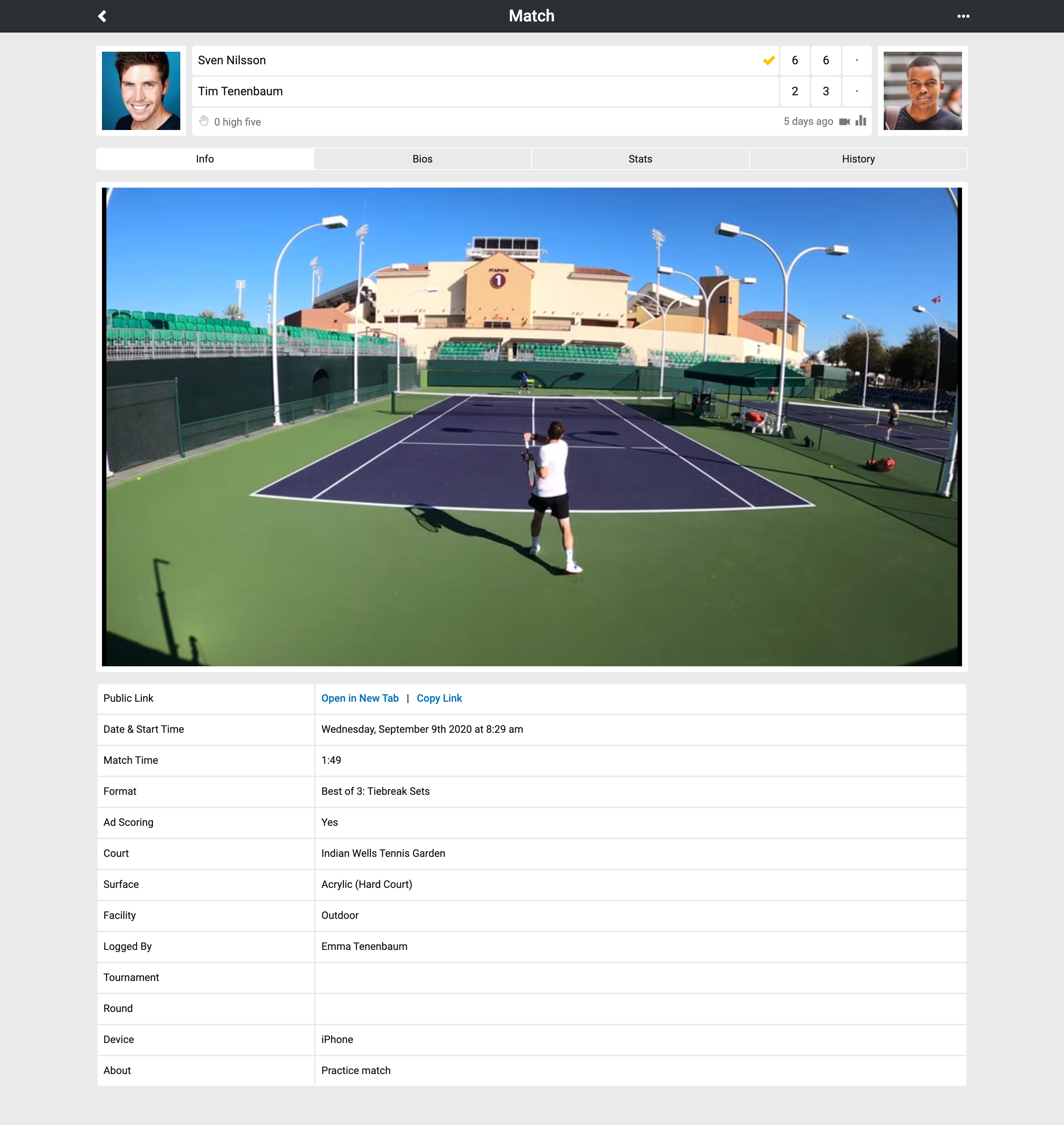
    Show YouTube Video in Results & Updated Bio Table Design
    Once you added a YouTube URL to a match or practice result you can view the video directly in the Smashpoint app. Shared results will show the video as well (screenshot 1). Updated result bio table to show player photos (screenshot 2).
    Smashpoint iOS 2.5

    Updated Match Scoring Rules
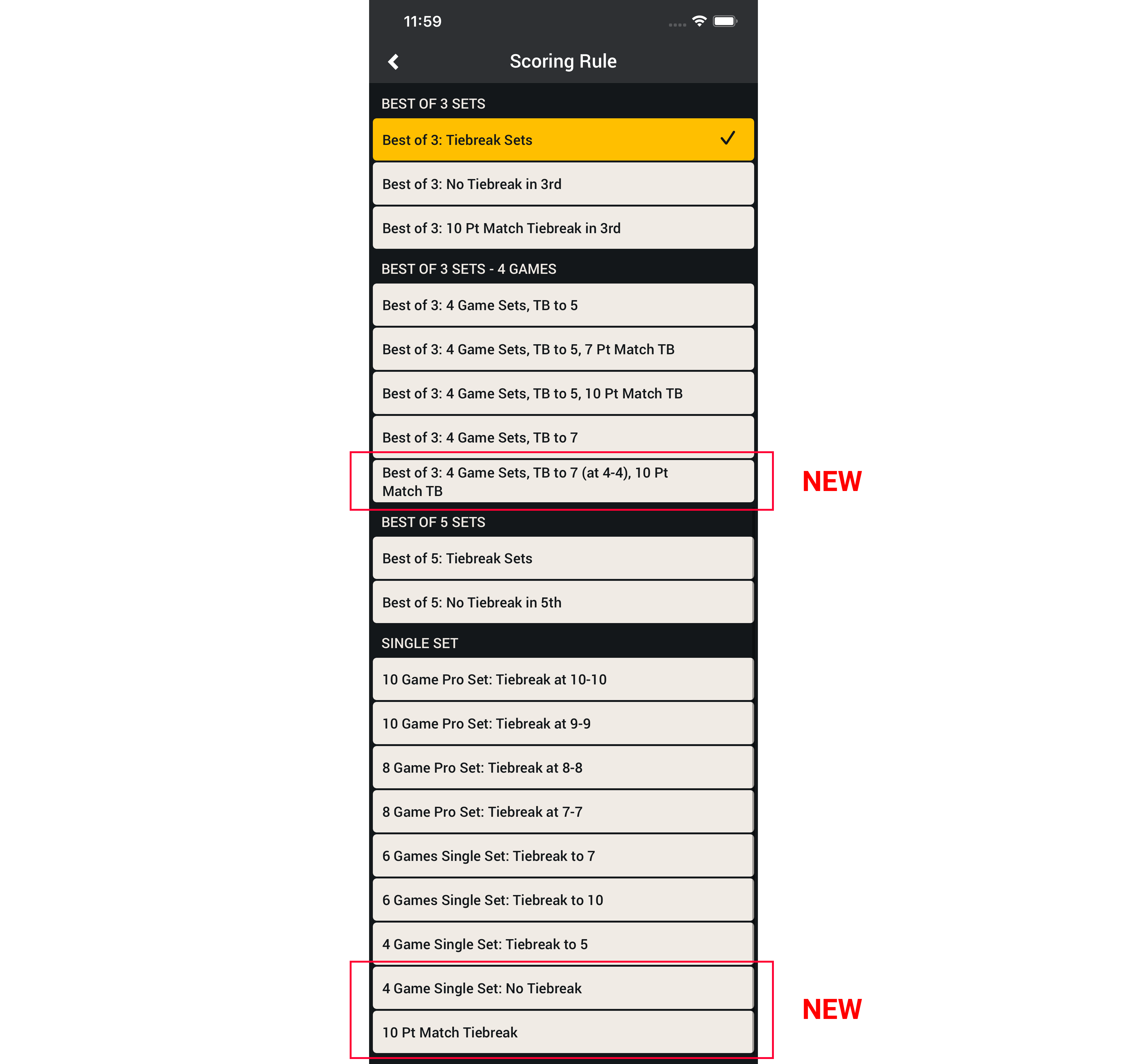
    We improved the layout for quicker access and added 3 new formats.
    • Best of 3: 4 Games Sets, Tiebreak to 7 (at 4-4), 10 Pt Match Tiebreak
    • 4 Game Single Set: No Tiebreak
    • 10 Pt Match Tiebreak
    Smashpoint iOS app match scoring rules
    Apple App Store

    To learn more about how to record and add video to Smashpoint Tennis results please visit our Tennis Gear blog.
  • Our Favorite Tennis Video Gear

    Video Gear Details

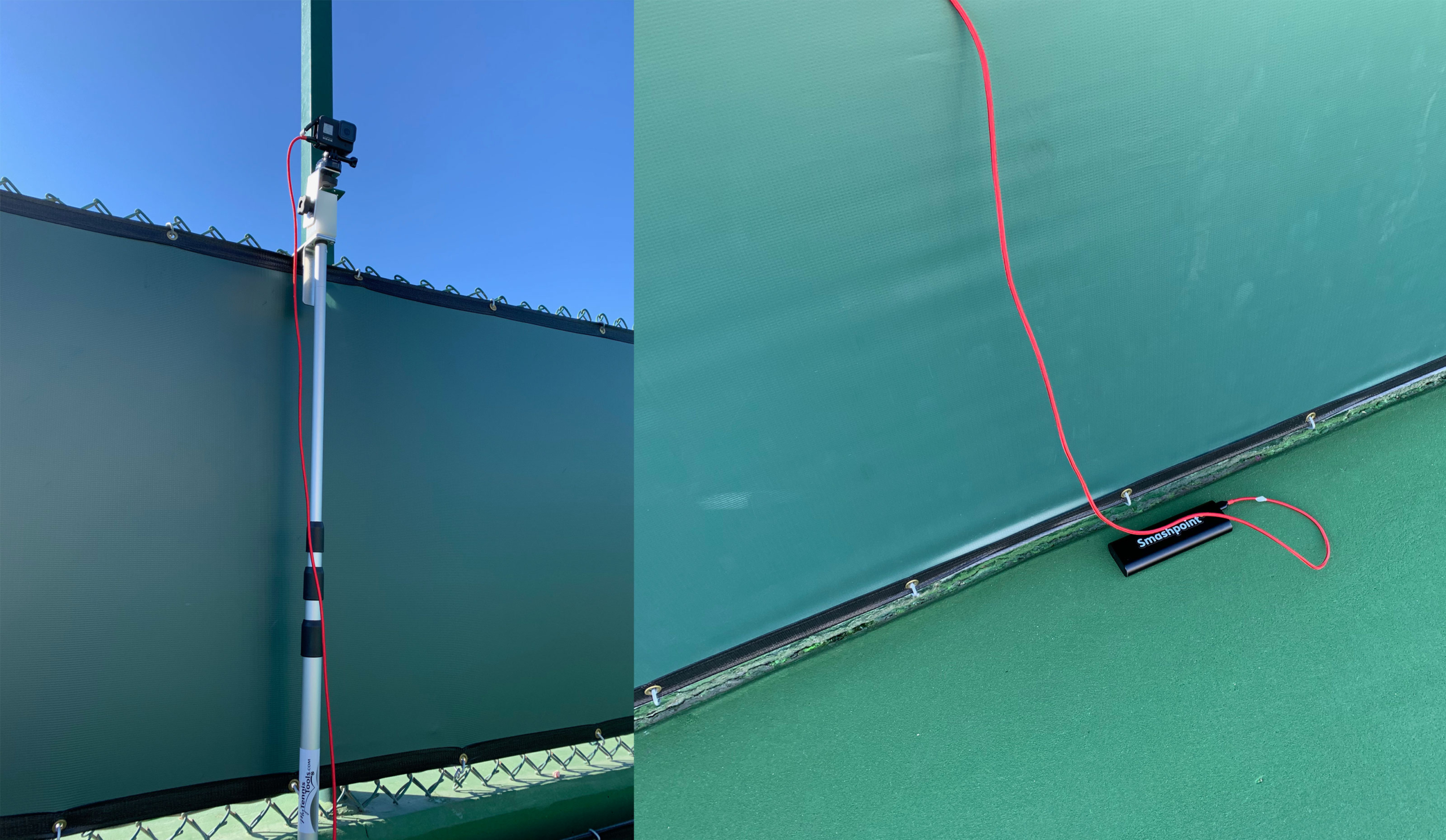
    With Smashpoint, it is easy to add your videos to a match or practice result. Upload your video to your YouTube account and then embed the YouTube URL in a Smashpoint match or practice result. YouTube is the global standard for video sharing and by keeping your videos in your account, you can watch videos on any platform including your big TV. We are big GoPro fans for Tennis videos. The GoPro camera is lightweight and can handle being out in the sun. With an extra battery attached, you can record many hours of video without breaking a sweat. We have tested many video solutions and here is our favorite set up:

    • GoPro Hero (4K at 60 FPS or less resolution with higher FPS for detailed slow motion playback)

    • Anker Battery Pack + USB Extension Cord

    • Fence Camera Mount

    To learn how to add video to Smashpoint please visit our blog.
    Smashpoint YouTube Video
  • Web App June 2020 Update

    Smashpoint Web App Home

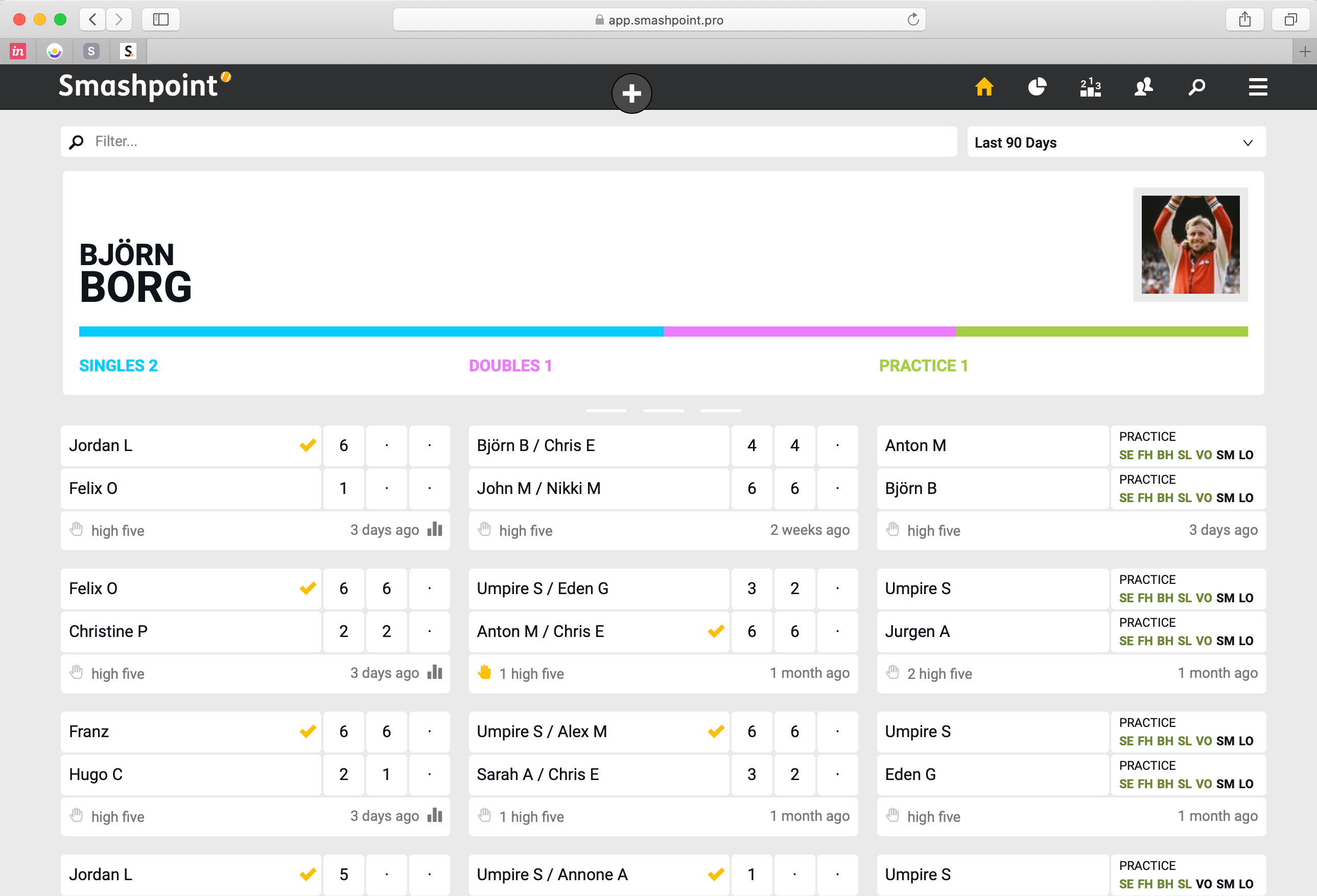
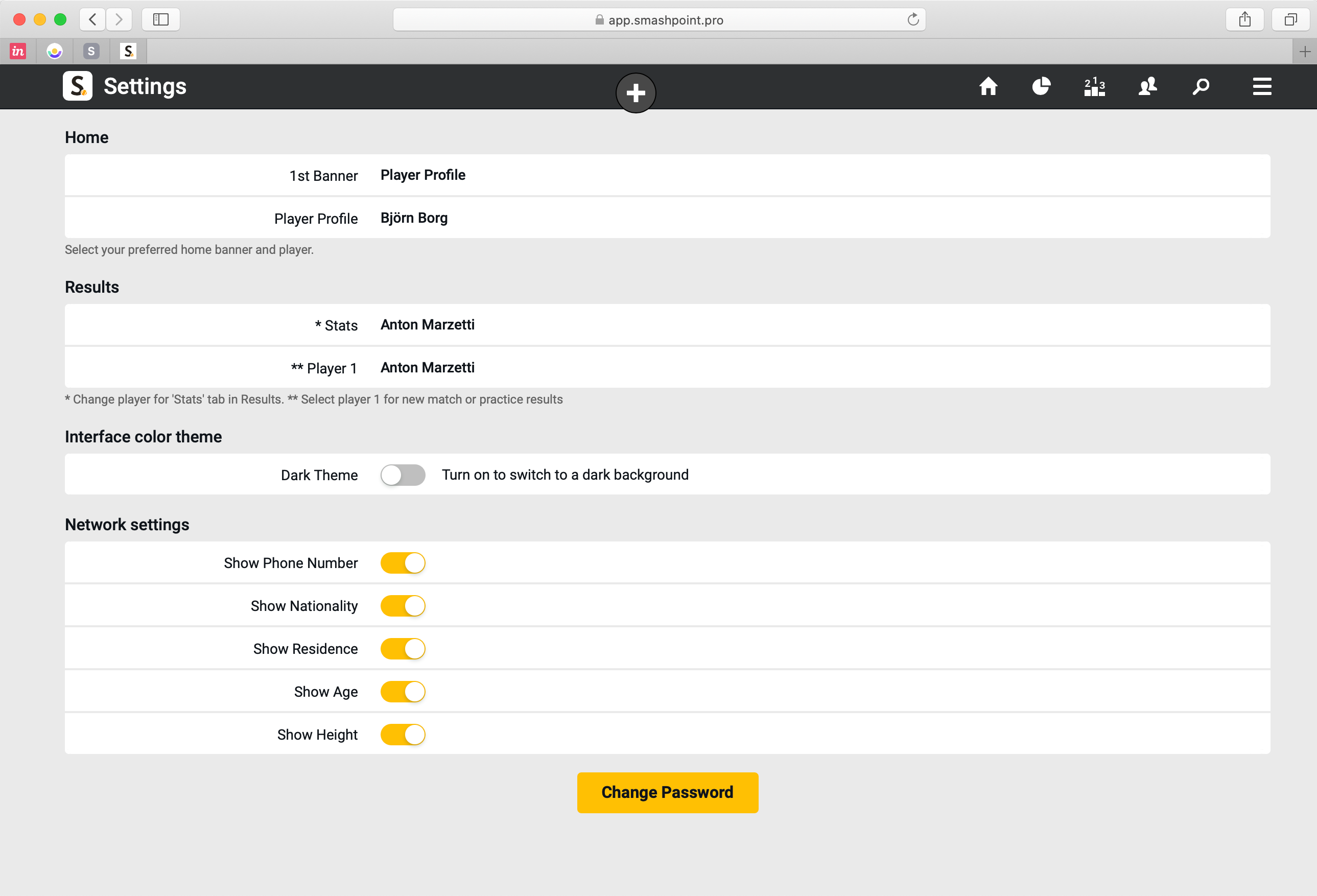
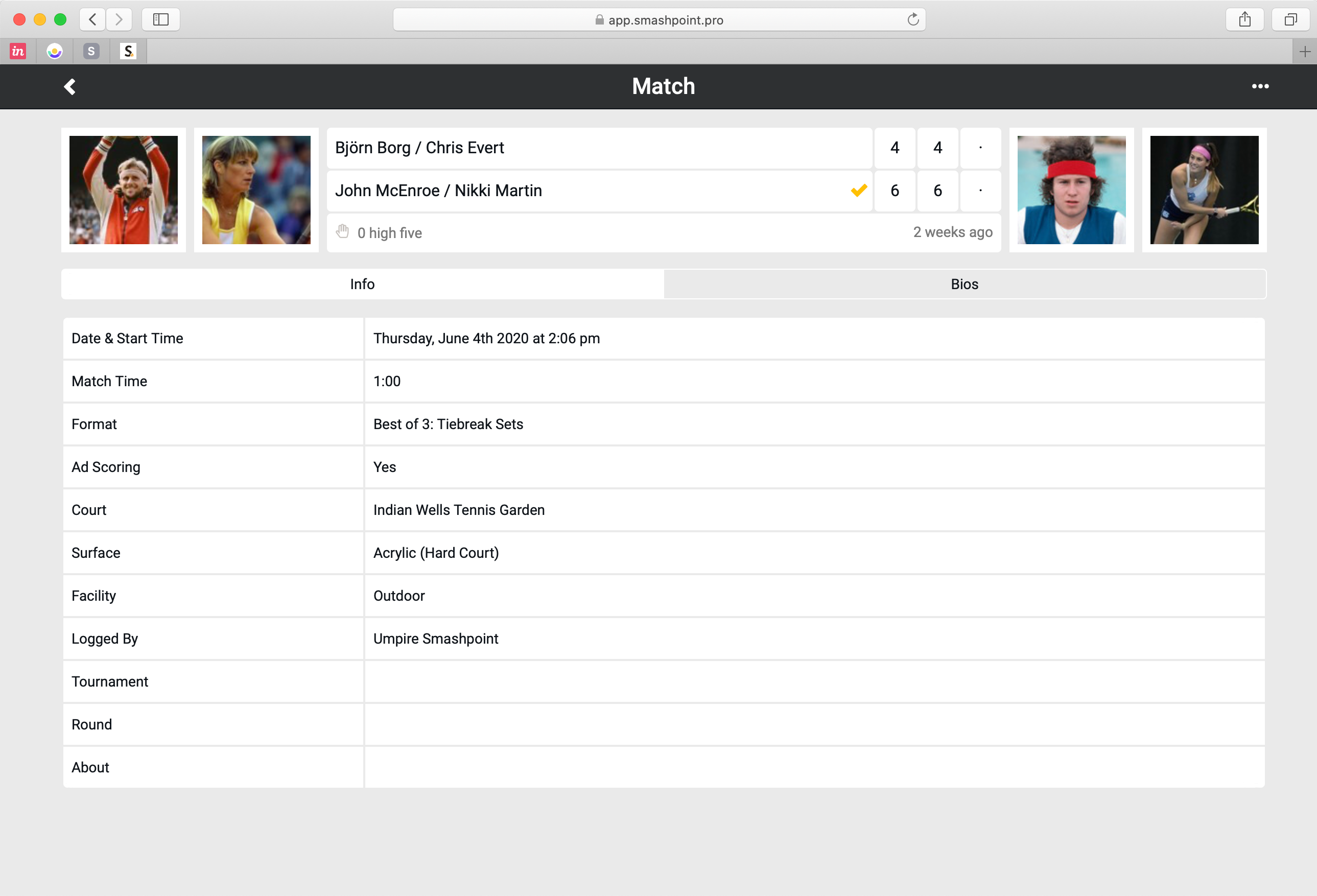
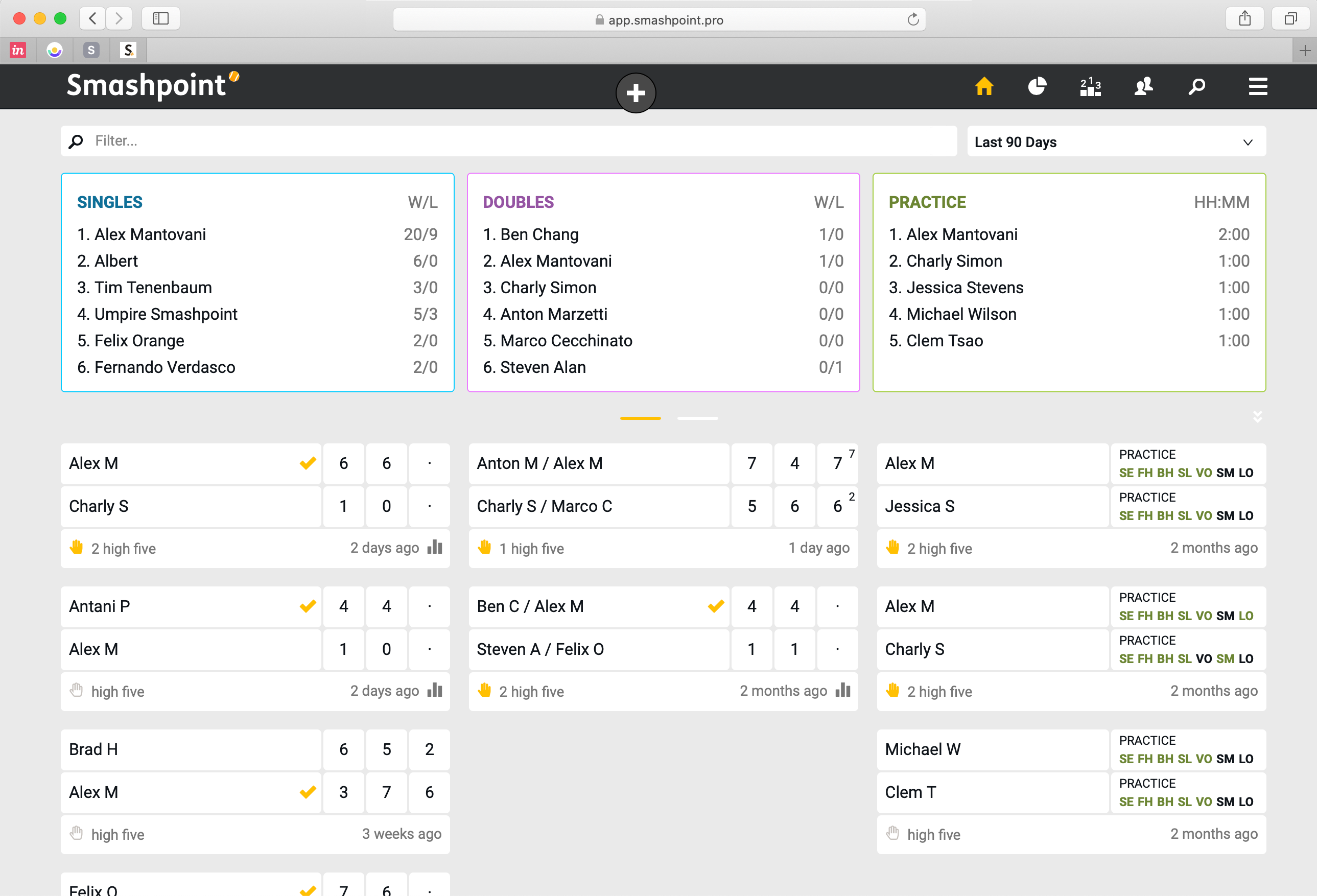
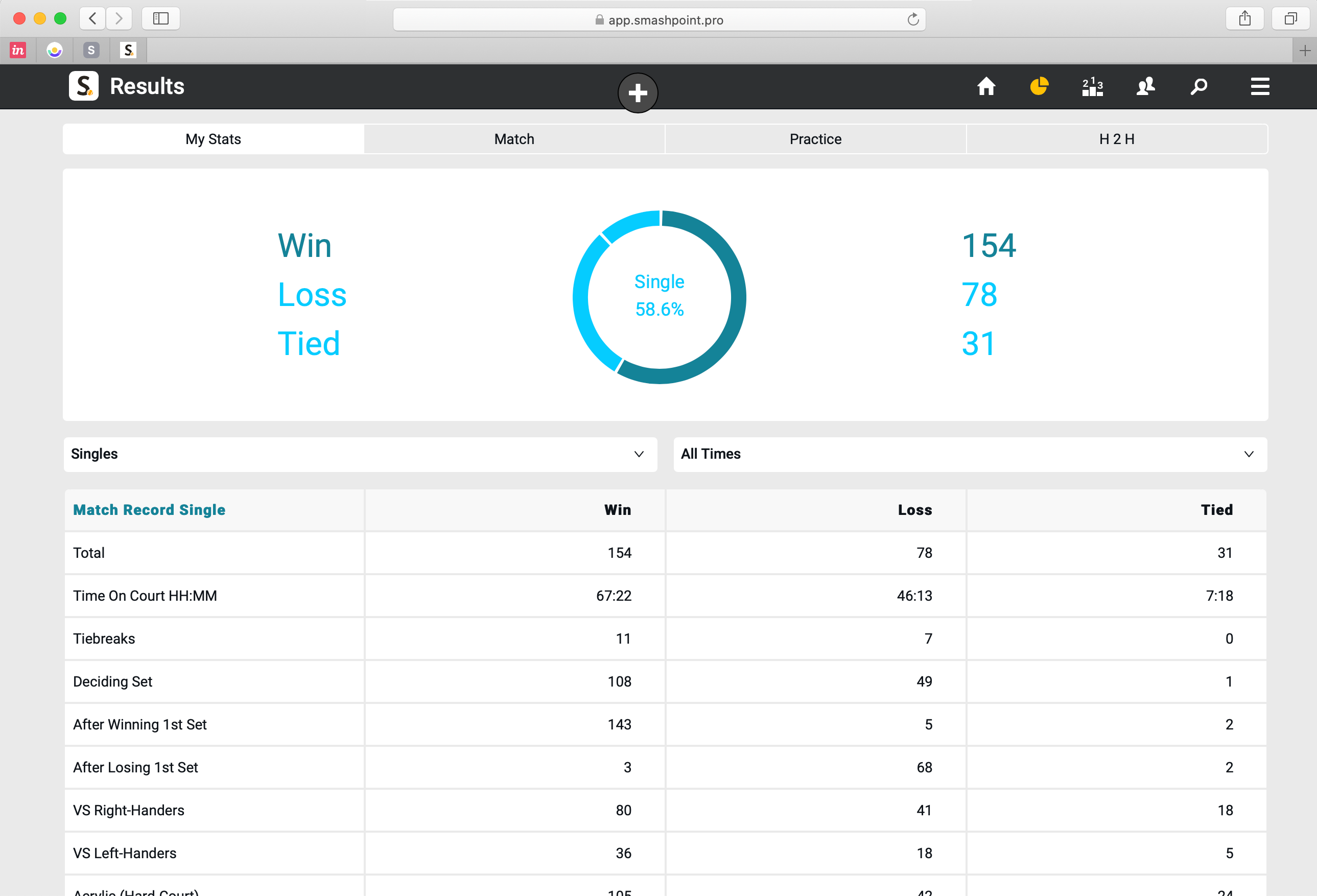
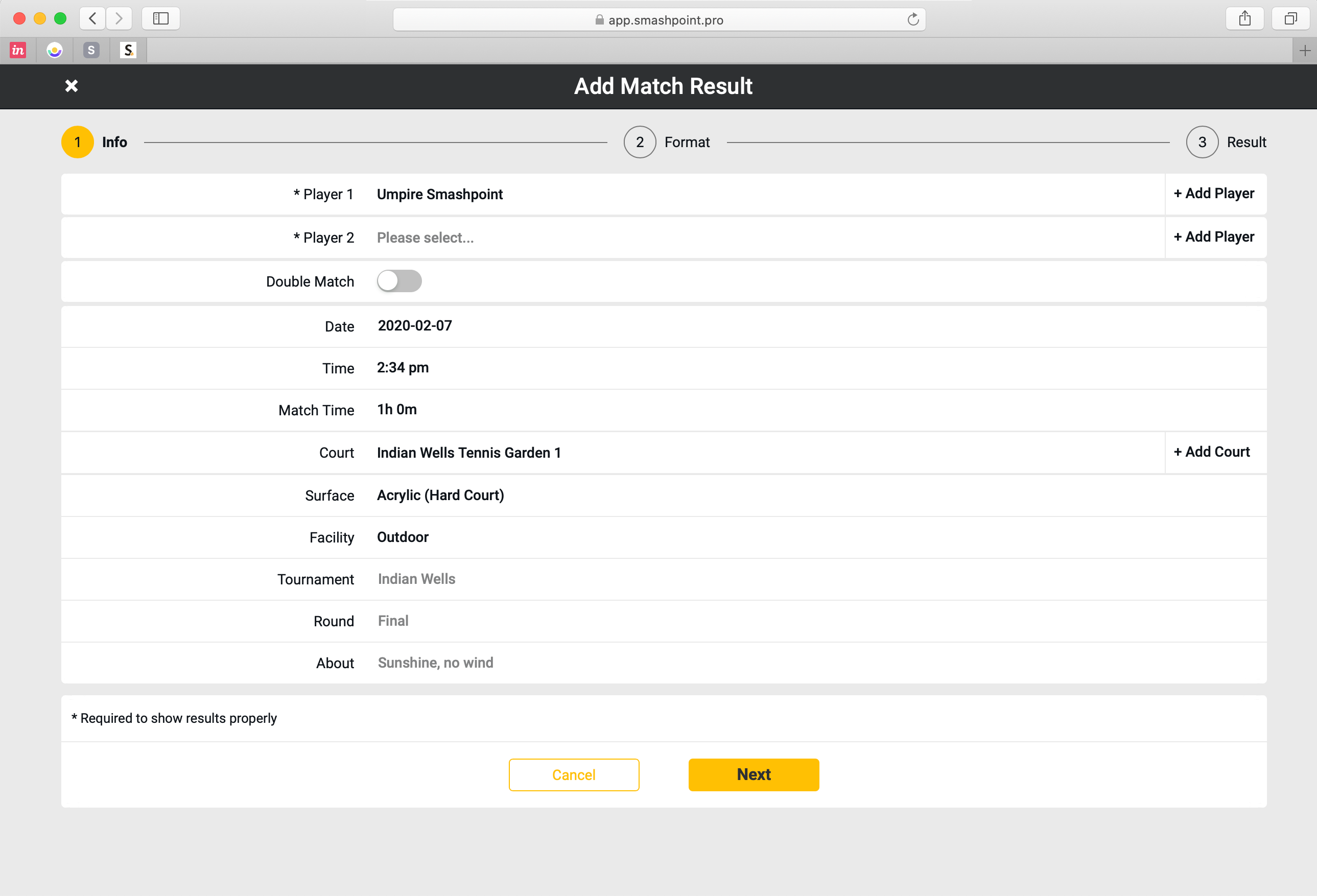
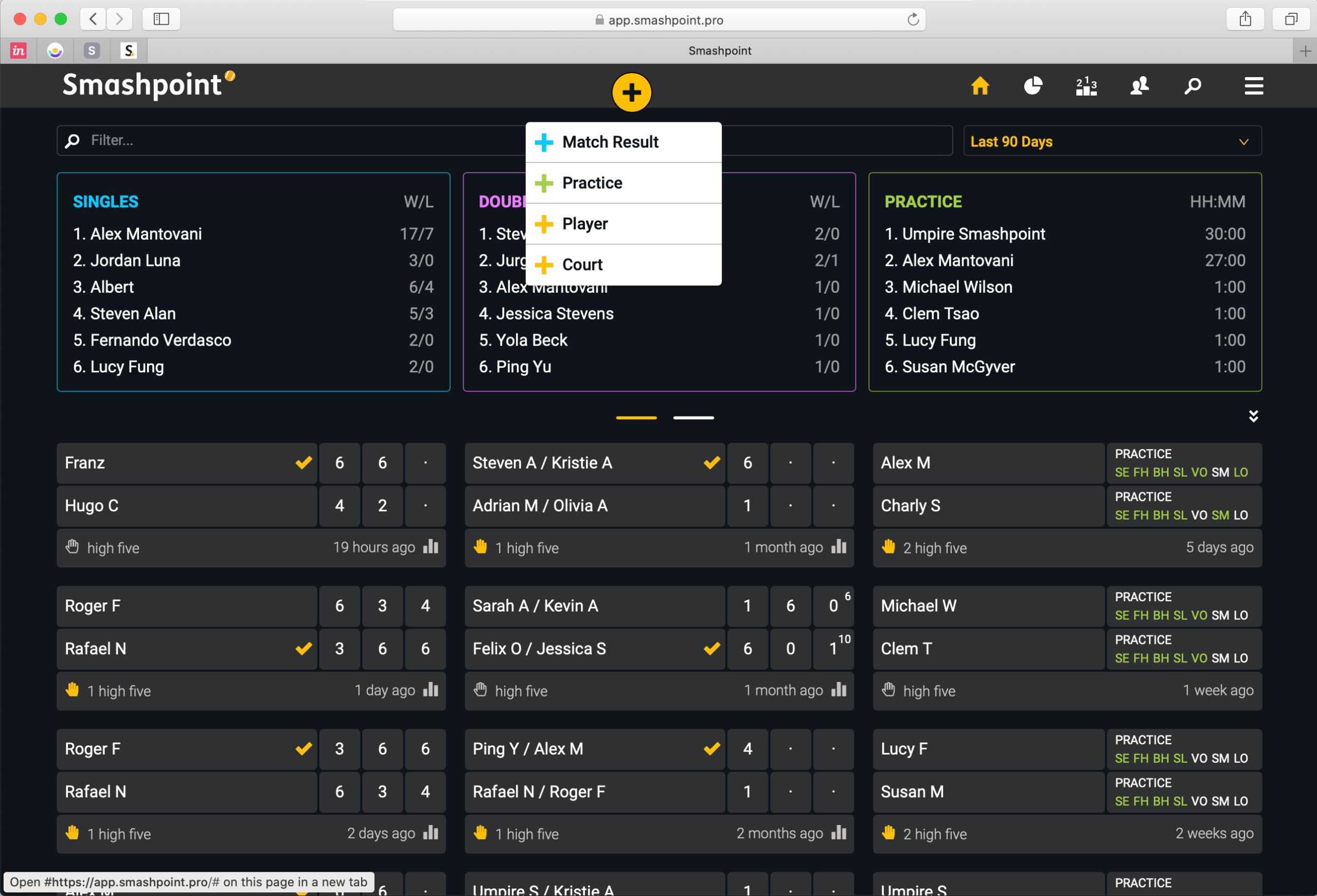
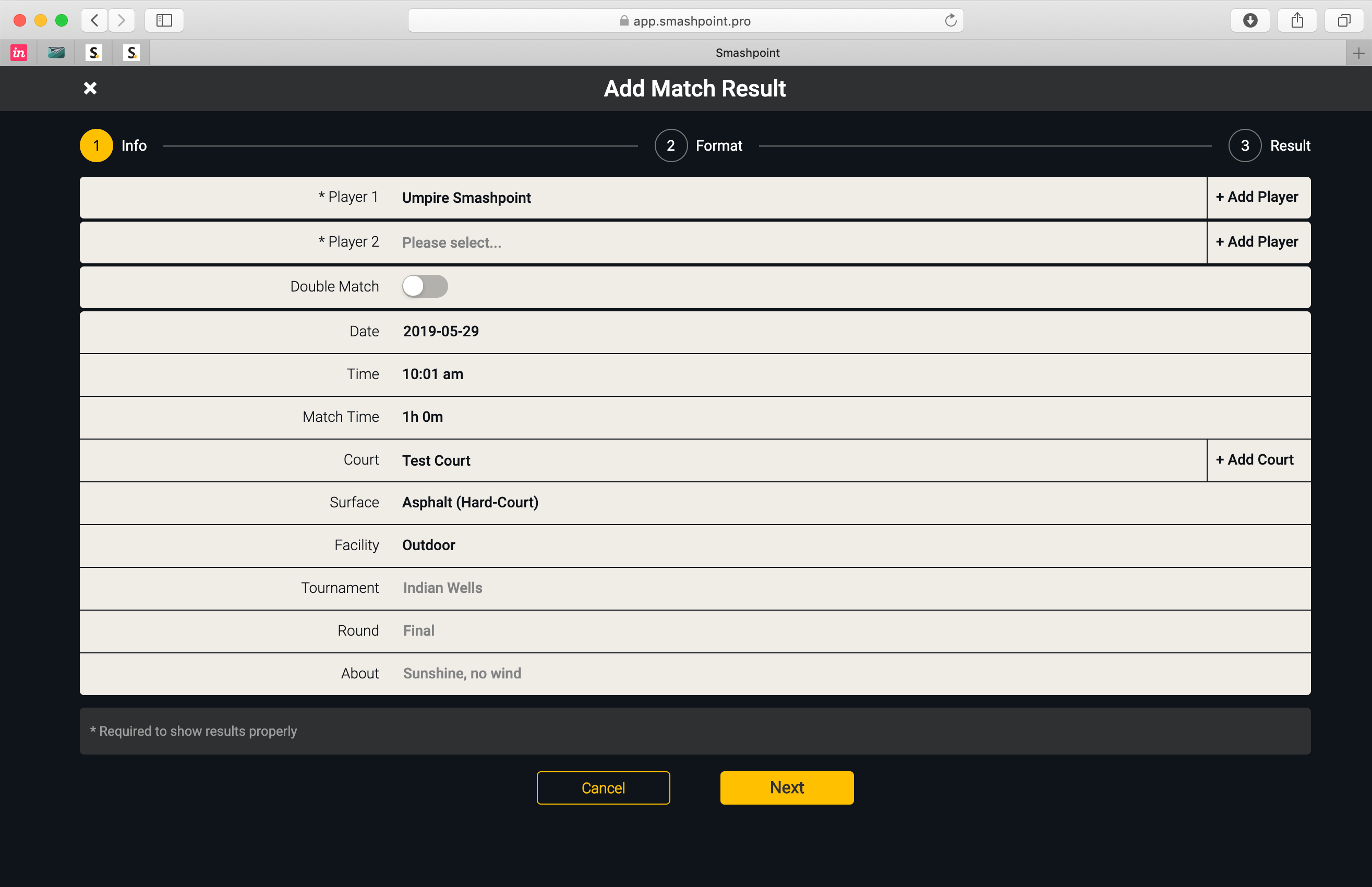
    Our latest web app release includes new customization features for a better experience. Go to Settings to select what player should be featured on the new home profile banner. If you prefer to see Activity Rings or a Rankings table simply select a different banner. You can also select what player stats should be shown in /Results. When you log a new match result you can now select who the 1st player should be in Settings. The new features should speed up and enhance the app experience for tennis parents, coaches and organizers. We also added player profile photos in this release to all match results (see doubles match result below).
    What do you think of the design updates? Please get in touch to let us know…

  • Web App Feb 2020 Design Update

    Smashpoint Light Theme

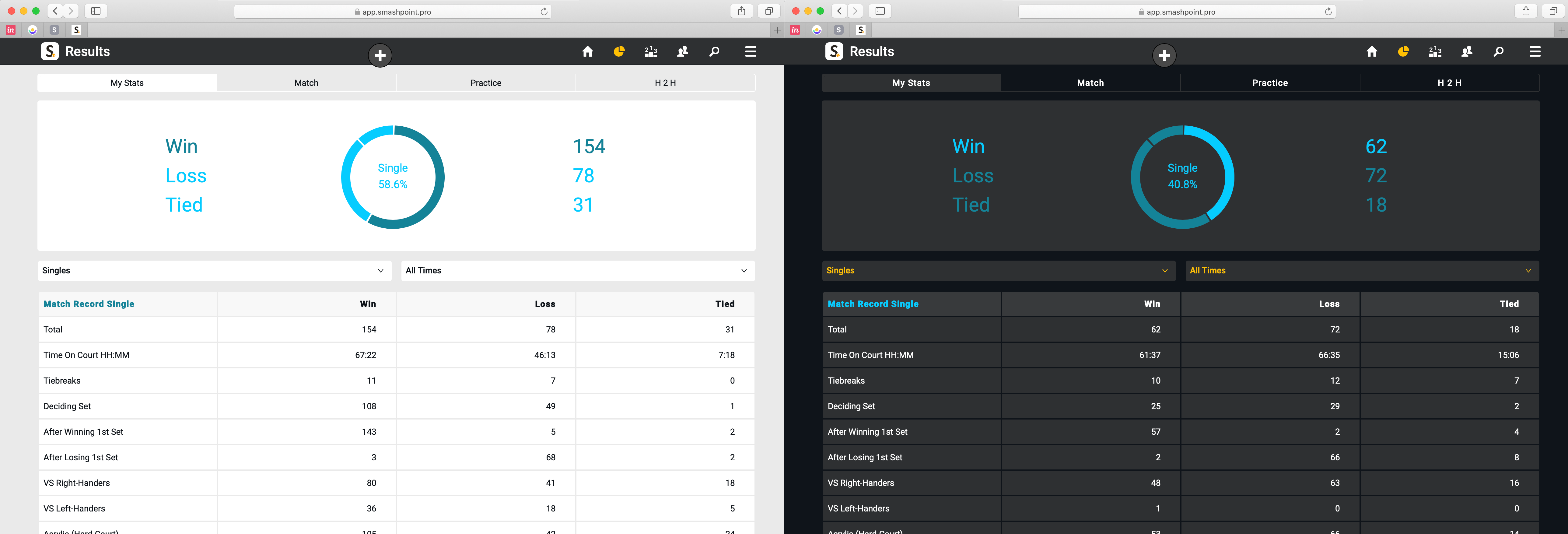
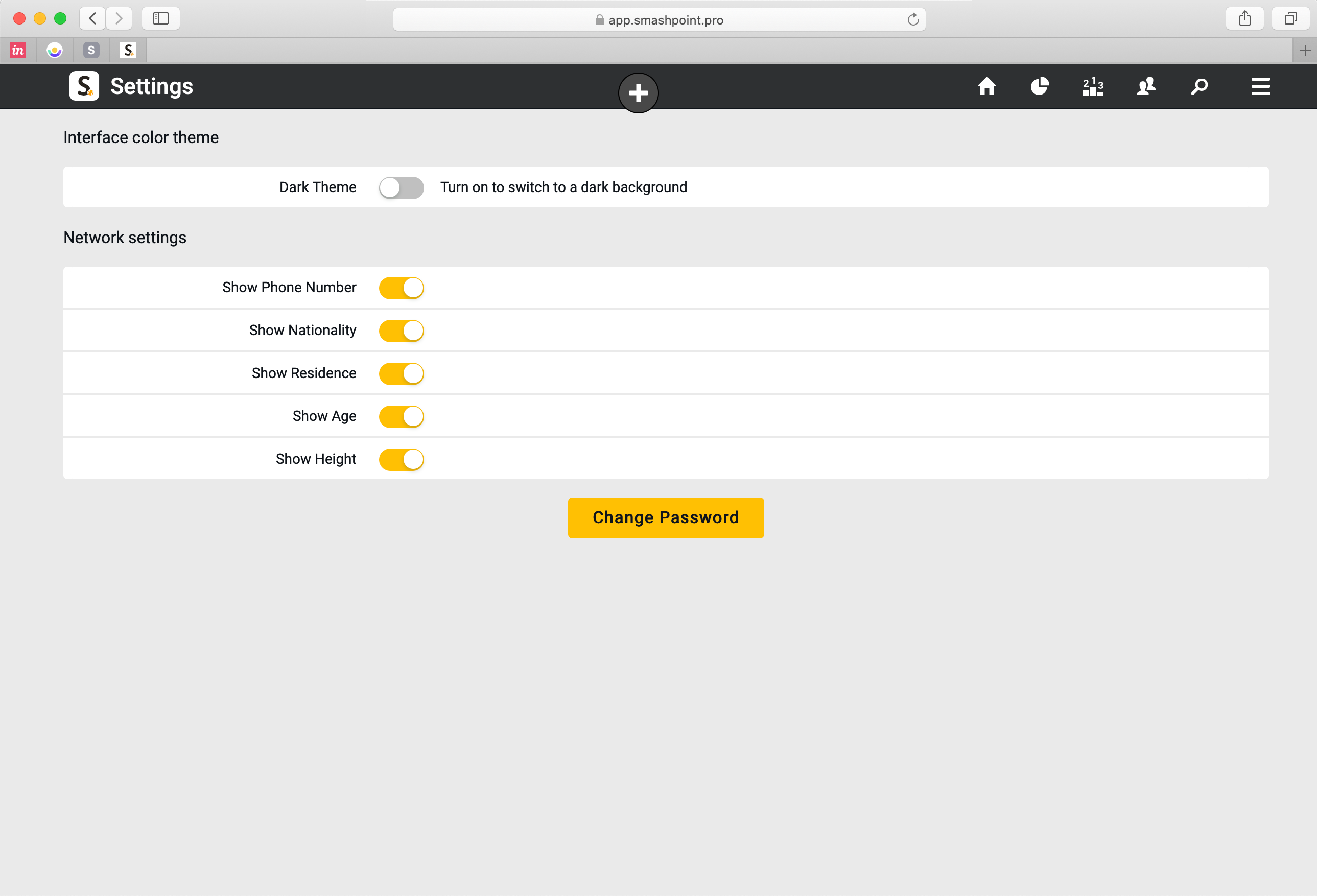
    Our tennis tracker platform is growing up! We have been busy fine tuning the Smashpoint interface for mobile, tablet and desktop use. You can now switch between a light and dark theme in Settings. Dark theme is great for dark room use. Or, use the light theme if you are outside in bright daylight. Whatever works best for you.

    Smashpoint Web App Light and Dark Theme

    Smashpoint Web App: Settings
    Switch between dark and light theme

    Smashpoint Web App Settings
    Smashpoint Web App Results
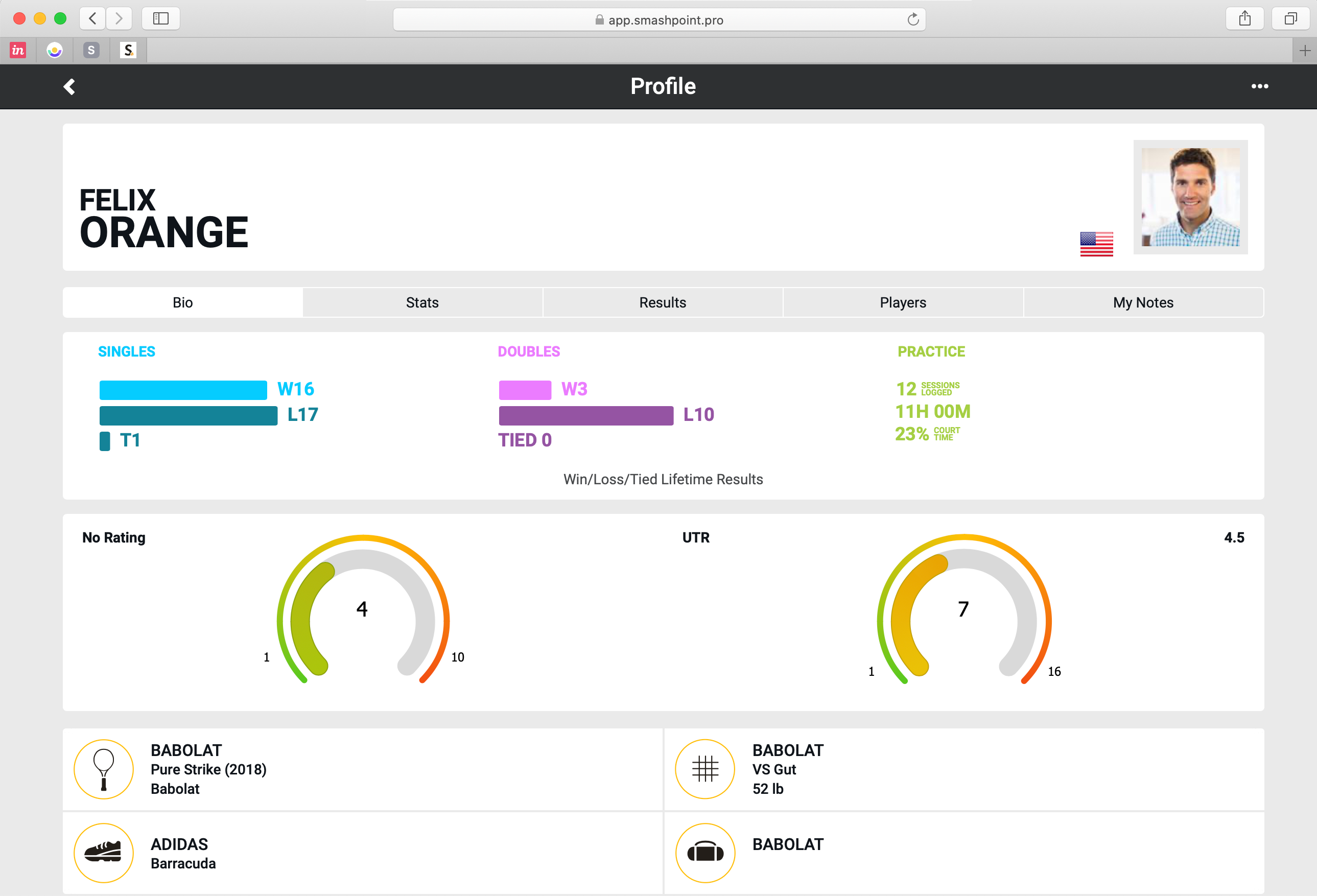
    Smashpoint Web App Player Profile
    Smashpoint Web App Add Match

    What do you think of the design updates? Please get in touch to let us know…

  • Web App Nov 2019 Update

    We added over 30 new improvements to the Smashpoint web app. Highlights:

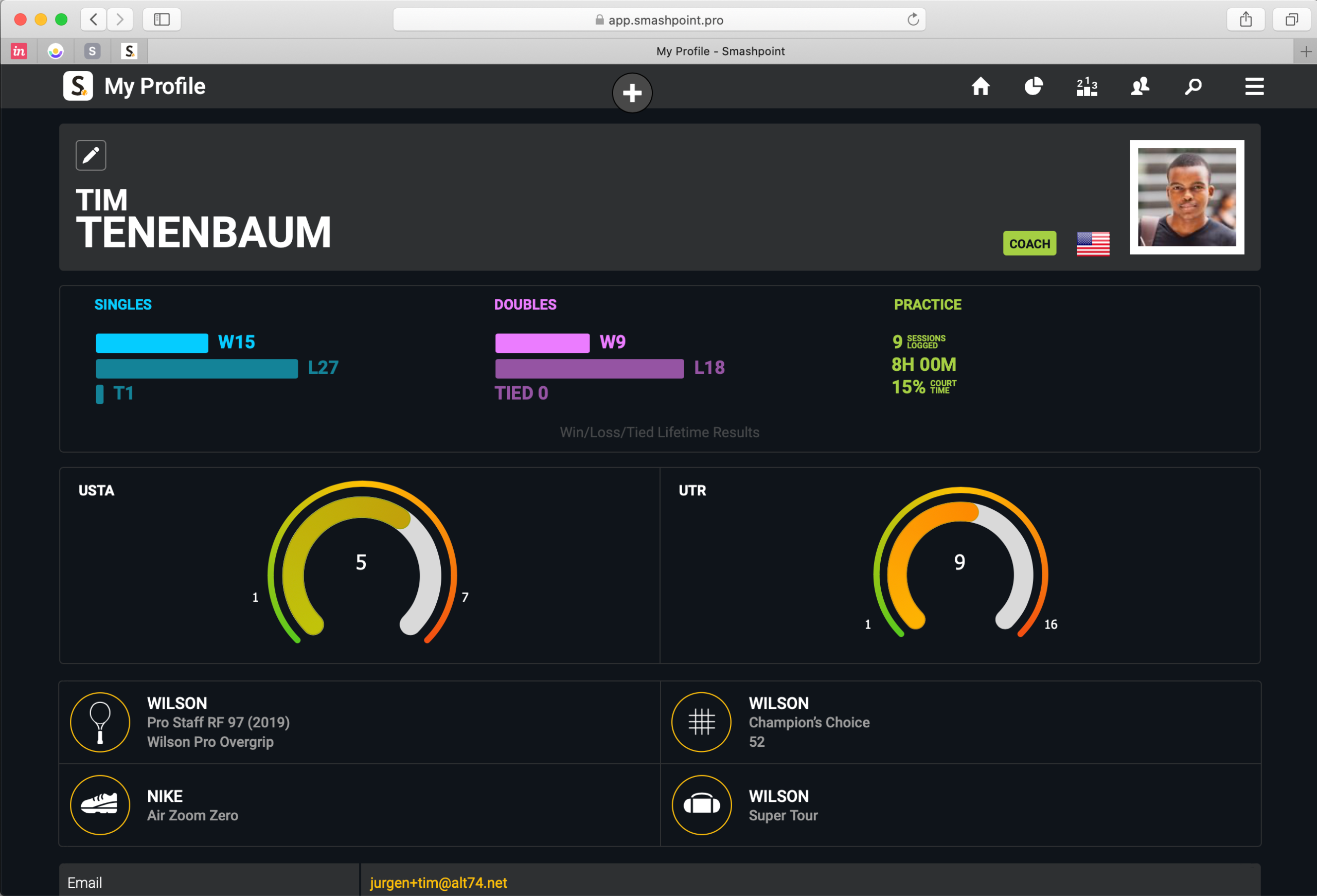
    • New Player Profile design (compare your ratings side by side: UTR, USTA, etc)
    • Add your gear to your profile
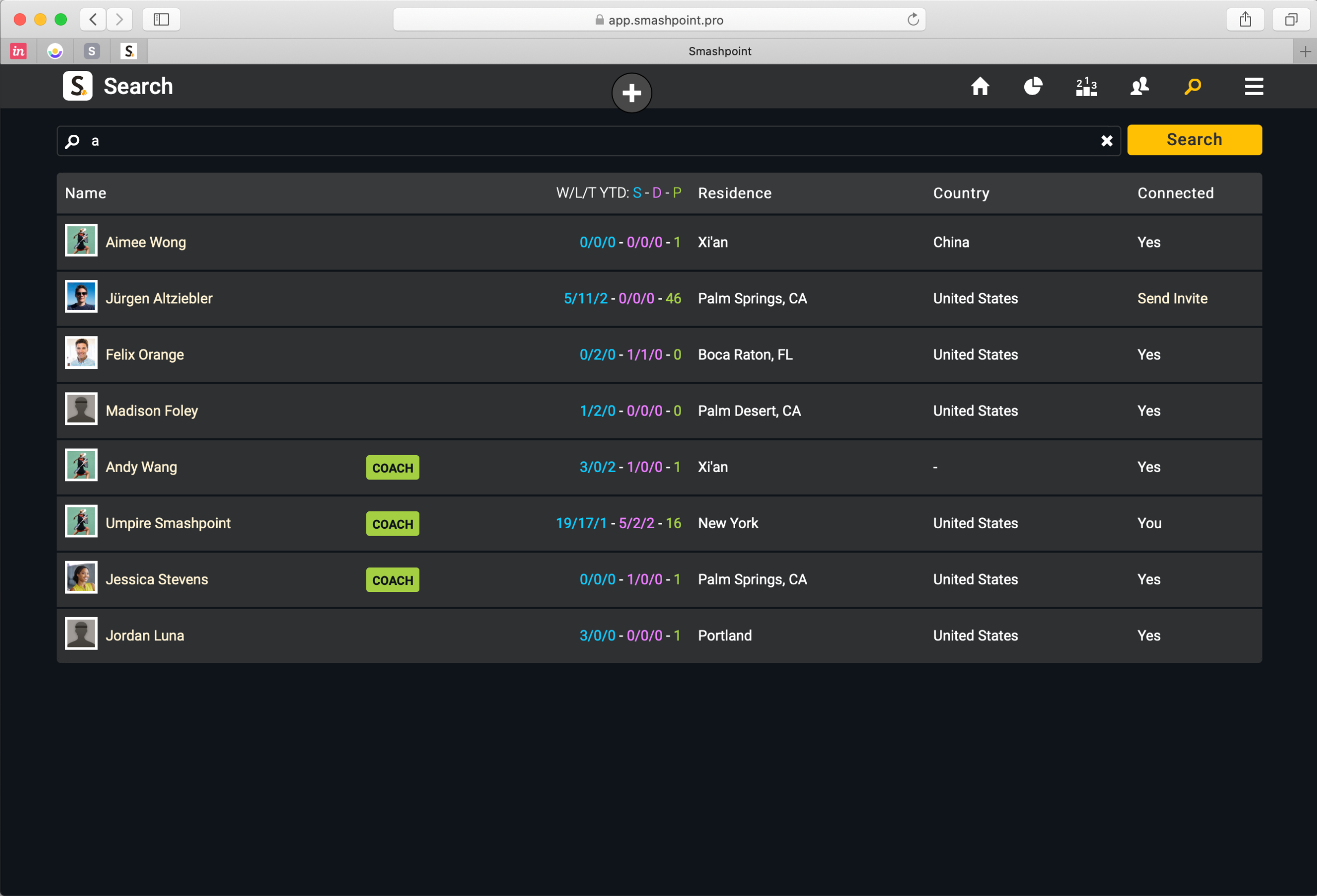
    • Publish your player profile online to share with a coach and friends
    • Stats tab with insights for every player
    • Additional Fast4 match format (UK/LTA rules)
    • Add Passing Shot to match history (tracked with iPhone/iPad)

    Log In or Sign Up at app.smashpoint.pro

    Player Profile with Custom Rating (USTA in this example) and UTR side by side

    Smashpoint Search: public player profiles appear in search result

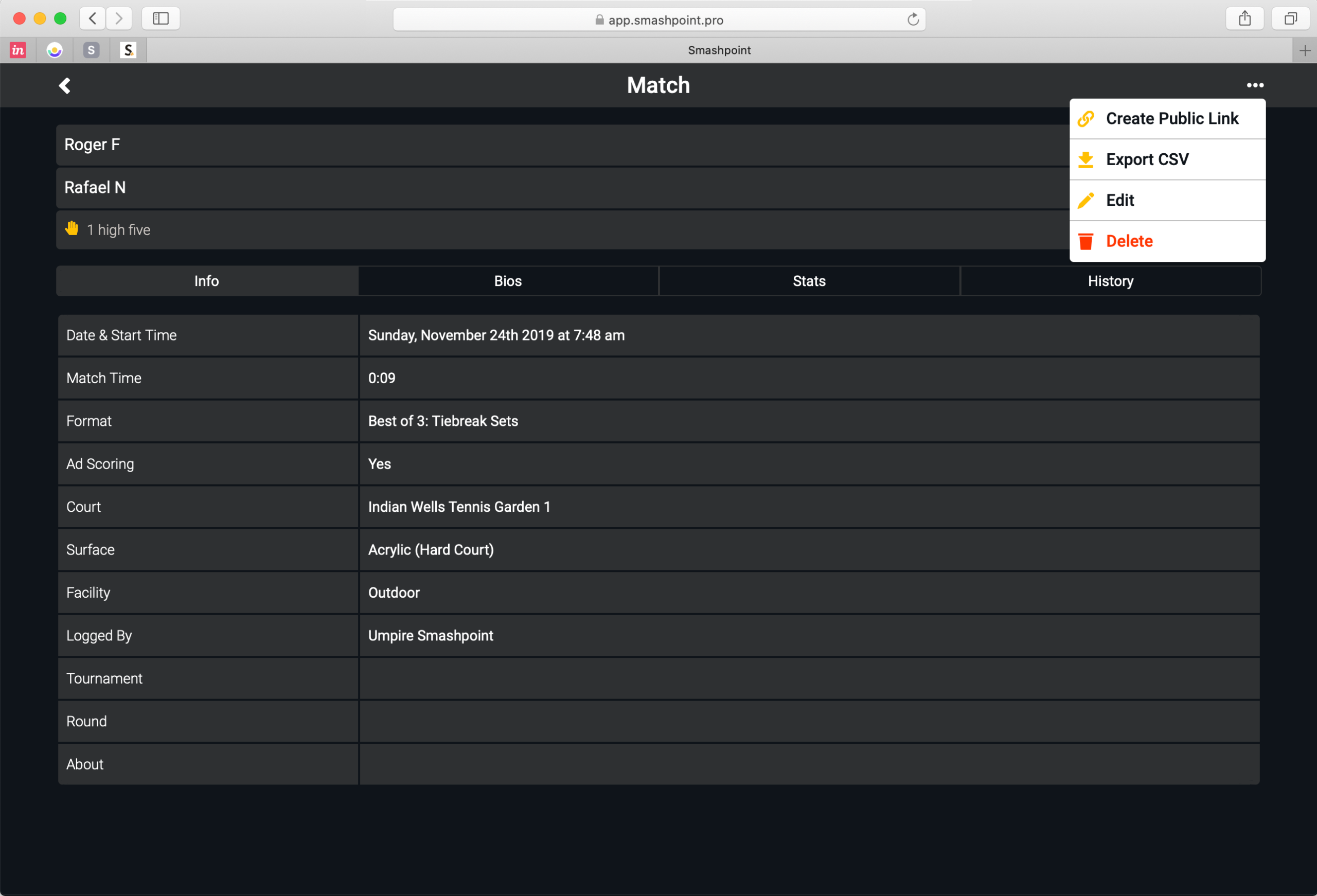
    Match Options (Create Public Link, Export to CSV, Edit, Delete)

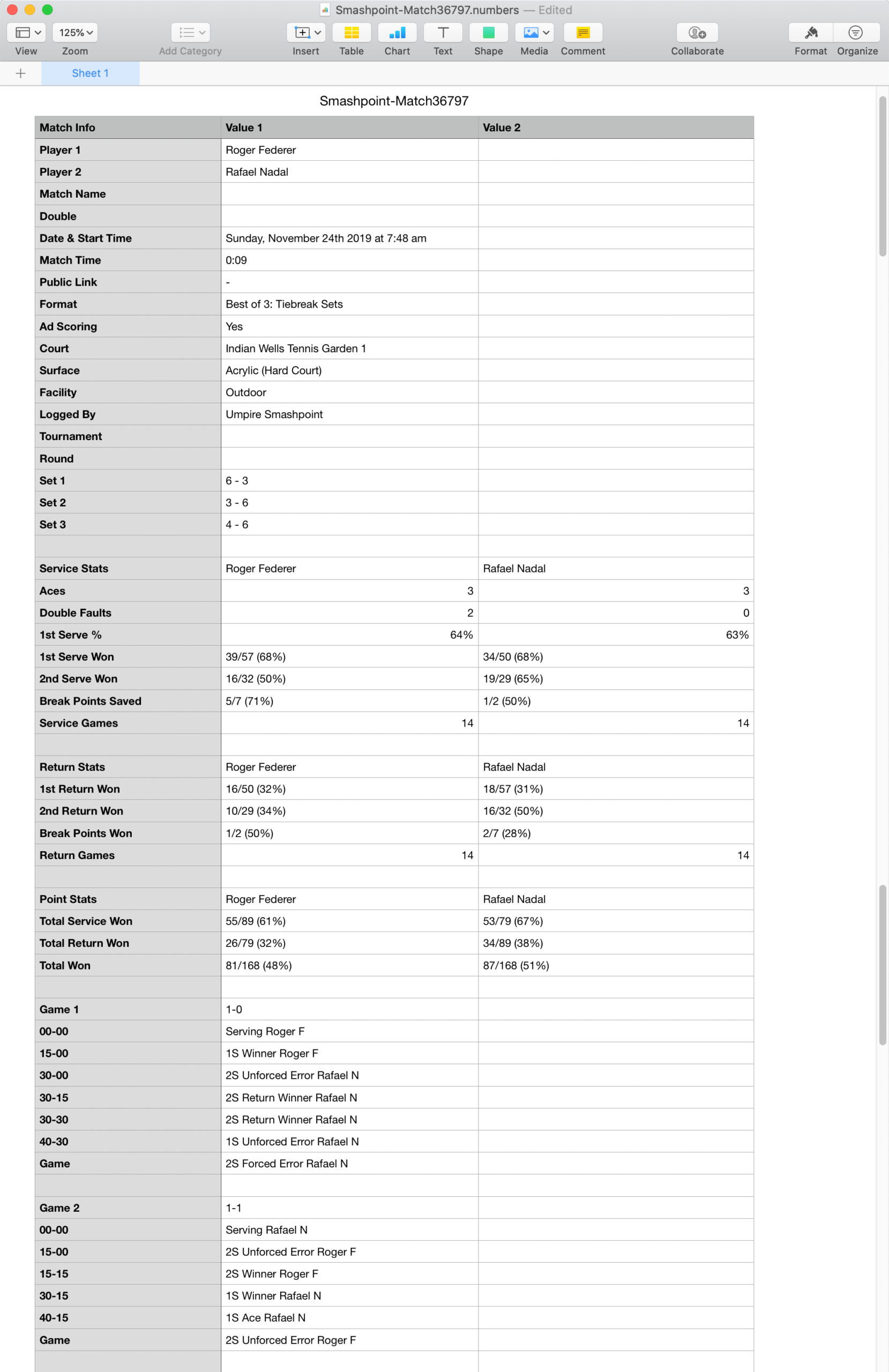
    CSV File in Apple’s Numbers Application

    Log In or Sign Up at app.smashpoint.pro

  • Smashpoint iOS 2.4 Release

    Smashpoint iOS 2.4

    What’s New in Smashpoint iOS App 2.4

    LIVE TRACKER
    • New simple one touch tracking
    • Select from 3 tracking styles (Simple, Advanced, Expert)
    • Save your preferred tracking style in your settings
    • Added “Passing Shot” to Expert mode
    • New “Pause Match / Complete Later” functionality
    • Quick access to live stats during match play

    GENERAL
    • New Player Profile design (compare your ratings side by side: UTR, USTA, etc)
    • Add your gear to your profile
    • Publish your player profile online to share with a coach and friends
    • Stats tab with insights for every player
    • Additional Fast4 match format (UK/LTA rules)
    • Improved player list design
    • Improved user interface for iOS 13
    • Improved Login and Sign Up design
    • Unlocked Pro accounts also have full access at app.smashpoint.pro

    Apple App Store

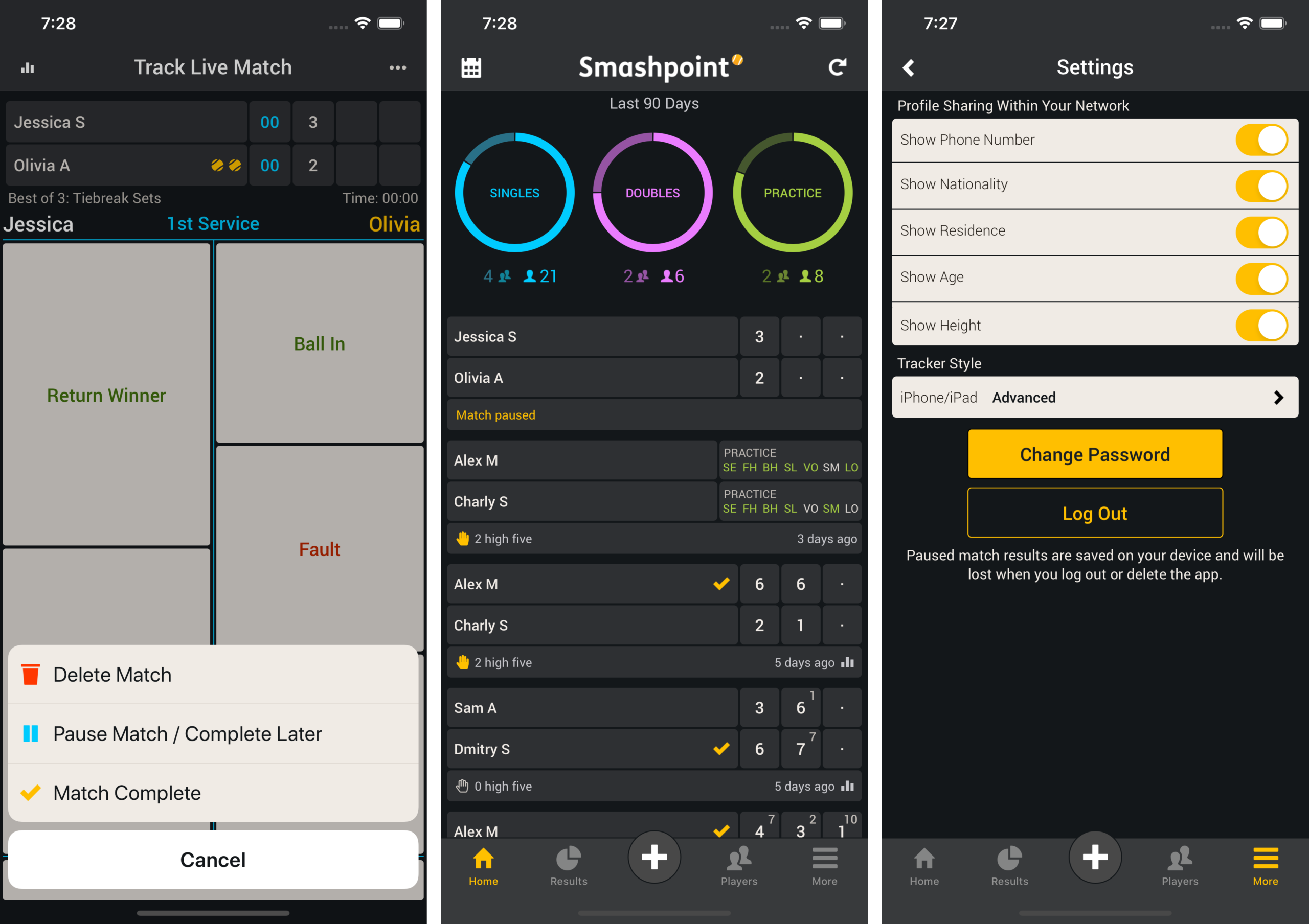
    Live Match Set Up & Simple Tracking
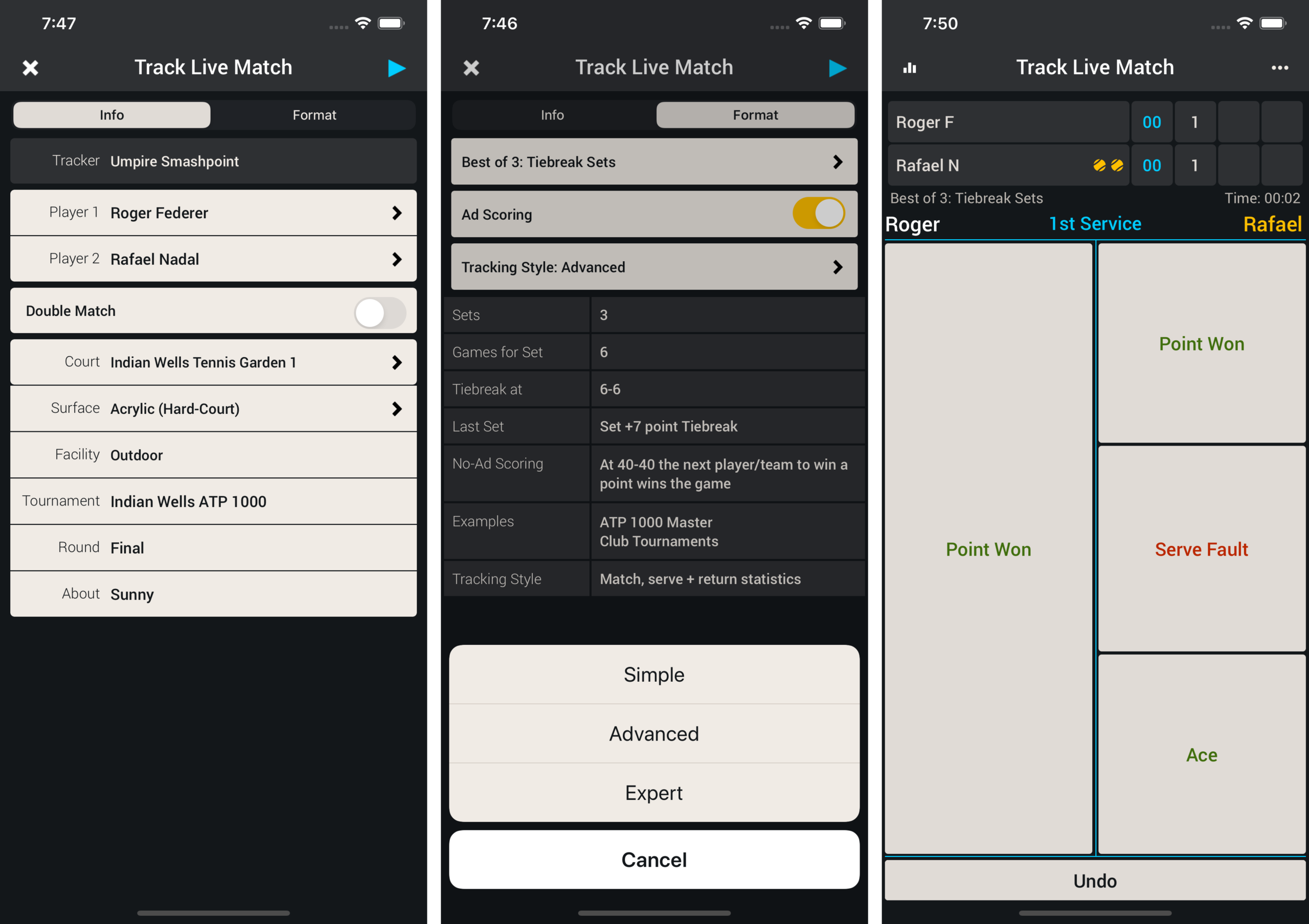
    During Live Match set up (screenshot 1). Go to the Format tab and select Simple from the Tracking Style menu (screenshot 2). Press Play in the upper right hand corner to begin tracking the match. Track the match with simple one touch entry (screenshot 3).

    Smashpoint 2.4

    Pause Match & Save Tracker Style in Settings
    If you need to pause the match during play select the ••• more menu in the upper right hand corner and select “Pause Match” from the menu (screenshot 1). Once the match has been saved it appears on your home screen (screenshot 2). In Settings you can save your preferred tracking style so next time you are tracking a tennis match the correct style is selected for you (screenshot 3).

    Smashpoint iOS Pause Match

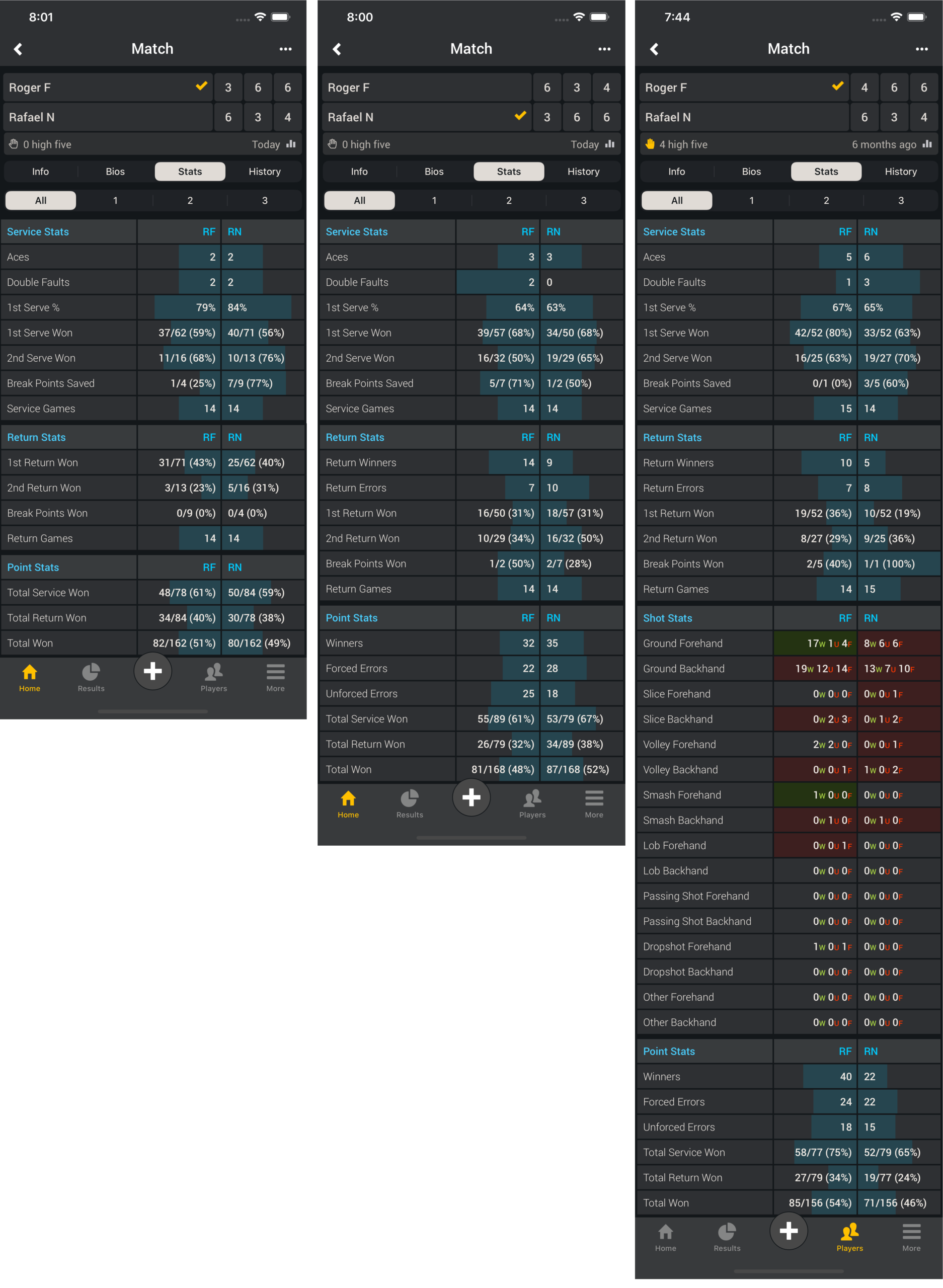
    Match Stats (Simple – Advanced – Expert)
    Simple tracking produces the same stats as the popular ATP/WTA app

    Match Stats

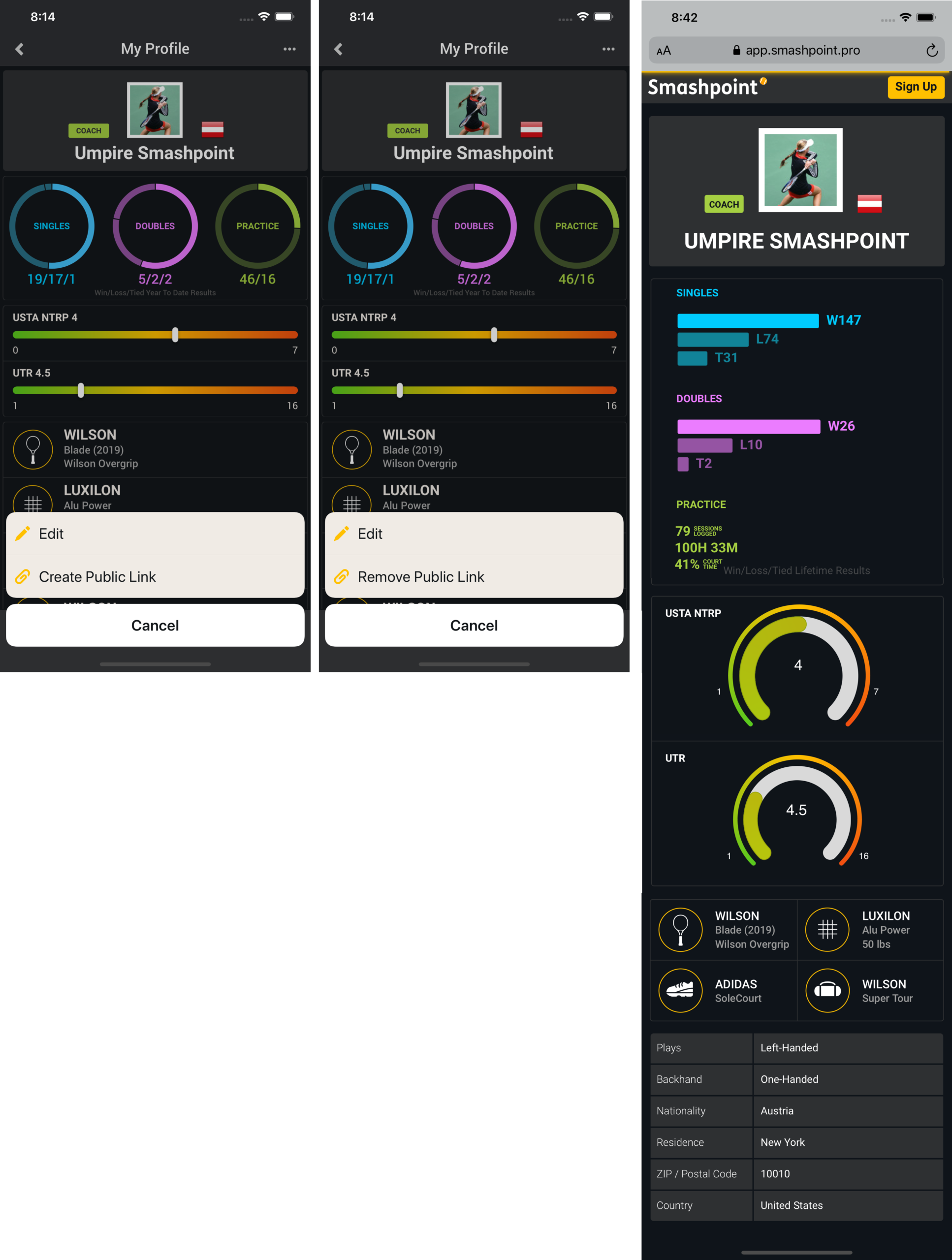
    My Profile (Create Public Link – Remove Public Link – Your Profile in the Web Browser)
    On your profile page select the ••• more menu in the upper right hand corner. Click “Create Public Link” to make your profile public. Once you profile is public you can share the link. Your profile also appears in Smashpoint Search results. Log into the web app app.smashpoint.pro to give it a try. In iOS release 2.4 you are able to add multiple rating information to your profile. We believe one rating alone doesn’t tell the full story. Enter your UTR and country specific rating (rating name, range and your rating) to display it on your profile.

    Smashpoint My Profile

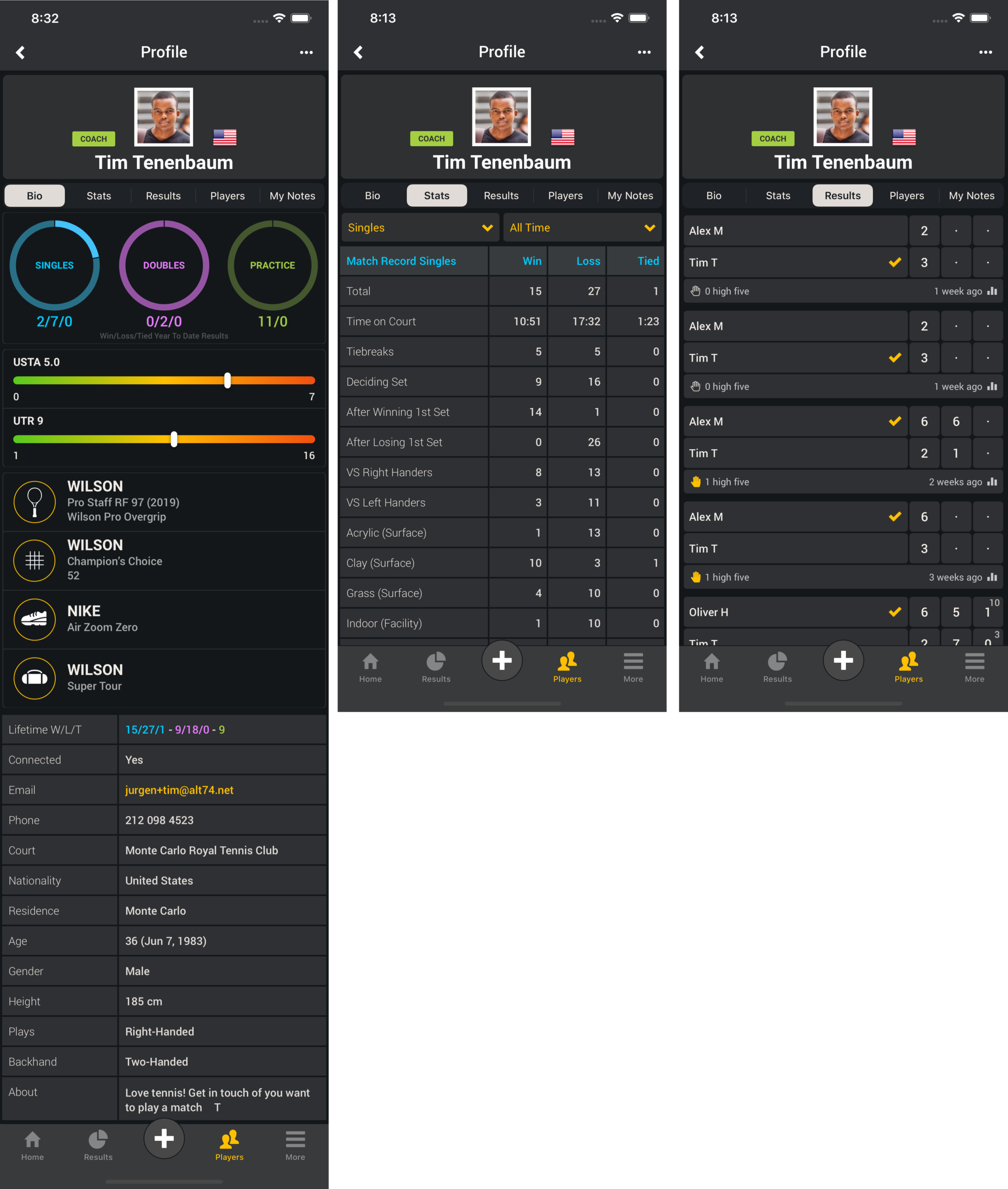
    Player Profile Connected (Bio – Stats – Results)
    Select one of your players in your Smashpoint account to see rich details such ratings, equipment, match stats and results.

    Smashpoint Player Profile
    Apple App Store
  • Rolling Hills Tennis Club Napa Valley

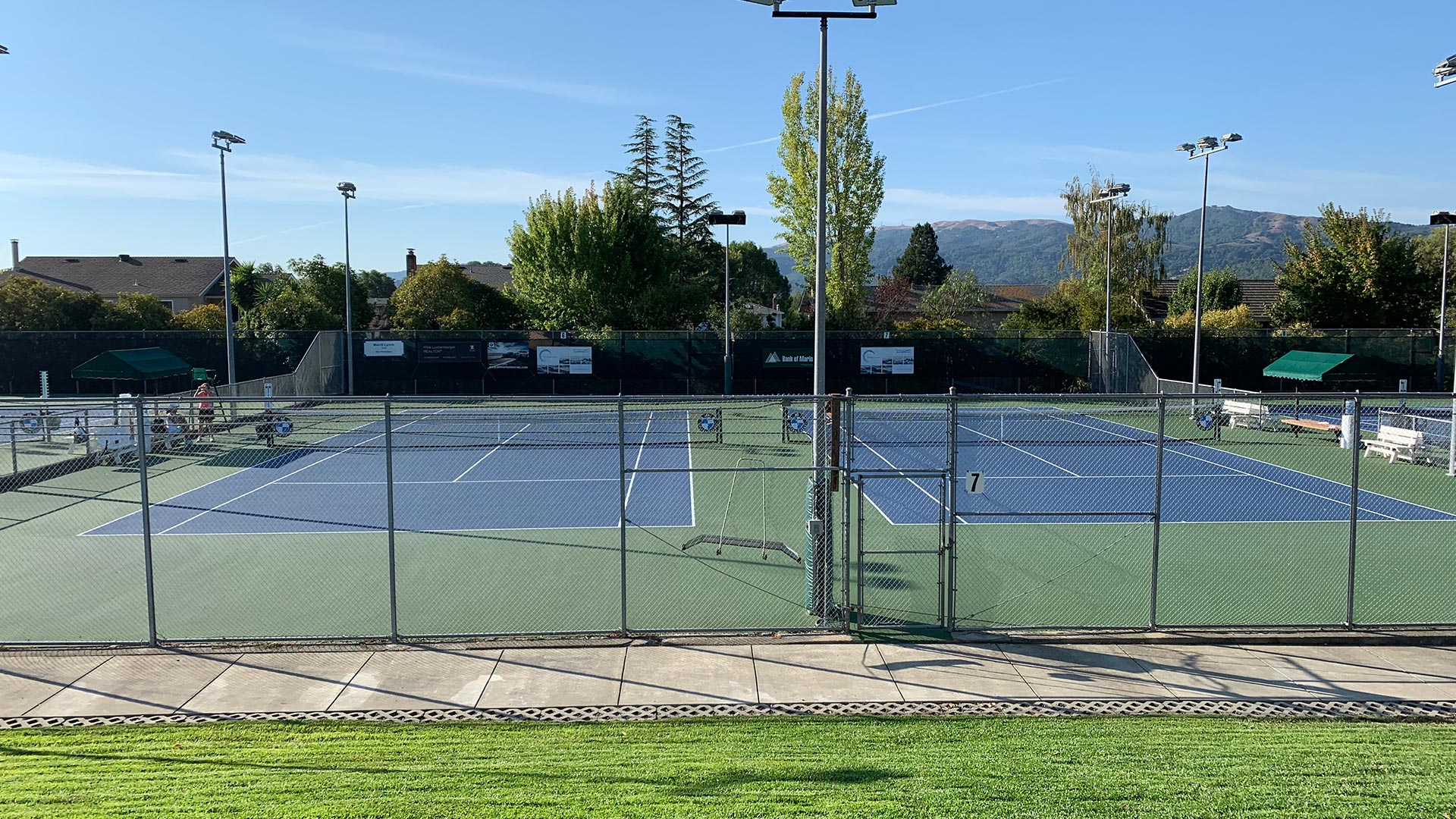
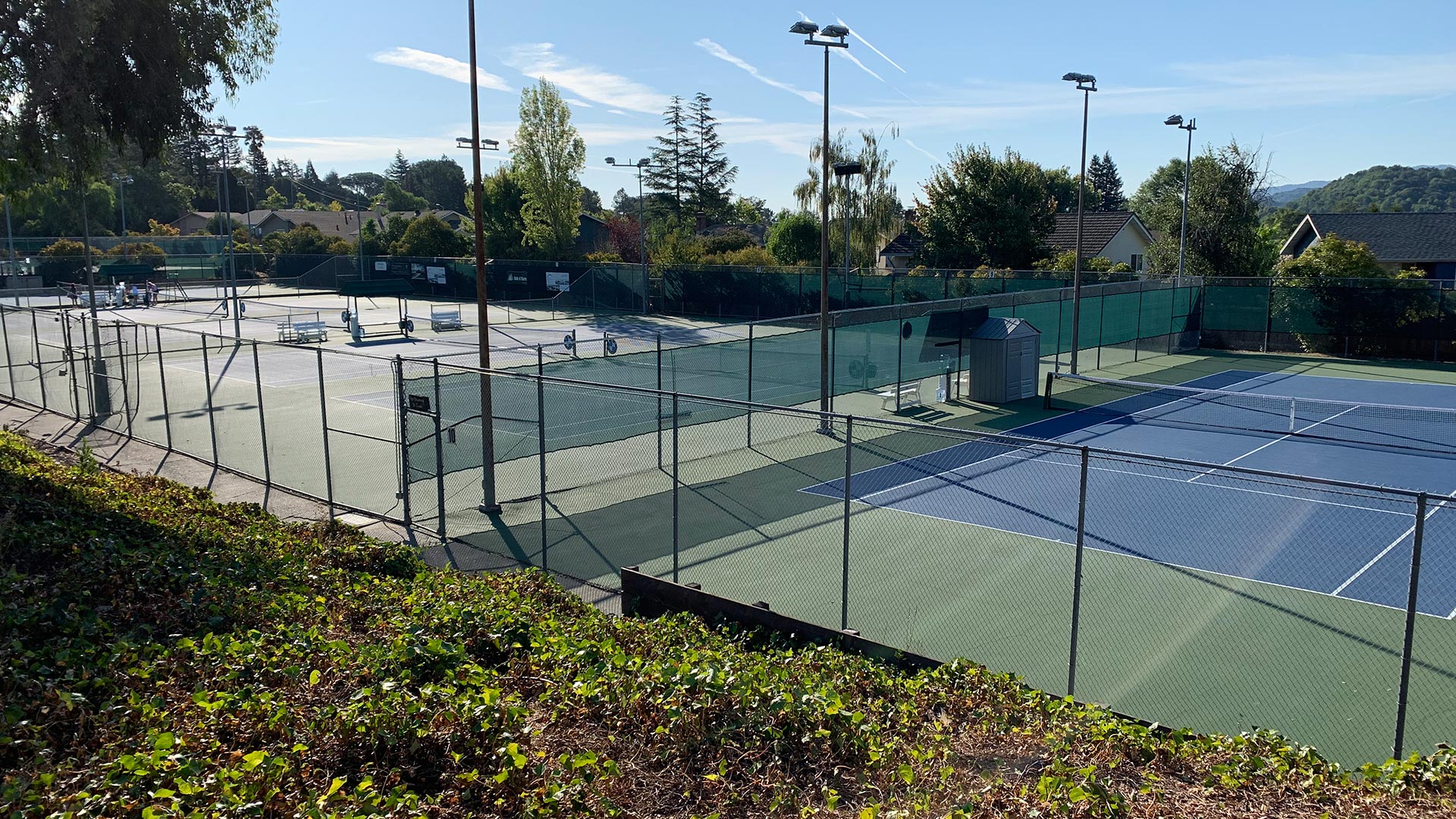
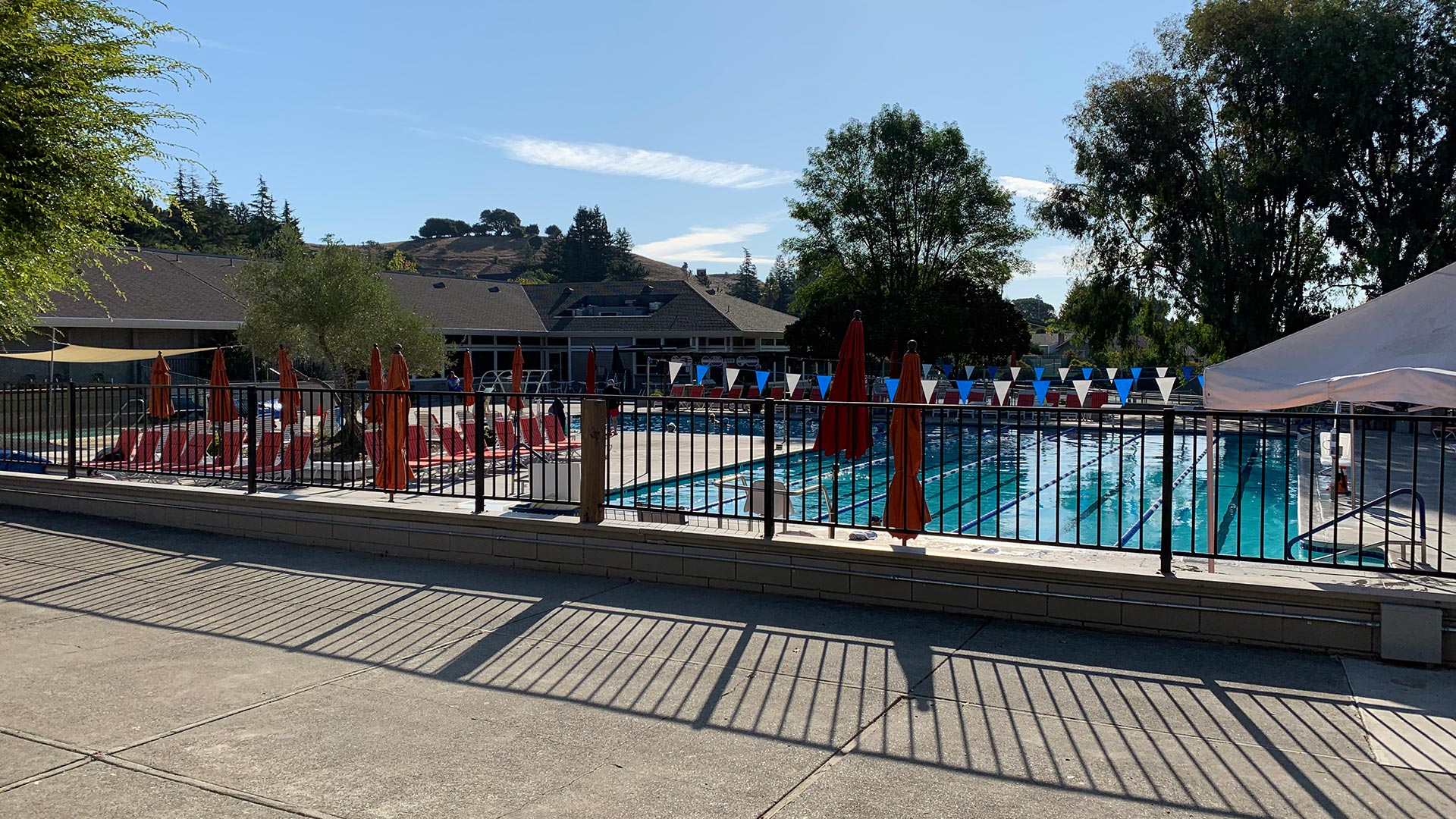
    If you are visiting the Napa Valley in California and you are itching to get on a tennis court we recommend the Rolling Hills Club in Novato, CA. The friendly staff will help you to book a session with a Pro or find a hitting partner. The 12 courts are in excellent condition and we can’t wait to return in the future. There are also 2 racquetball courts, outdoor basketball court, swimming pools and hot tubs!
    • Pacific Sun Best of Marin County 2019
    • Voted Marin’s Best Tennis Club

    351 San Andreas Drive
    Novato, CA 94945
    Phone: 415-897-2185
    https://www.rollinghillsclub.com

  • Portland Evergreen Tennis Club

    Portland Evergreen Tennis Club
    Portland Evergreen Tennis Club

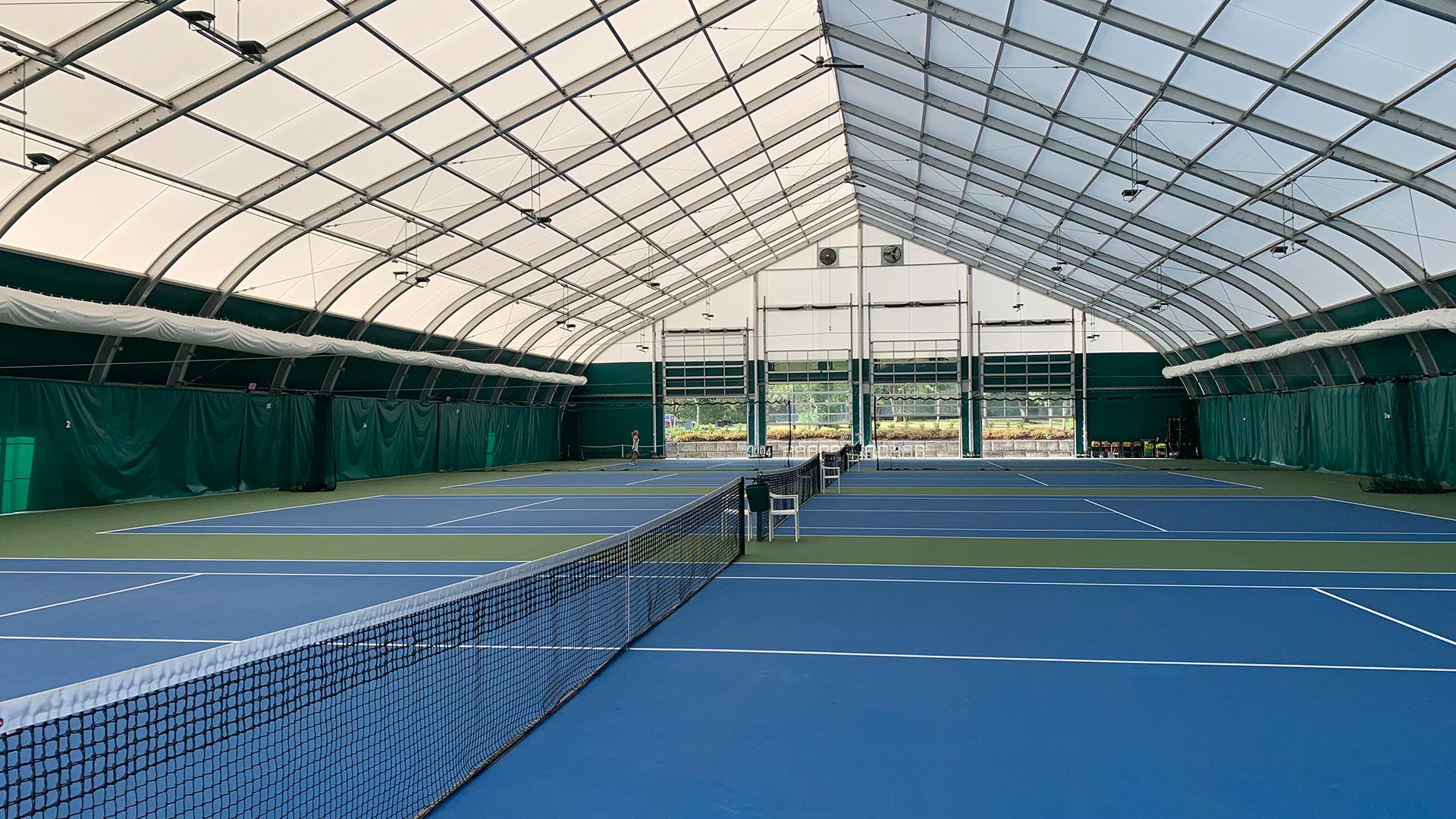
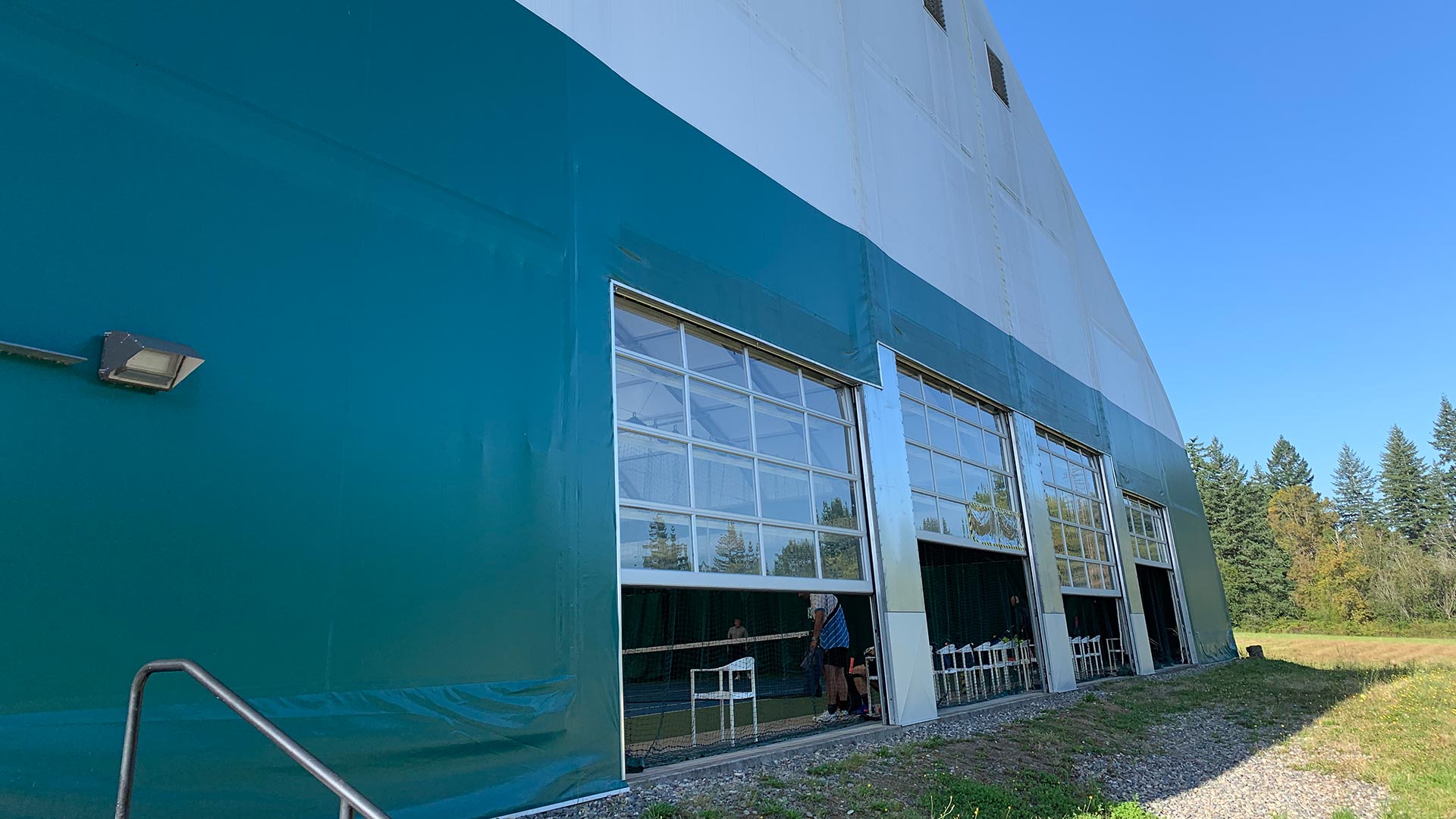
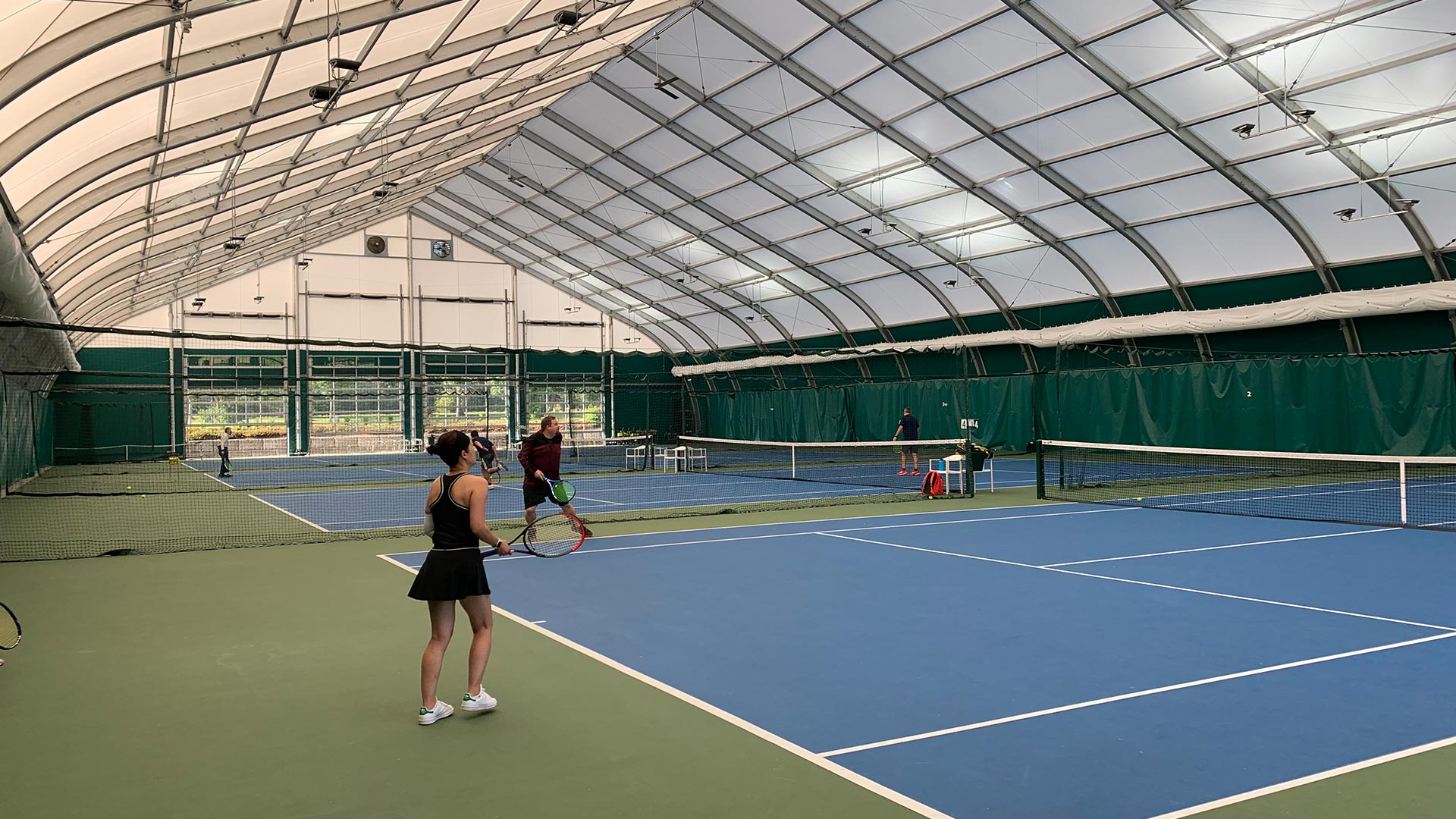
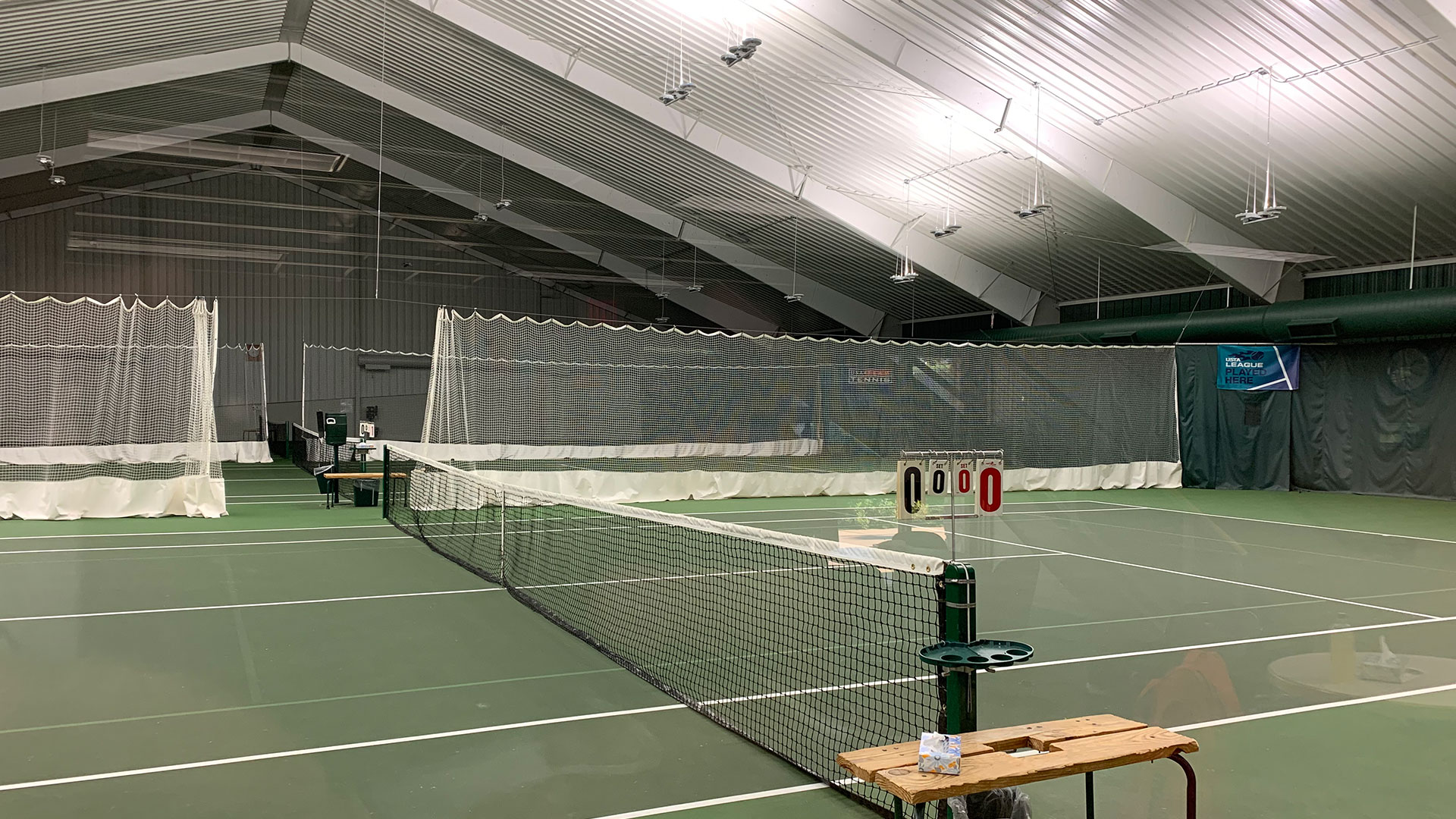
    The Evergreen Tennis 4 court facility is 45 feet high, 120 feet wide and over 200 feet long in a single, open span! The lightweight architectural design allows sunlight through the translucent ceiling, creating an even natural light and protection from the direct sun. This makes for excellent lighting with a tall ceiling and open span, an environment much like playing outside, with shade in the summer, and minus the wind and rain the rest of the year! Similar lightweight and translucent fabric structures are used now for tennis internationally by Tennis Australia, Wimbledon and the U.S. Open center court. Evergreen Tennis is a private club that is also open to the public. 

    5225 NW 38th Ave
    Camas, WA 98607
    Phone: 360-557-7230
    https://www.evergreentennis.net/

    Portland Evergreen Tennis Club
    Portland Evergreen Tennis Club
    Portland Evergreen Tennis Club
    Portland Evergreen Tennis Club
    Portland Evergreen Tennis Club
    Portland Evergreen Tennis Club
    Portland Evergreen Tennis Club
    Portland Evergreen Tennis Club
  • Rapid City Arrowhead Country Club

    Arrowhead Country Club
    Arrowhead Country Club

    The Arrowhead Country Club in Rapid City, SD has 3 excellent indoor tennis courts and 2 lighted outdoor courts, which are available for open play, private and group lessons, as well as Junior and Adult Programs. The tennis professionals, Matt Morrow & Mark Geyer are USPTA certified, and offer over 20+ years of professional teaching experience. The Tennis Center is open 7 days a week for practice and play. World famous tourist attractions such as Mount Rushmore are about 45 minutes away.

    Arrowhead Country Club
    3675 Sheridan Lake Road
    Rapid City, SD 57702
    Tennis Shop: 605-342-4845
    https://www.arrowheadccrc.com/tennis

    Arrowhead Country Club
    Arrowhead Country Club
    Arrowhead Country Club
    Arrowhead Country Club
    Arrowhead Country Club
    Arrowhead Country Club
    Mount Rushmore
    Mount Rushmore
  • Web App May 2019 Update

    Smashpoint Web App Home
    Smashpoint Web App – Home

    We added over 20 new improvements to the Smashpoint web app. Highlights:

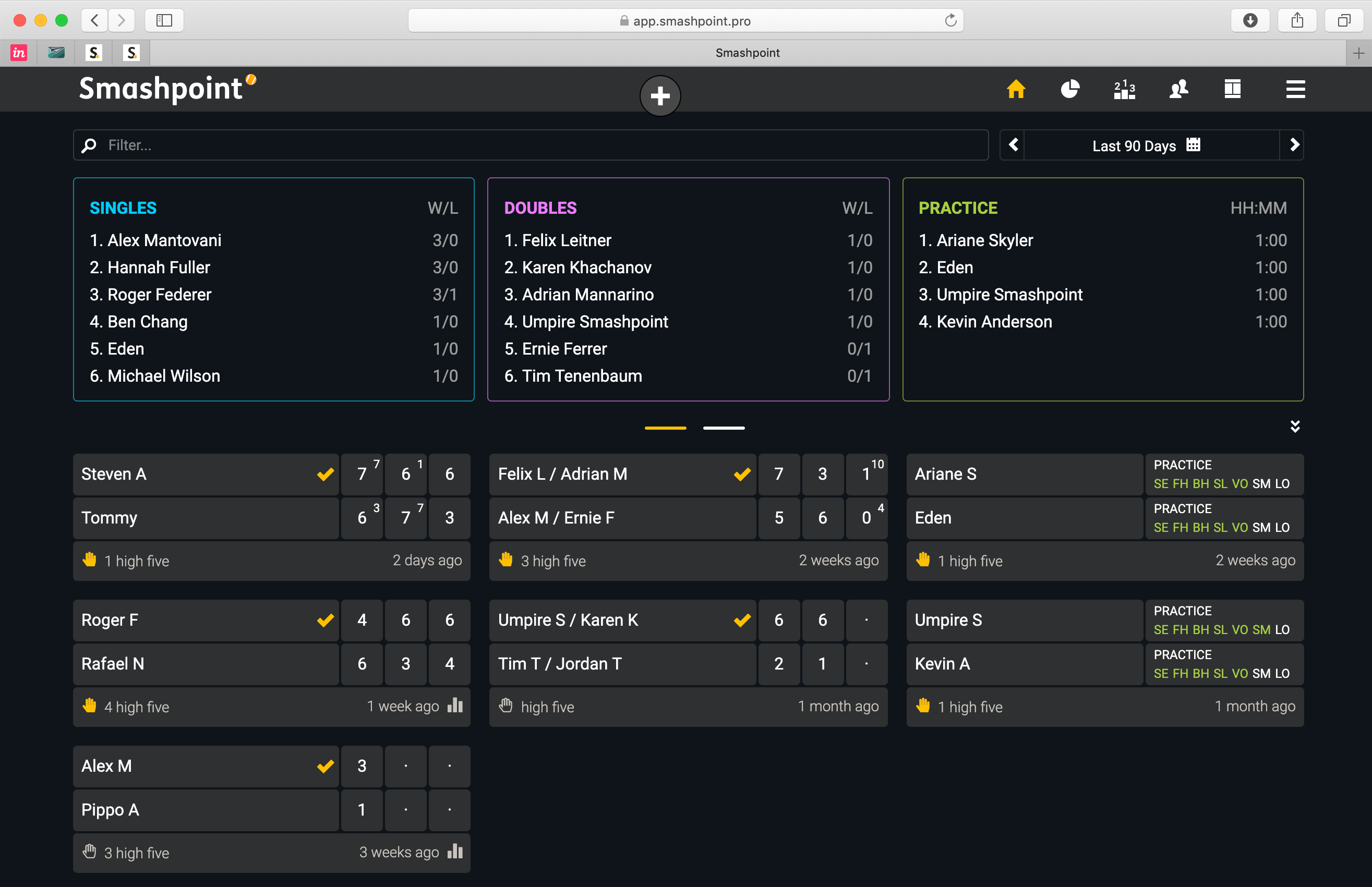
    • High five – give a high five for a match well played
    • Additional 10 Game Pro Set match formats 
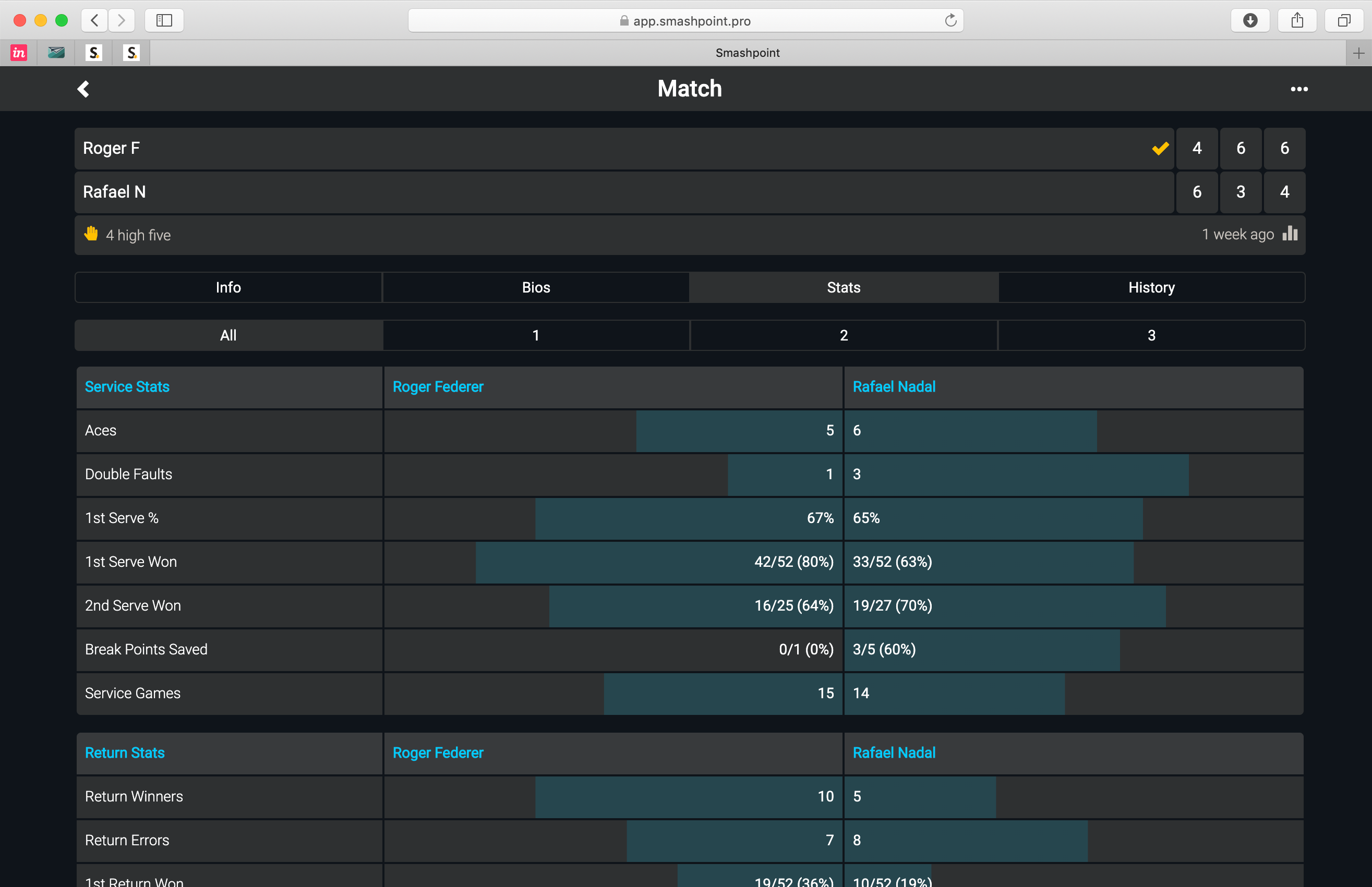
    • New bar graphs for match stats table 
    • New ITF, UTR, and backhand fields for player profiles
    • Player notes usability improvement 
    • New input fields for tennis courts
    Smashpoint Web App - Match Stats
    Smashpoint Web App – Match Stats
    Smashpoint Web App – Add Match
    Smashpoint Web App – Add Match Result
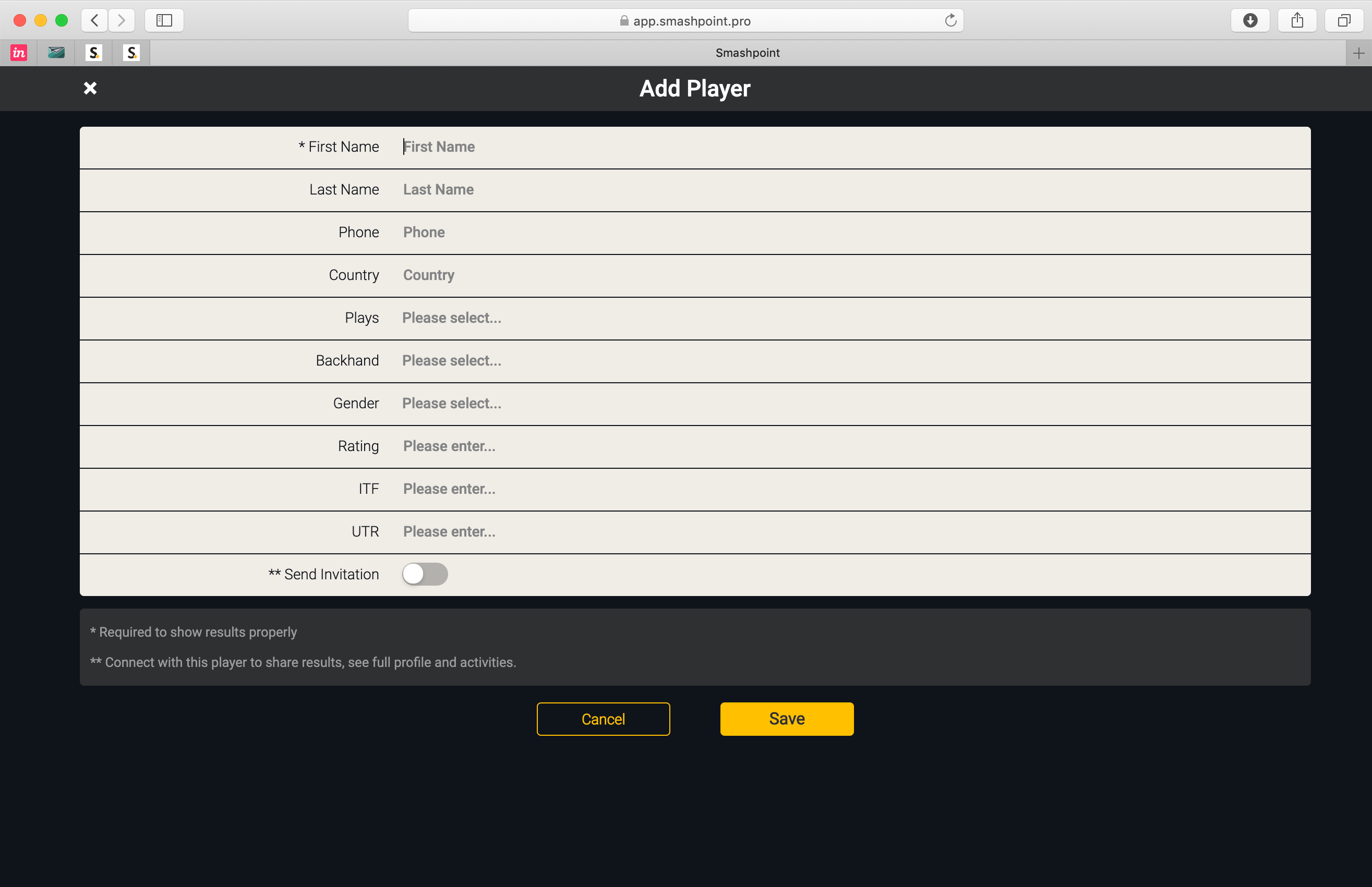
    Smashpoint Web App – Add Player
    Smashpoint Web App – Add New Player

    Log In or Sign Up for a free account:
    https://app.smashpoint.pro