Category: Tracker

  • The full Smashpoint experience, now on Google Play. Plus video replay for the points that matter.

    Smashpoint Google Play

    Android players, the wait is over. Smashpoint is now available on the Google Play Store, and it’s the complete app: everything you can do on iPhone, you can now do on Android.

    Everything, not a lite version

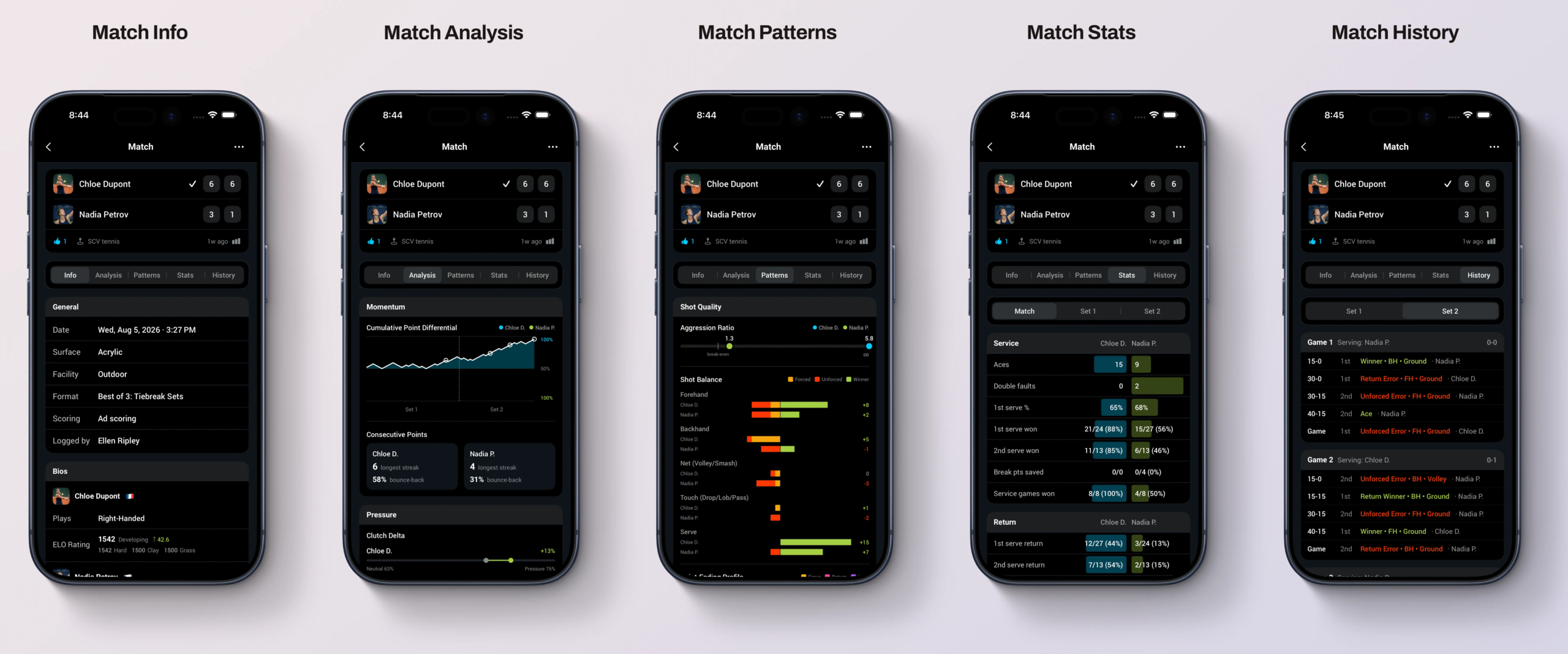
    We didn’t ship a stripped-down Android build to check a box. The Google Play version has the same five levels of live match tracking, from quick games-only scoring to full point-by-point detail with serve, rally and shot outcome. It has the same insights: ELO ratings, head-to-head records, momentum and pressure charts, and the shot quality breakdowns that show you what actually decided a match. It has the same saved match pages with the same Info, Analysis, Patterns, Stats and History tabs, so a match you tracked on Android looks identical when your doubles partner opens it on iPhone or on the web.

    Google Play

    Opt-in live broadcasting and shareable public match URLs work the same way too. Track a match courtside, and friends and family can follow along from any browser. And, as always, your data is private by default. Nothing is shared unless you choose to share it.

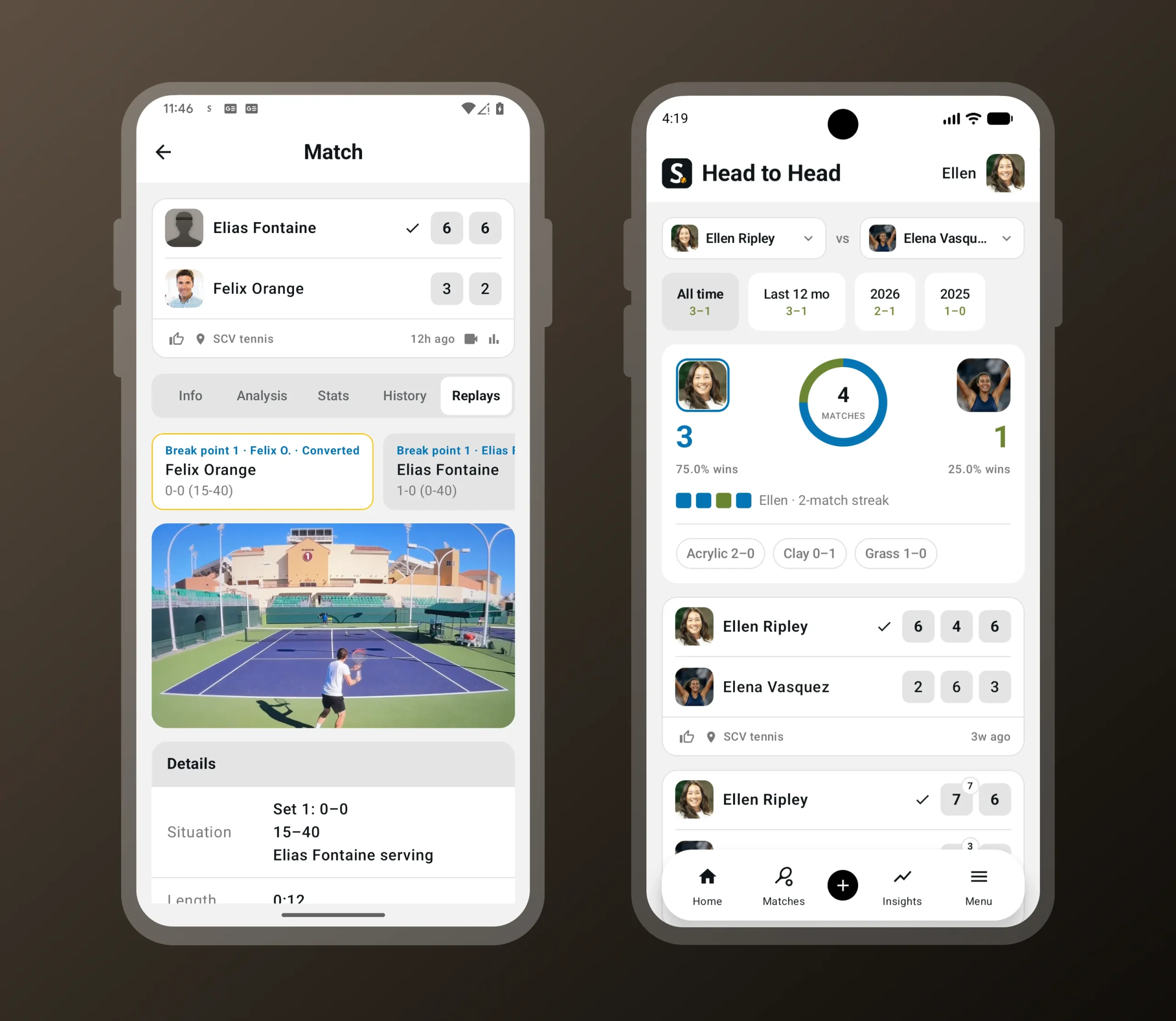
    When you’re tracking a match live and a critical point comes up, Smashpoint prompts you to record the next point. Break point, set point, match point: you choose which moments trigger the prompt, so you can capture only the biggest points or every swing in momentum. Hold up your phone, tap record, enter the outcome as usual, and the clip is saved with the match. No switching apps, no scrolling through your camera roll later trying to find the moment. Replays live in a new Replays tab on the saved match page and are linked directly to the point they belong to in the match history, so you can jump from “break point converted in the second set” straight to the footage.

    Video replay of a critical point in the Smashpoint Android app
    Record the next point when a break, set or match point comes up. Replays are saved with the match.

    New: video replay at critical points

    This release also introduces something new to Smashpoint on every platform: video replay.
    Smashpoint Google Play Store Tour

    Replays follow the same privacy rules as everything else in Smashpoint. Video is never shown on public match pages. Clips are only visible inside Smashpoint to you and the friends you’re connected with, and the recorder controls who those people are.

    Video replay is available on Android and iOS today, with playback on the web app and on Apple TV.

    One platform, every screen

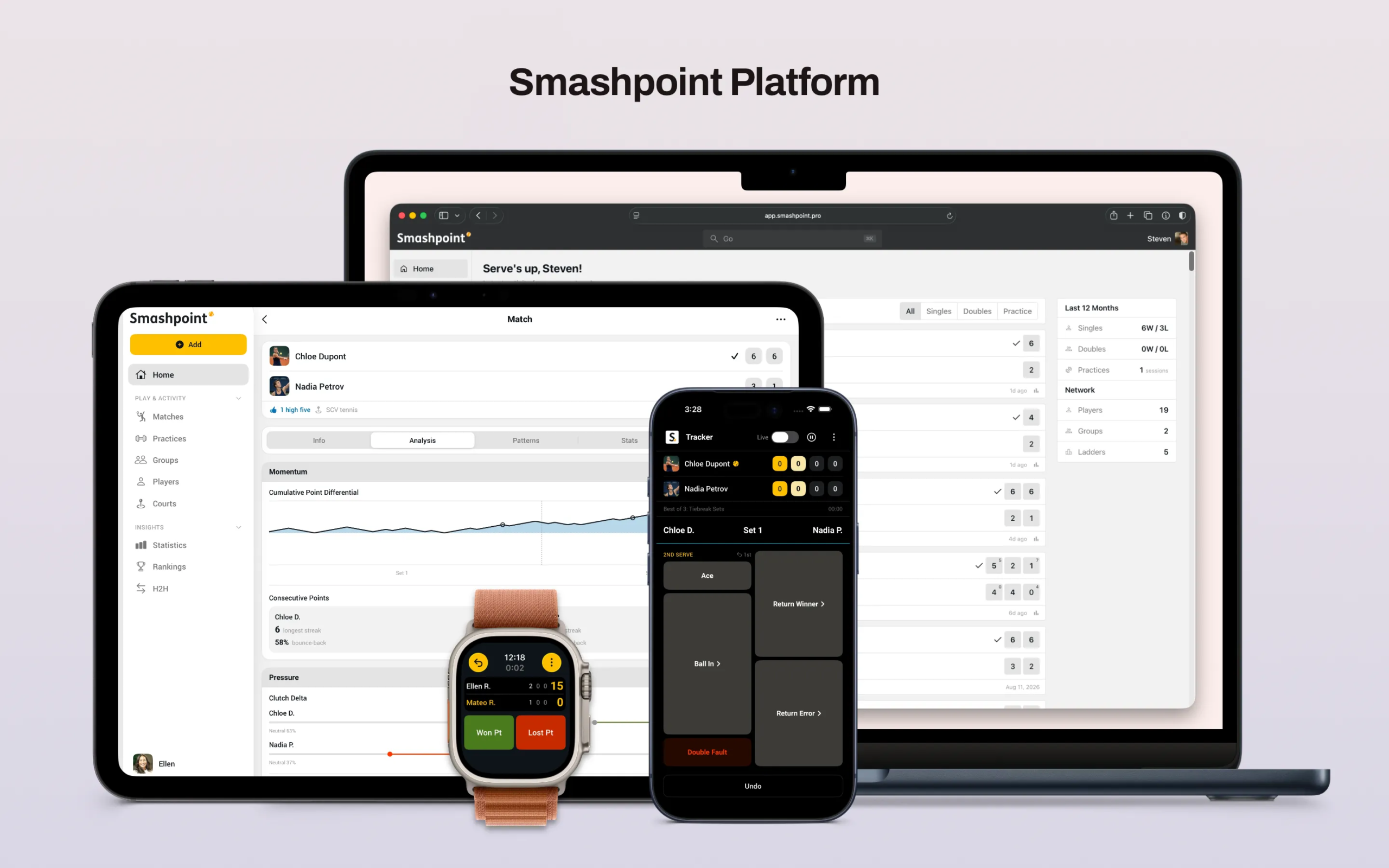
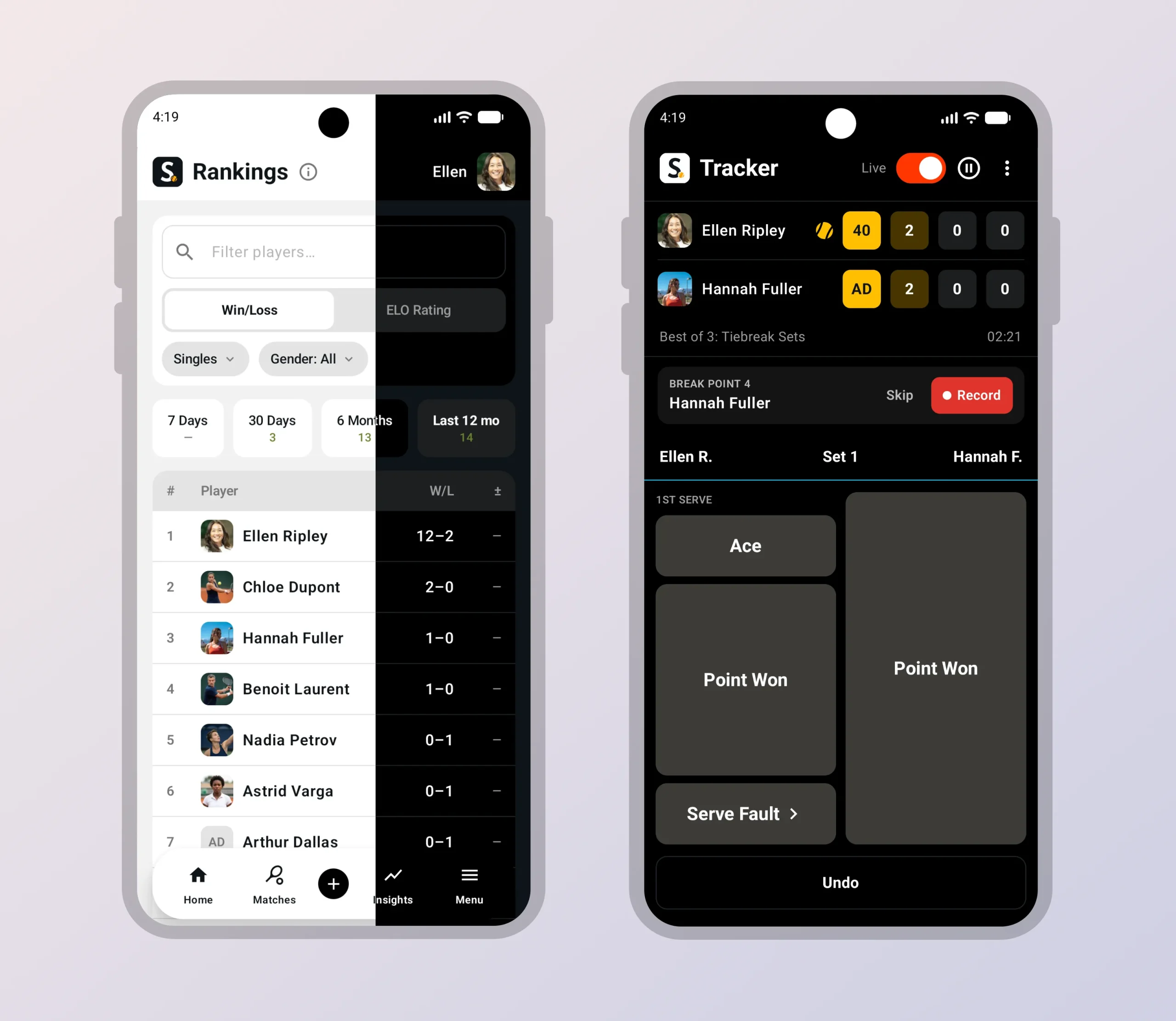
    With Android on board, Smashpoint is now a complete platform:

    Track a match on your watch, review it on your tablet, share it from your phone, study the patterns on your laptop, and watch the replay on the big screen. Every app talks to the same account and the same data, so nothing is stranded on one device.

    That matters because Smashpoint isn’t built for one kind of user. Individual players use it to track their own matches and watch their game improve. Parents use it to record a child’s matches, including opponents who don’t have an account. Coaches use it to run practice sessions, compare players and spot what to work on next. Schools, clubs and federations use Smashpoint Organizations to manage rosters, ladders, tournaments and rankings across an entire program. Until now, an Android player on a team meant a gap in the picture. Not anymore.

    Get Smashpoint on Google Play

    Smashpoint for Android is free to download on Google Play. If you already have a Smashpoint account, just sign in and everything you’ve tracked will be there. If you’re new, you can sign up in the app with Google or with your email.

    Google Play

    Have an Android-specific request or found something that doesn’t feel right? Tell us. This is version one on a new platform, and the fastest way for it to get better is hearing from the people using it.
  • What’s New in Smashpoint 3 for iPhone iPad and Apple Watch

    We’ve been building Smashpoint for a long time, and this is the release we’re most excited to ship. Not because of any one feature, but because of what they add up to:

    Smashpoint finally does what we set out to build it for, turn every match you play into data you actually own, at whatever level of detail you want, shared with exactly who you choose.

    A New Design

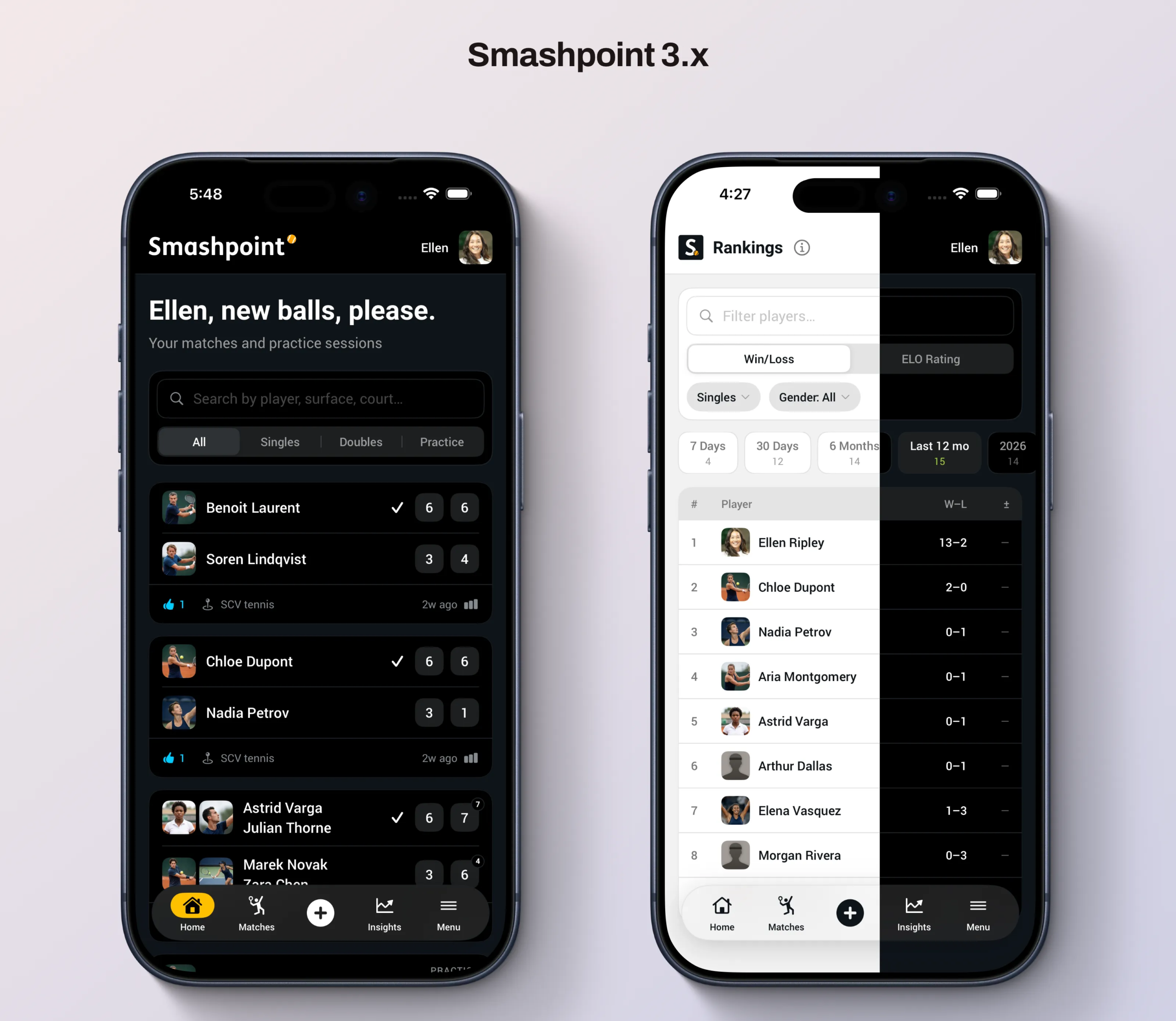
    The app has been rebuilt from the ground up. New navigation, new layouts, light and dark themes that actually feel native, and a visual language that’s consistent whether you’re checking a score courtside or reviewing your stats later that night. It’s faster, it’s cleaner, and honestly, it’s the app we always wanted Smashpoint to look like. This is also the foundation for everything else in this release. The new features weren’t bolted onto the old app, they were designed in from the start.

    Five Levels of Tracking (Up From Three)

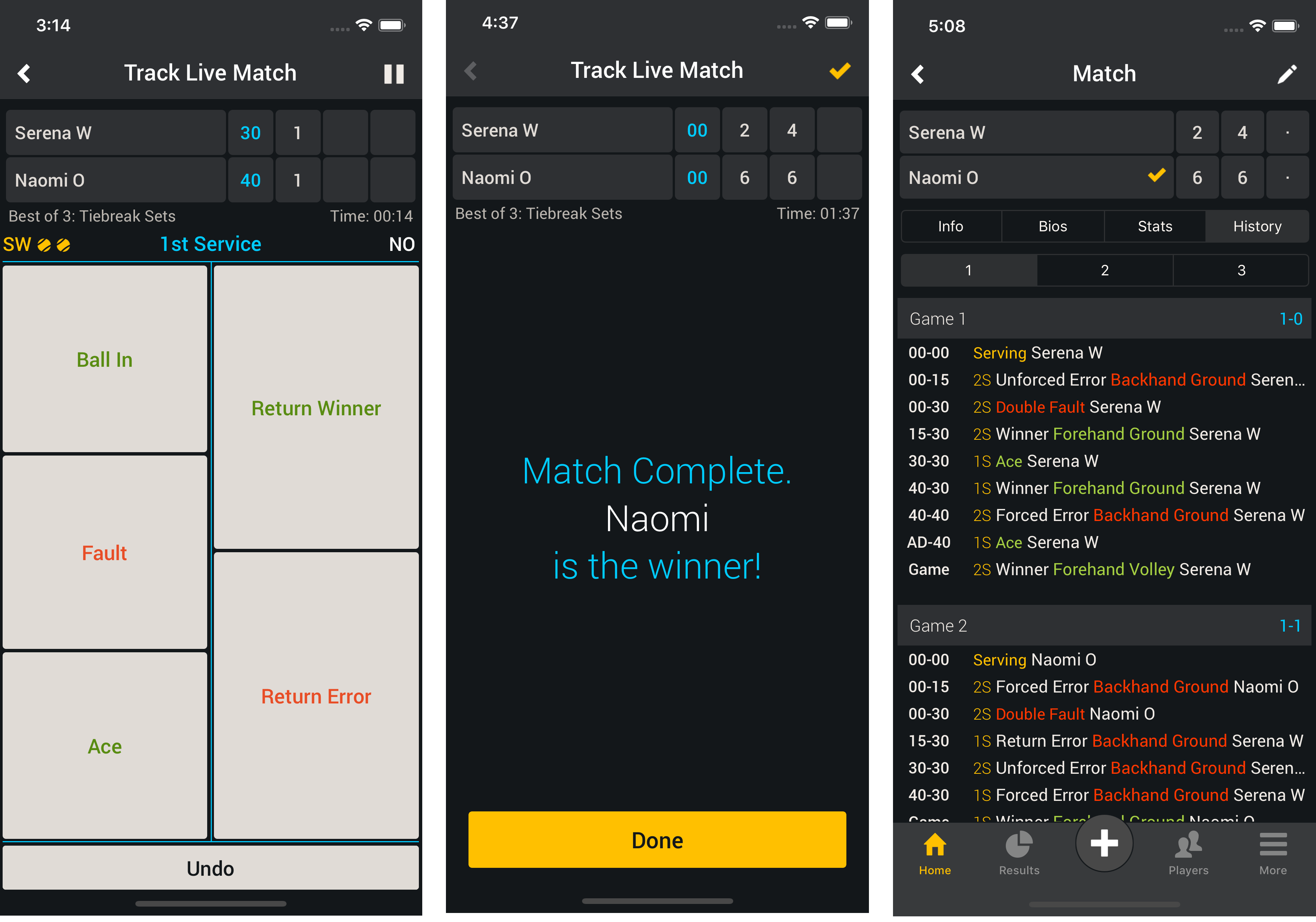
    Not every match deserves the same level of attention, and Smashpoint has never assumed it does. With 3.0, you now have five ways to track a match instead of three:

    • Games: the fastest way to record a result. Just the score.
    • Points: full point-by-point scoring with match flow.
    • Serve & Points: adds serve stats: first serve percentage, aces, double faults, points won on serve.
    • Point Outcomes: log winners and errors, so you know how points were actually won and lost.
    • Full Shot-Tracking: winners, errors, and shot types, for a complete picture of your game.

    Pick your depth before the first serve. A Tuesday night doubles match might get “Games.” A match you’re actually trying to learn from might get the full treatment. The point is that it’s your call, every time.

    Track Live, Broadcast Live

    This is the one we think people are going to love. When you want an audience, one tap opens the match up. Send the link, and anyone can follow along live, point by point — and when the match ends, that same link becomes the match page: final score, full stats, everything. One link, before and after. Text it, post it in the group chat, drop it in a club newsletter. Turn it off whenever you want, match by match.

    ELO Rankings

    Win-loss records tell you that you won. They don’t tell you much about who you beat. Smashpoint now calculates ELO ratings alongside traditional rankings, so your rating reflects the strength of your opponents, not just the number of matches you’ve won. Beat a tough player and it shows. Beat someone below your level and it barely moves the needle. It’s a more honest picture of where you actually stand — and it updates automatically every time you play. Learn more about Smashpoint ELO rankings.

    Publish Results Online

    Every match, group, and ranking in Smashpoint is private by default — that hasn’t changed and never will. But now, when you do want results visible beyond the people in the match, you can publish them: to a group’s standings page, to a public match page, wherever makes sense. It’s the same principle as live broadcasting — sharing is a decision you make, not something the app does for you.

    Smashpoint for AI Agents

    This one’s a little different from the rest, and it’s for the more technical players and organizers among you. Smashpoint now exposes your match and stats data through MCP — the protocol that lets AI tools like Claude connect directly to outside data sources. In practice, that means you can ask an AI assistant things like “what’s my head-to-head against Marcus” or “how has my ELO trended this season” and have it pull real answers straight from your Smashpoint data, instead of you digging through the app. We built the shot-by-shot tracking and the stats engine to be the best data layer in racquet sports — this is the first step in making that data actually useful to the tools you already use.

    Built for Everyone on the Court and Off It

    This release is for the player who wants to know if they’re actually improving. The parent following a match from three courts away. The club running a ladder. The federation overseeing sanctioned play across affiliated clubs. The doubles group that just wants an honest head-to-head record, once and for all.

    That’s always been the idea behind Smashpoint — every match becomes data, tracked at whatever depth you choose, shared only if and when you decide to. 3.0 is the clearest version of that idea we’ve built yet.

    Update your app and give it a try. We’d love to hear what you think. Get in touch.

  • US Open 2018 – Women’s Singles Final

    Smashpoint US Open Tracker

    US Open 2018 Women’s Singles Final:
    Serena Williams vs Naomi Osaka

    WTA Profile Serena
    WTA Profile Naomi

    Tracked with Smashpoint iOS app 2.1.1 using an iPhone X. Learn more.
    For event details please visit www.usopen.org

    Service Stats Serena Williams Naomi Osaka
    Aces 4 6
    Double Faults 6 1
    1st Serve % 52% 75%
    1st Serve Won 19/29 (65%) 34/45 (75%)
    2nd Serve Won 11/26 (42%) 6/15 (40%)
    Break Points Saved 1/5 (20%) 5/6 (83%)
    Service Games 9 9
    Return Stats Serena Williams Naomi Osaka
    Return Winners 2 2
    Return Errors 19 10
    1st Return Won 11/45 (24%) 10/29 (34%)
    2nd Return Won 9/15 (60%) 15/26 (57%)
    Break Points Won 1/6 (16%) 4/5 (80%)
    Return Games 9 9
    Point Stats Serena Williams Naomi Osaka
    Winners 16 9
    Forced Errors 25 12
    Unforced Errors 19 17
    Total Service Won 30/55 (54%) 40/60 (66%)
    Total Return Won 20/60 (33%) 25/55 (45%)
    Total Won 50/115 (43%) 65/115 (56%)
    Shot Stats Serena Williams Naomi Osaka
    Ground Forehand 11W 7U 10F 8W 9U 6F
    Ground Backhand 3W 12U 10F 1W 7U 6F
    Slice Forehand 0W 0U 0F 0W 0U 0F
    Slice Backhand 0W 0U 0F 0W 0U 0F
    Volley Forehand 1W 0U 0F 0W 0U 0F
    Volley Backhand 0W 0U 0F 0W 0U 0F
    Smash Forehand 0W 0U 0F 0W 0U 0F
    Smash Backhand 0W 0U 0F 0W 0U 0F
    Lob Forehand 0W 0U 0F 0W 0U 0F
    Lob Backhand 0W 0U 0F 0W 1U 0F
    Dropshot Forehand 0W 0U 0F 0W 0U 0F
    Dropshot Backhand 1W 0U 0F 0W 0U 0F
    Other Forehand 0W 0U 5F* (5 penalty points) 0W 0U 0F
    Other Backhand 0W 0U 0F 0W 0U 0F

    Shot Stats Table

    W = Winners
    U = Unforced Errors
    F = Forced Errors

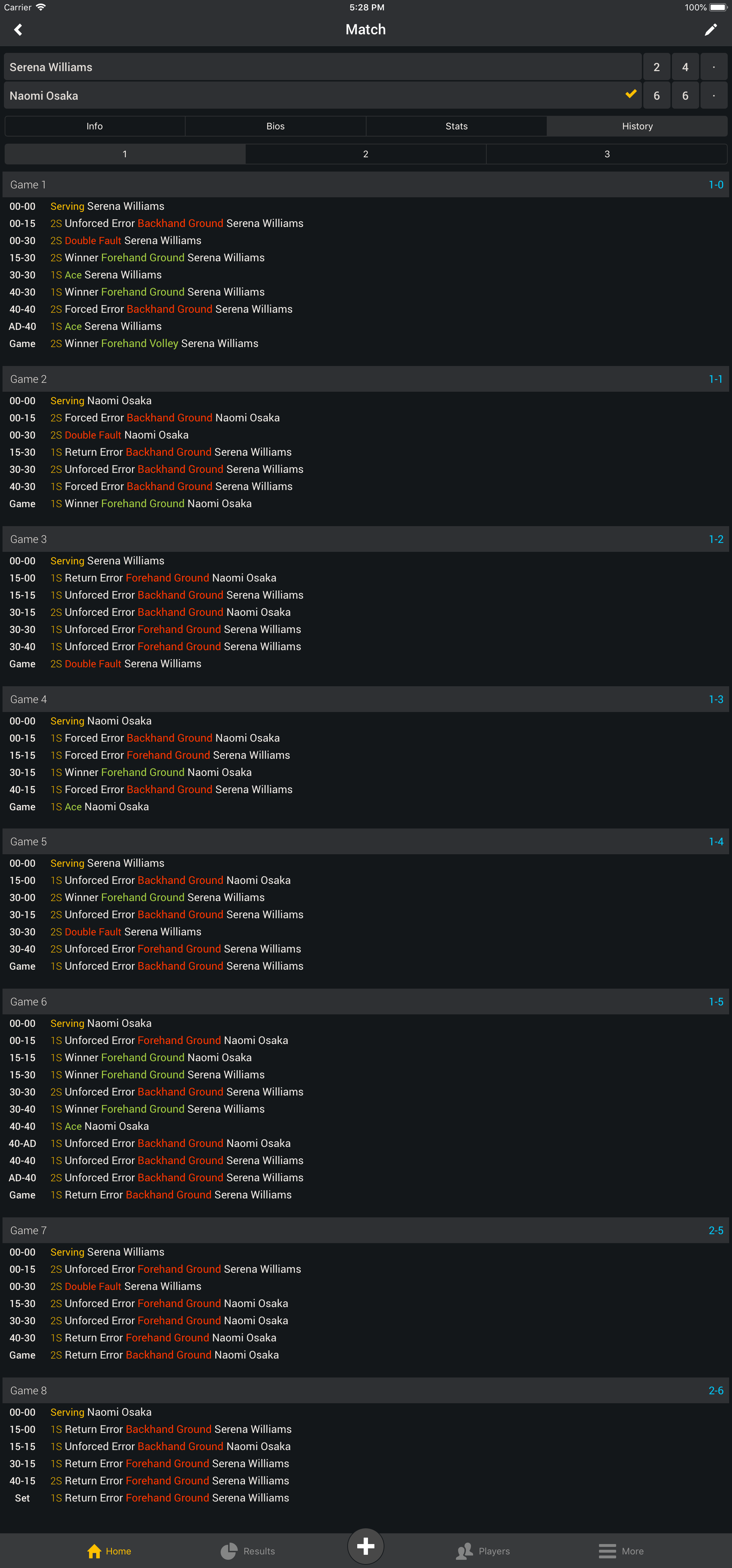
    Match History: Set 1

    US Open Final Women's Singles Set 1

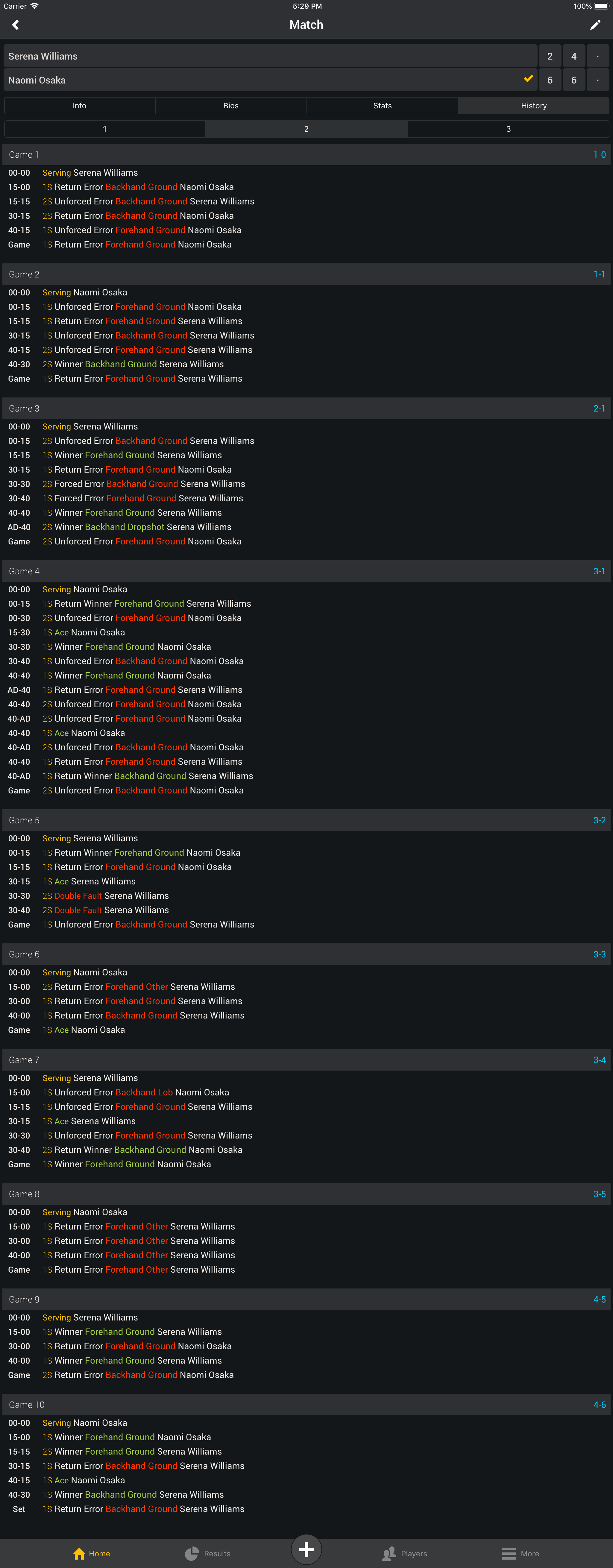
    Set 2

    US Open Final Women's Singles Set 2