Category: Release Notes iOS

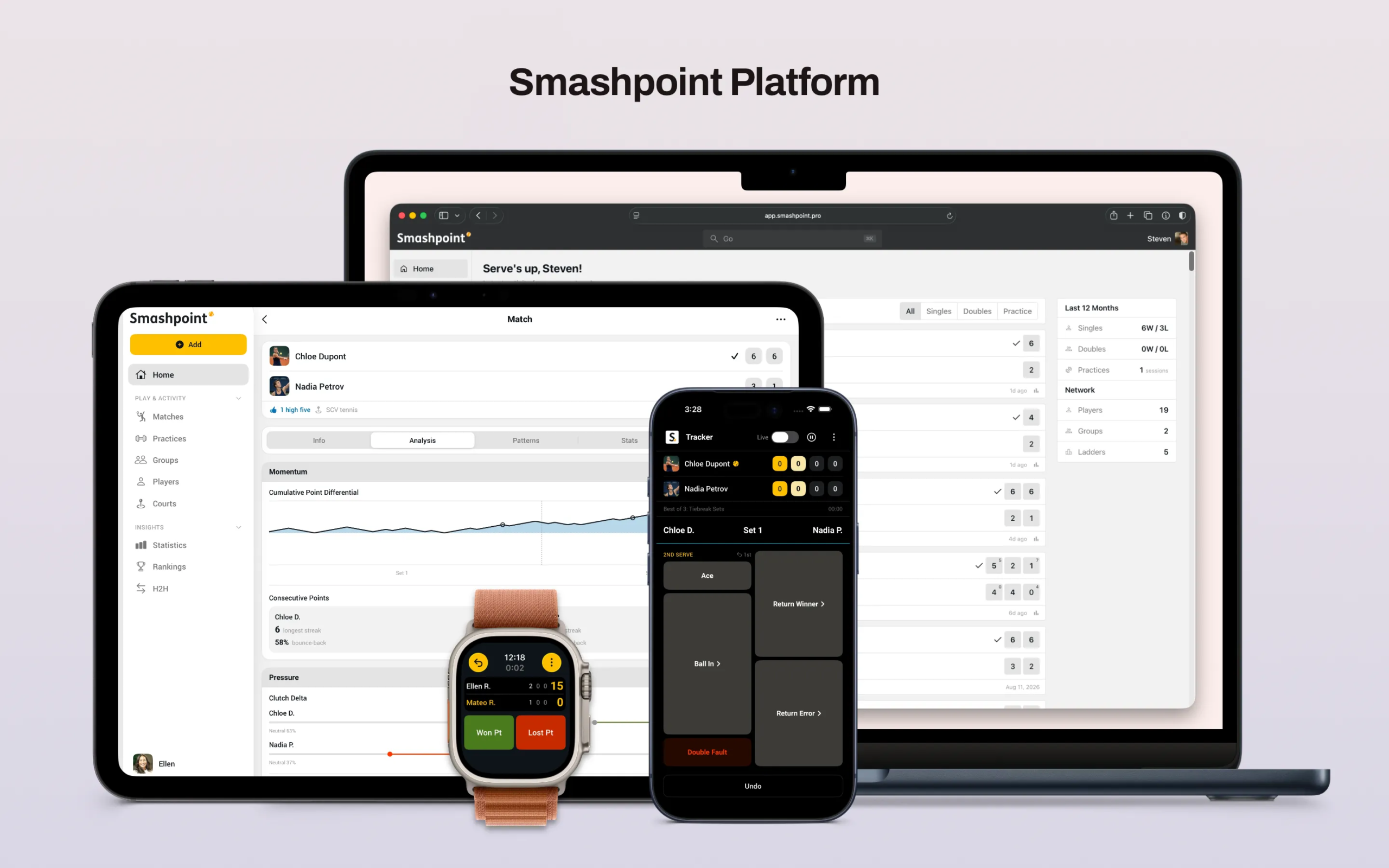
  • What’s New in Smashpoint 3 for iPhone iPad and Apple Watch

    We’ve been building Smashpoint for a long time, and this is the release we’re most excited to ship. Not because of any one feature, but because of what they add up to:

    Smashpoint finally does what we set out to build it for, turn every match you play into data you actually own, at whatever level of detail you want, shared with exactly who you choose.

    A New Design

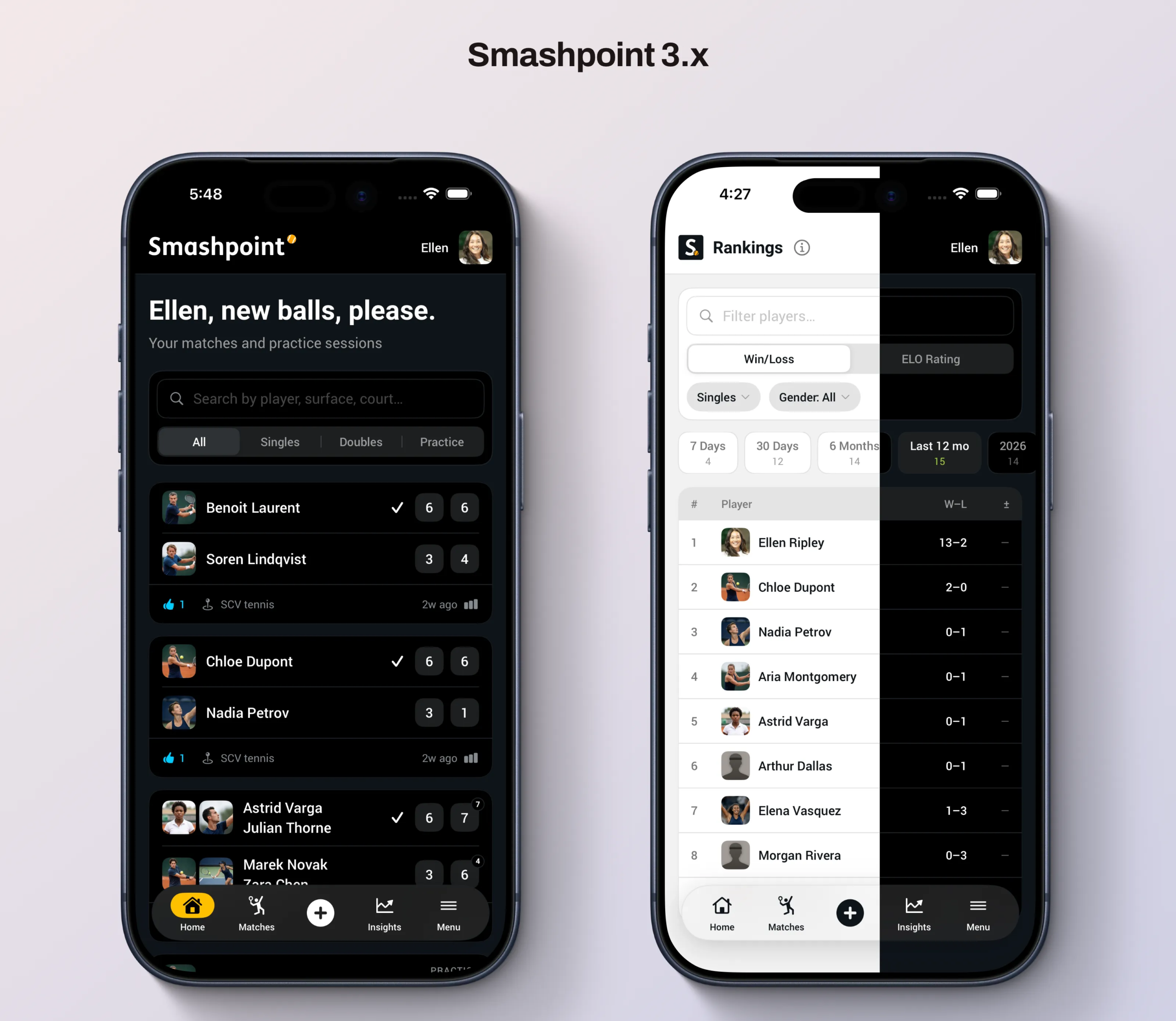
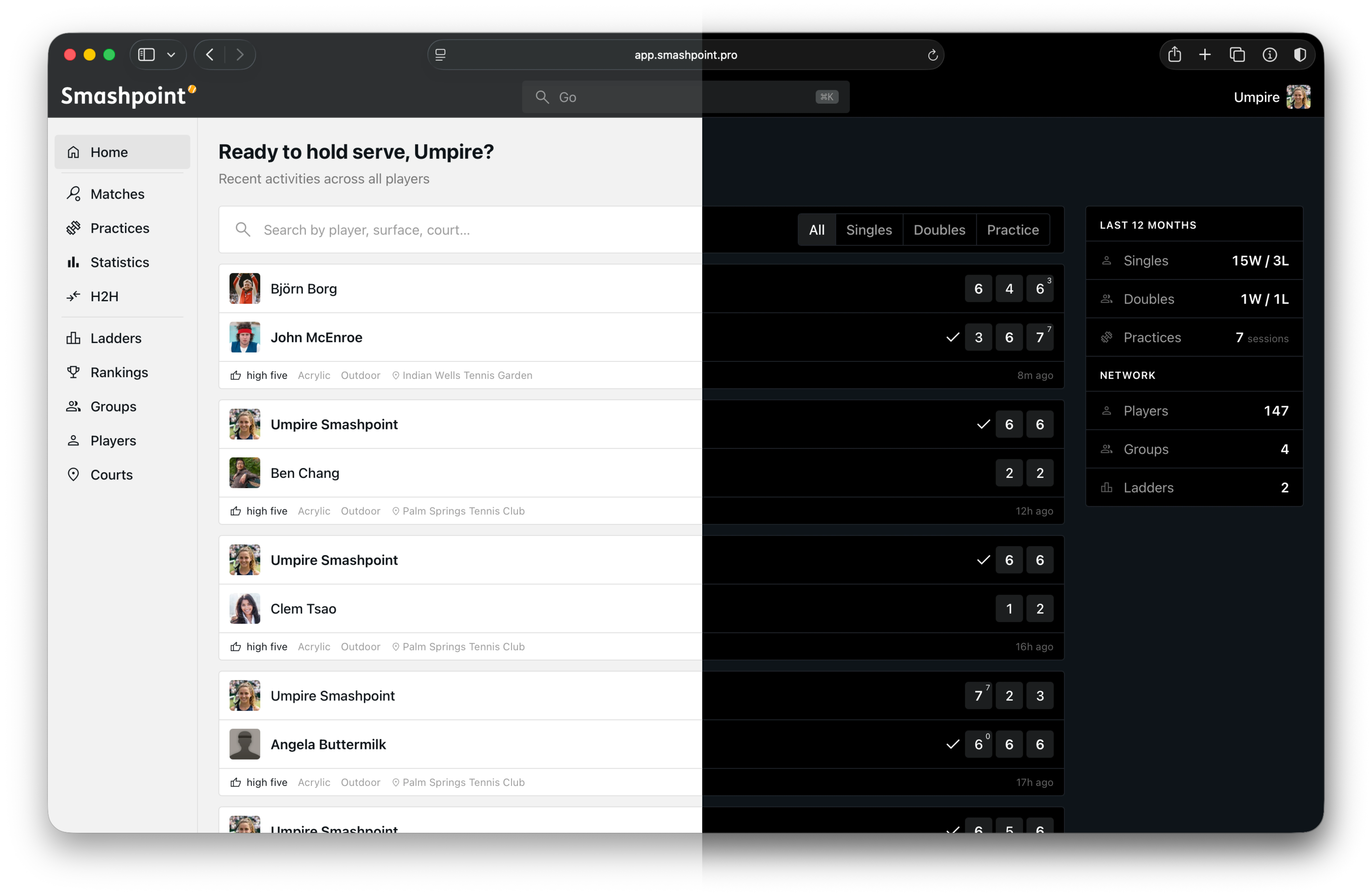
    The app has been rebuilt from the ground up. New navigation, new layouts, light and dark themes that actually feel native, and a visual language that’s consistent whether you’re checking a score courtside or reviewing your stats later that night. It’s faster, it’s cleaner, and honestly, it’s the app we always wanted Smashpoint to look like. This is also the foundation for everything else in this release. The new features weren’t bolted onto the old app, they were designed in from the start.

    Five Levels of Tracking (Up From Three)

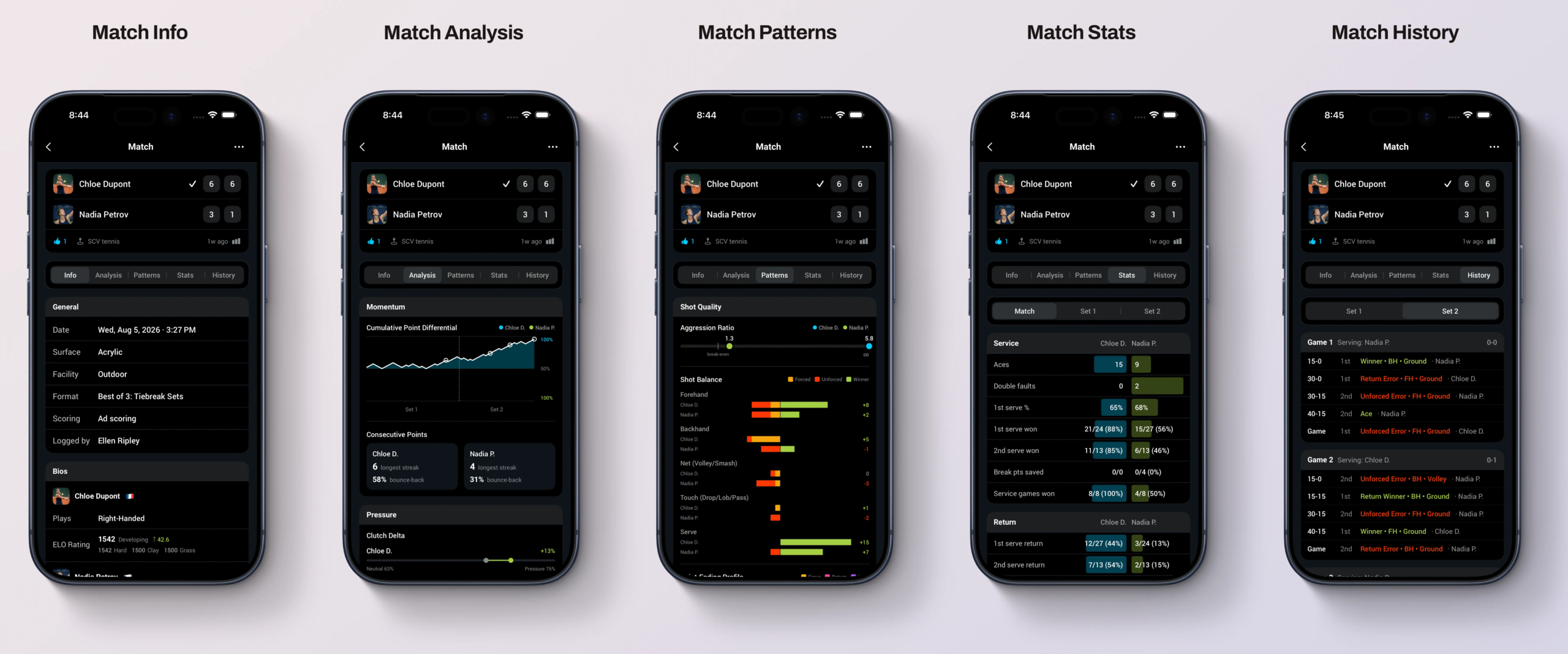
    Not every match deserves the same level of attention, and Smashpoint has never assumed it does. With 3.0, you now have five ways to track a match instead of three:

    • Games: the fastest way to record a result. Just the score.
    • Points: full point-by-point scoring with match flow.
    • Serve & Points: adds serve stats: first serve percentage, aces, double faults, points won on serve.
    • Point Outcomes: log winners and errors, so you know how points were actually won and lost.
    • Full Shot-Tracking: winners, errors, and shot types, for a complete picture of your game.

    Pick your depth before the first serve. A Tuesday night doubles match might get “Games.” A match you’re actually trying to learn from might get the full treatment. The point is that it’s your call, every time.

    Track Live, Broadcast Live

    This is the one we think people are going to love. When you want an audience, one tap opens the match up. Send the link, and anyone can follow along live, point by point — and when the match ends, that same link becomes the match page: final score, full stats, everything. One link, before and after. Text it, post it in the group chat, drop it in a club newsletter. Turn it off whenever you want, match by match.

    ELO Rankings

    Win-loss records tell you that you won. They don’t tell you much about who you beat. Smashpoint now calculates ELO ratings alongside traditional rankings, so your rating reflects the strength of your opponents, not just the number of matches you’ve won. Beat a tough player and it shows. Beat someone below your level and it barely moves the needle. It’s a more honest picture of where you actually stand — and it updates automatically every time you play. Learn more about Smashpoint ELO rankings.

    Publish Results Online

    Every match, group, and ranking in Smashpoint is private by default — that hasn’t changed and never will. But now, when you do want results visible beyond the people in the match, you can publish them: to a group’s standings page, to a public match page, wherever makes sense. It’s the same principle as live broadcasting — sharing is a decision you make, not something the app does for you.

    Smashpoint for AI Agents

    This one’s a little different from the rest, and it’s for the more technical players and organizers among you. Smashpoint now exposes your match and stats data through MCP — the protocol that lets AI tools like Claude connect directly to outside data sources. In practice, that means you can ask an AI assistant things like “what’s my head-to-head against Marcus” or “how has my ELO trended this season” and have it pull real answers straight from your Smashpoint data, instead of you digging through the app. We built the shot-by-shot tracking and the stats engine to be the best data layer in racquet sports — this is the first step in making that data actually useful to the tools you already use.

    Built for Everyone on the Court and Off It

    This release is for the player who wants to know if they’re actually improving. The parent following a match from three courts away. The club running a ladder. The federation overseeing sanctioned play across affiliated clubs. The doubles group that just wants an honest head-to-head record, once and for all.

    That’s always been the idea behind Smashpoint — every match becomes data, tracked at whatever depth you choose, shared only if and when you decide to. 3.0 is the clearest version of that idea we’ve built yet.

    Update your app and give it a try. We’d love to hear what you think. Get in touch.

  • We Rebuilt Smashpoint from the Ground Up

    Smashpoint Web App

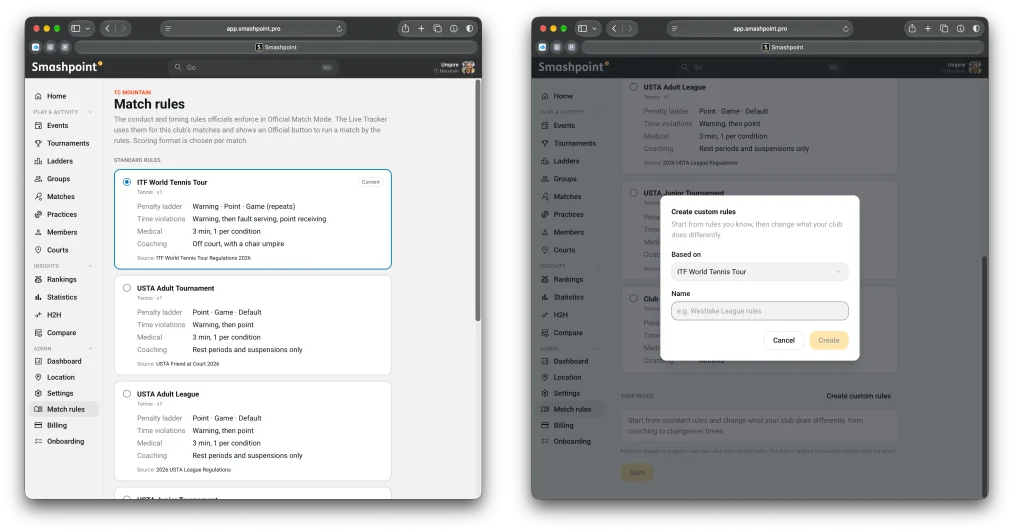
    We are thrilled to relaunch the Smashpoint web app. But what you see on the surface is just the beginning.

    Behind the scenes, we have spent the last few months quietly rebuilding our entire platform from scratch. Our goal was simple: to create a faster, more reliable, and highly scalable foundation designed specifically for where Smashpoint is heading next.

    As part of this new foundation, we are rolling out a major new feature today, alongside a roadmap of what you can expect in the coming months.

    Live Match Tracking, Anywhere

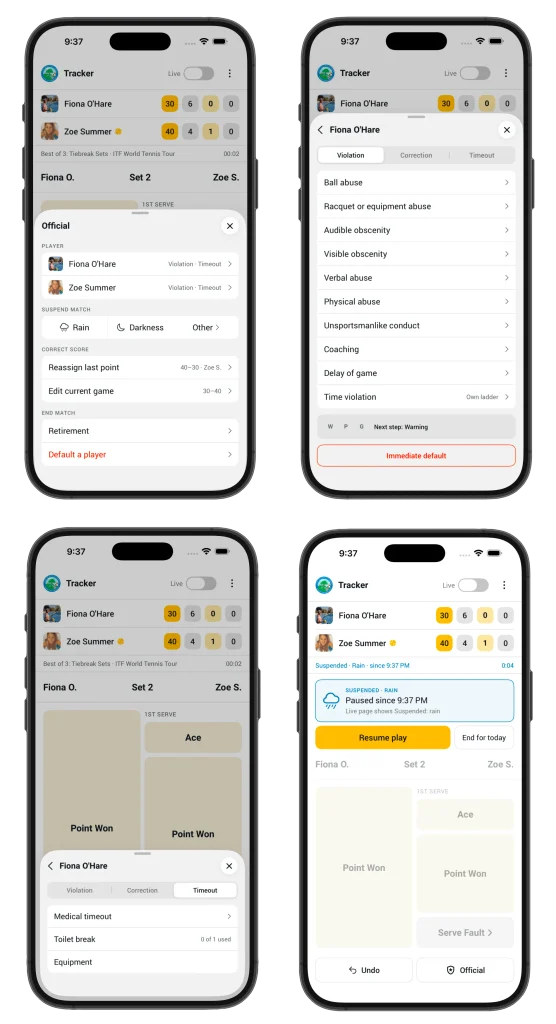
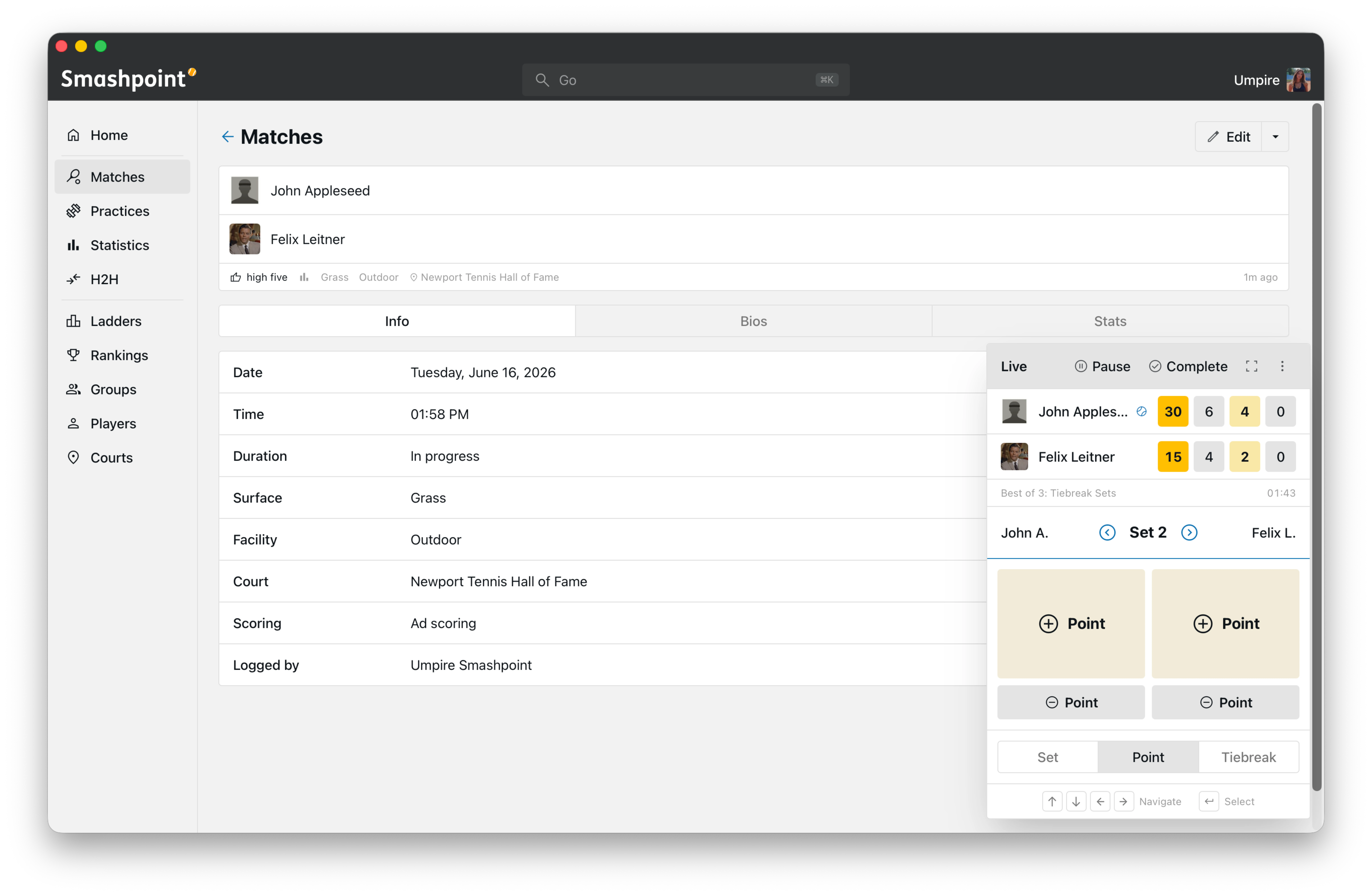
    The highlight of today’s web app relaunch is the brand-new Live Match Tracker.

    We know that capturing match data needs to be frictionless. Whether you are a coach on the sidelines with a tablet, a parent watching from the bleachers, or a player logging a match retroactively from your desktop, you need a system that just works.

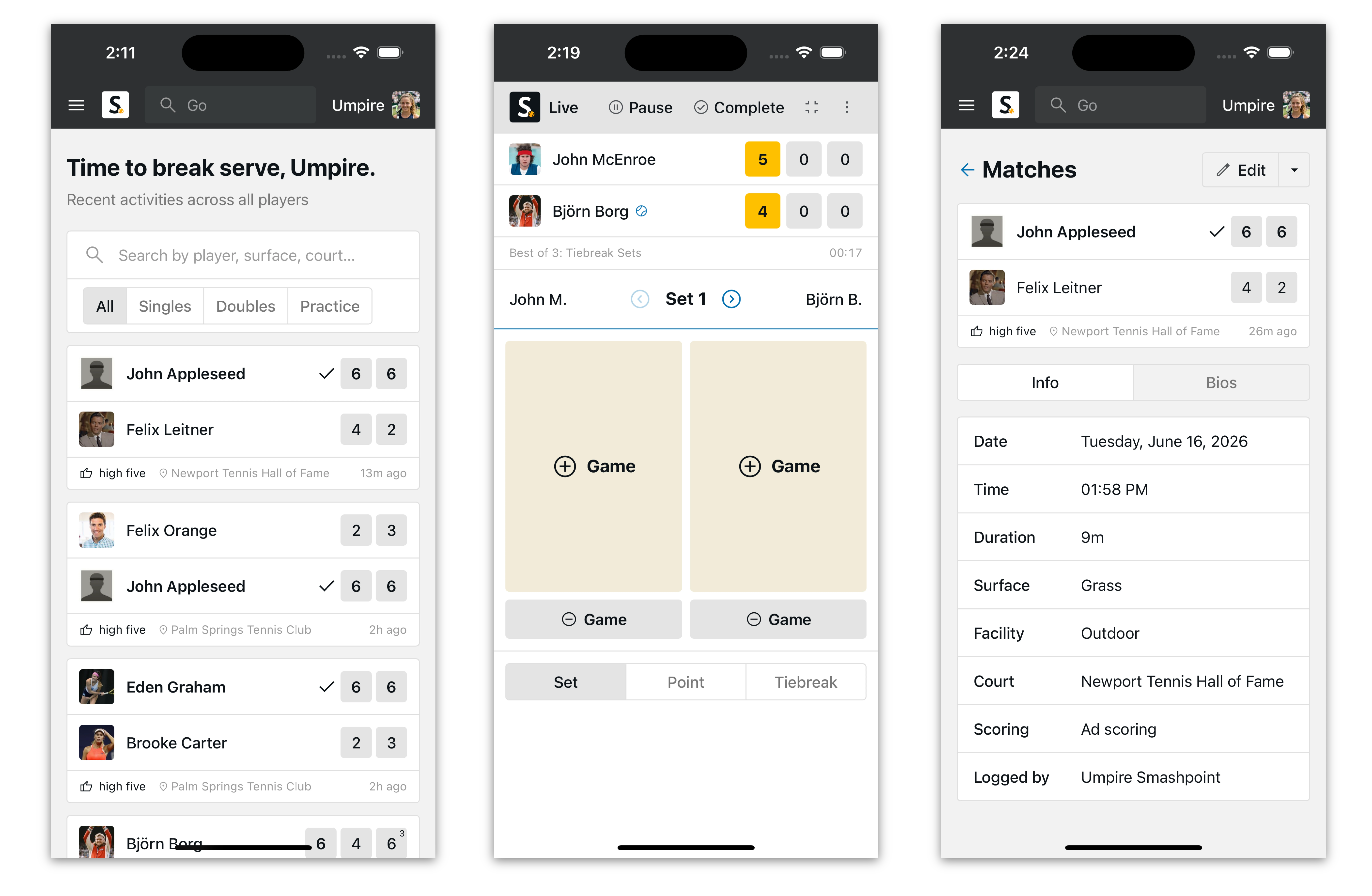
    The new tracker is fully web-based and responsive across any device desktop, tablet, or mobile. No app download is required. You simply open your browser, log in, and start tracking immediately through a clean, minimalist interface designed to keep your focus on the court, not the screen.

    Get the Full-Screen App Experience

    Want something closer to a native app without visiting an app store? Smashpoint can be installed straight from your browser and added to your home screen or desktop, opening in its own full-screen window with no address bar or browser chrome.

    On mobile (Safari, iOS): Open Smashpoint in Safari, tap the Share icon, then select “Add to Home Screen.”

    On mobile (Chrome, Android): Open Smashpoint in Chrome, tap the menu icon, then select “Add to Home screen” or “Install app.”

    On desktop (Chrome or Safari): Open Smashpoint, then use the install icon in the address bar (Chrome) or File menu > “Add to Dock” (Safari) to launch it as its own app window.

    Once installed, Smashpoint launches like any other app on your phone or computer — faster access, no tabs, no clutter.

    Flexible Tracking Options

    Point-by-Point: For those who want granular data, you can log every single point, capturing the exact flow and momentum shifts of the match.

    Game-by-Game: If you prefer a simpler approach, you can easily log game outcomes and final set scores to keep a high-level record.

    Every match tracked feeds directly into your Smashpoint profile, updating your stats instantly across the ecosystem.

    Smashpoint Web App Mobile

    The Roadmap: What’s Coming Next

    This complete architectural rewrite unlocks our ability to ship powerful new features faster than ever. Over the next few months, we will be rolling out:

    An Enhanced Native Experience: Improved iOS and Apple Watch apps, refined and built on our new backend for lightning-fast syncing.

    AI-Powered Insights: Advanced coaching analytics that process your match data to uncover patterns and offer actionable advice to improve your game.

    Dynamic ELO Ratings: A proprietary, ELO-based player rating system to accurately gauge your competitive level over time.

    Comprehensive Organization Tools: Dedicated features built specifically for clubs, schools, and universities to seamlessly manage rosters, run ladders, and organize events.

    Whether you are a competitive player obsessing over your win/loss ratios, a coach developing a high-performance team, or a club administrator running a weekend tournament, the new Smashpoint is being built for you.

    Are you running a club or school?

    If you manage a tennis organization and want early access to our upcoming organization features, we want to hear from you. Please get in touch to get on the early access list.

  • Smashpoint iOS 2.5 Release

    Smashpoint iOS 2.5 Hero Image

    What’s New in Smashpoint iOS App 2.5

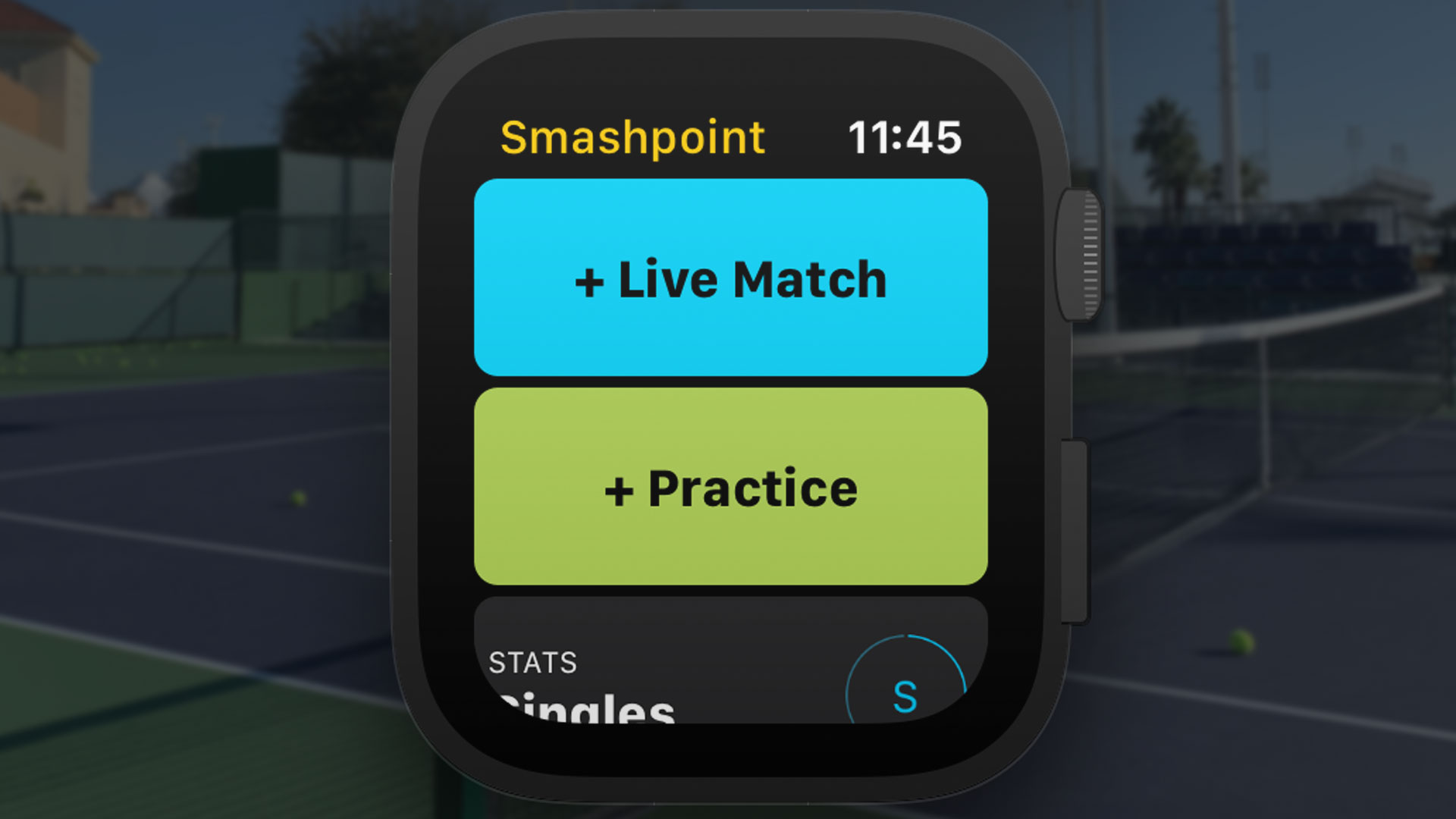
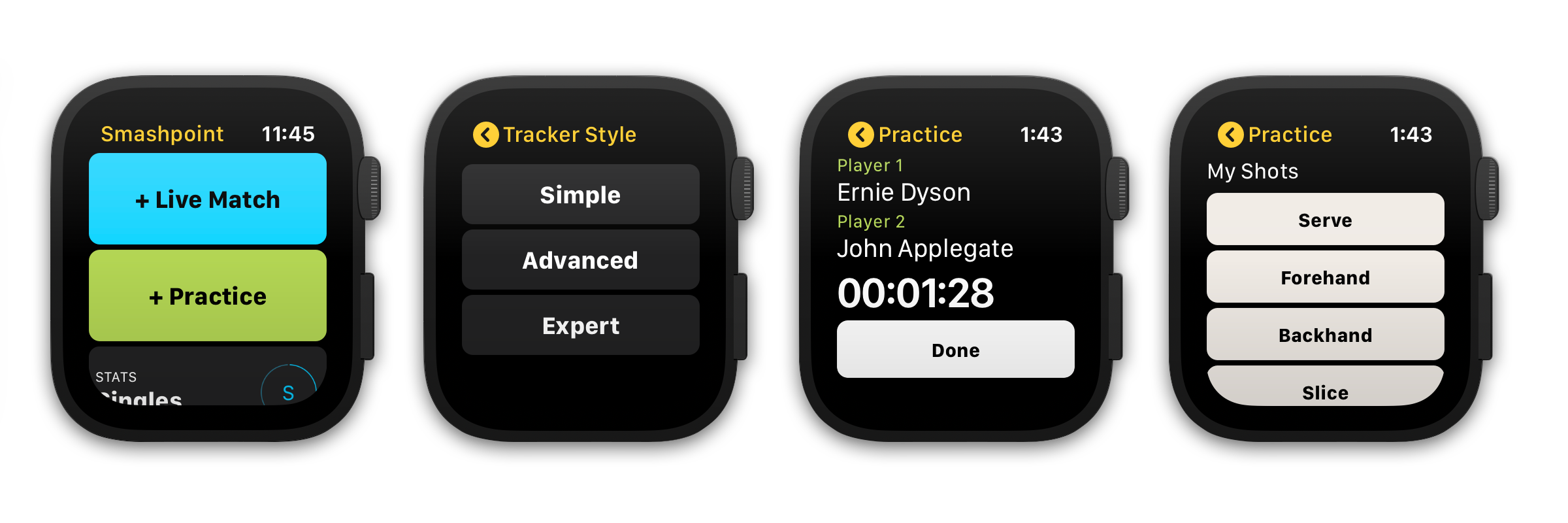
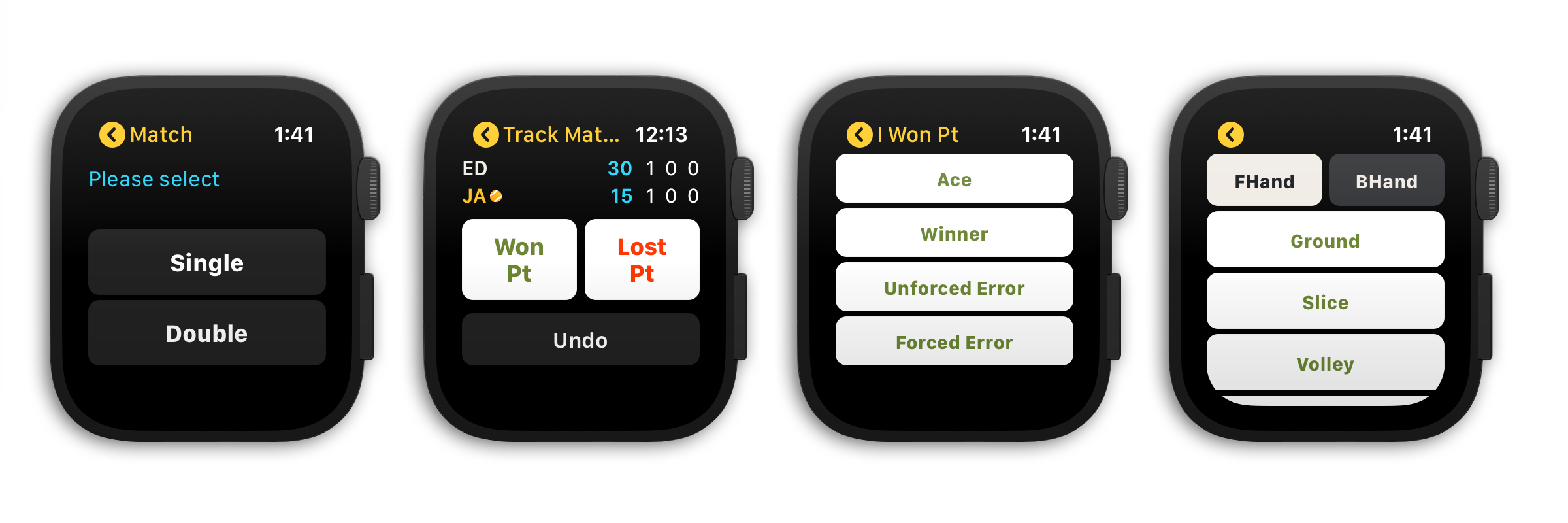
    APPLE WATCH
    • Updated design
    • Select from 3 match tracking styles (Simple, Advanced, Expert)
    • Track a single or double match and practice sessions
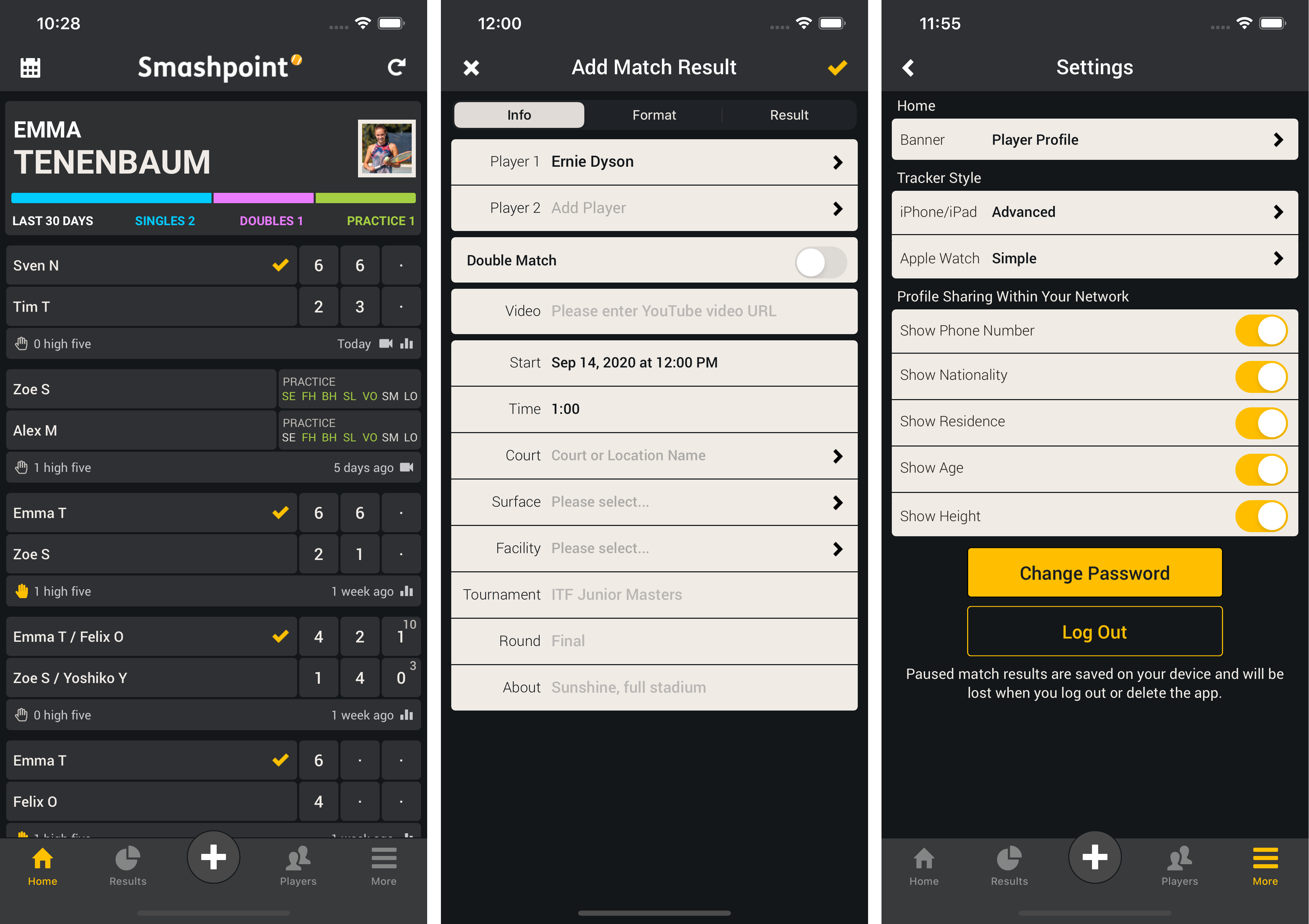
    • Save your preferred tracking style in settings
    • New Apple Watch Complications
    • Complete a match or practice session at any time

    GENERAL
    • Updated home banner design (switch between Player Profile and Activity Rings in Settings)
    • 3 new match scoring rules
    • Embed a YouTube video in match and practice results
    • Updated match bio table design
    • Added shot results to player profile stats tab
    • Add photo and additional information to player profile

    CLOUD PLATFORM ACCESS FOR ALL USERS
    https://app.smashpoint.pro

    Apple App Store

    New and Improved Apple Watch Design
    Select from 3 tracking styles that fit your needs to track your match or practice session directly on the Tennis court.

    Smashpoint Apple Watch App
    Smashpoint Apple Watch App
    Smashpoint Apple Watch App 2.5

    New Mini User Profile & Add Video to Match and Practice Results
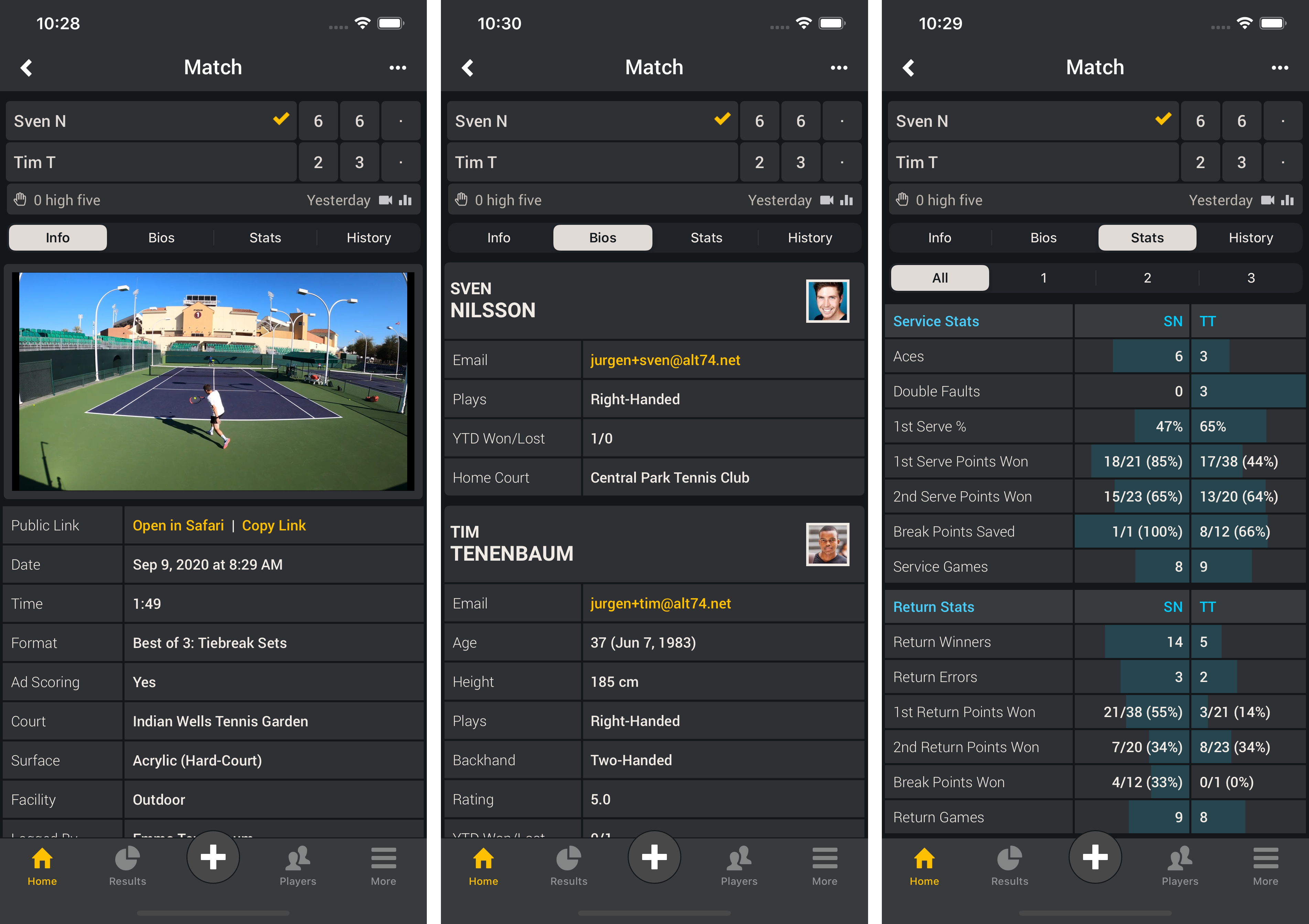
    Show your mini user profile directly on the home screen to see quick statistics (screenshot 1). Go to Settings to switch between Player Profile and Activity Rings (screenshot 3). Embed a YouTube URL in a match or practice result (screenshot 2).

    Smashpoint iOS 2.5

    Show YouTube Video in Results & Updated Bio Table Design
    Once you added a YouTube URL to a match or practice result you can view the video directly in the Smashpoint app. Shared results will show the video as well (screenshot 1). Updated result bio table to show player photos (screenshot 2).

    Smashpoint iOS 2.5

    Updated Match Scoring Rules
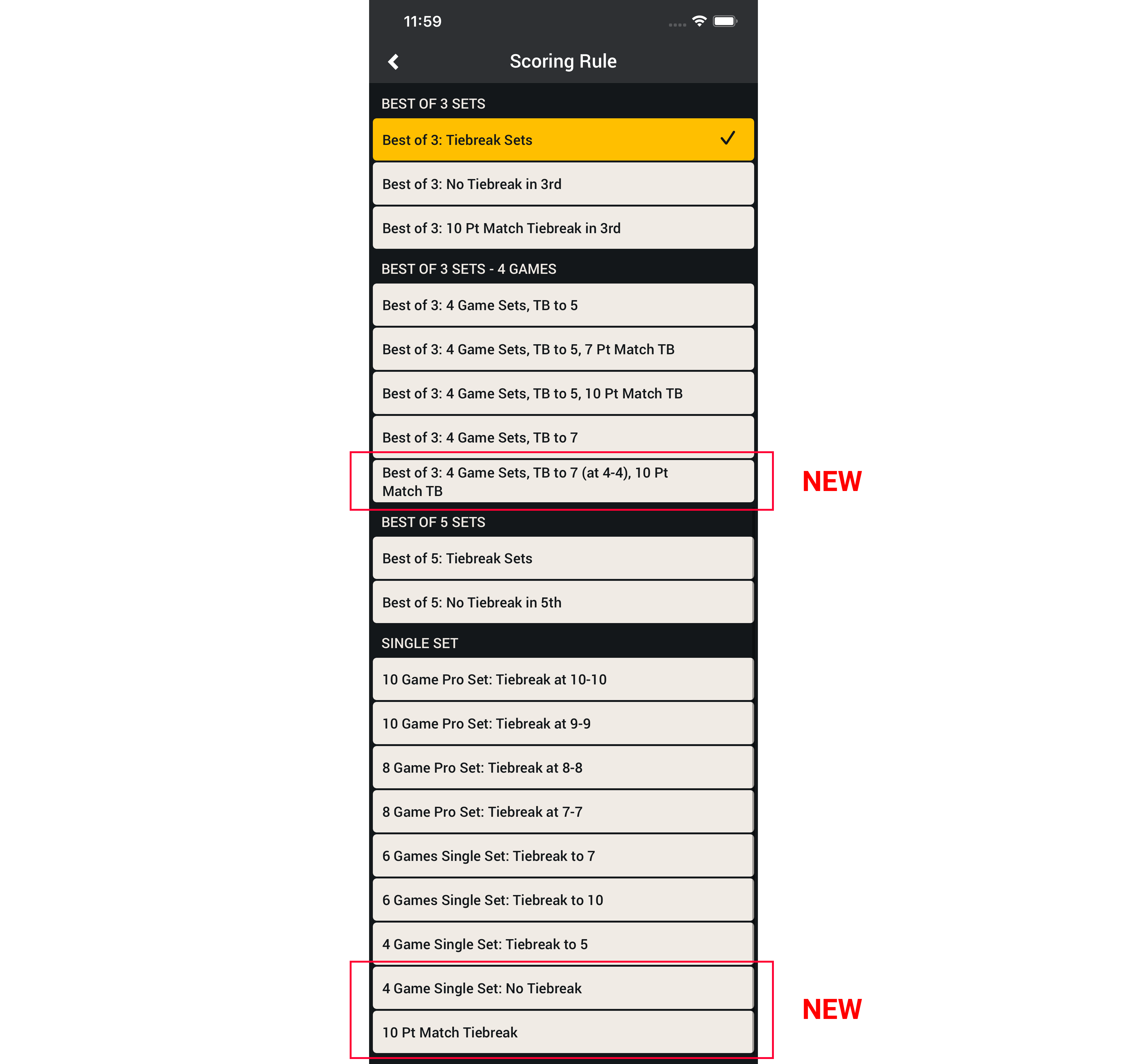
    We improved the layout for quicker access and added 3 new formats.
    • Best of 3: 4 Games Sets, Tiebreak to 7 (at 4-4), 10 Pt Match Tiebreak
    • 4 Game Single Set: No Tiebreak
    • 10 Pt Match Tiebreak

    Smashpoint iOS app match scoring rules
    Apple App Store

    To learn more about how to record and add video to Smashpoint Tennis results please visit our Tennis Gear blog.

  • Smashpoint iOS 2.4 Release

    Smashpoint iOS 2.4

    What’s New in Smashpoint iOS App 2.4

    LIVE TRACKER
    • New simple one touch tracking
    • Select from 3 tracking styles (Simple, Advanced, Expert)
    • Save your preferred tracking style in your settings
    • Added “Passing Shot” to Expert mode
    • New “Pause Match / Complete Later” functionality
    • Quick access to live stats during match play

    GENERAL
    • New Player Profile design (compare your ratings side by side: UTR, USTA, etc)
    • Add your gear to your profile
    • Publish your player profile online to share with a coach and friends
    • Stats tab with insights for every player
    • Additional Fast4 match format (UK/LTA rules)
    • Improved player list design
    • Improved user interface for iOS 13
    • Improved Login and Sign Up design
    • Unlocked Pro accounts also have full access at app.smashpoint.pro

    Apple App Store

    Live Match Set Up & Simple Tracking
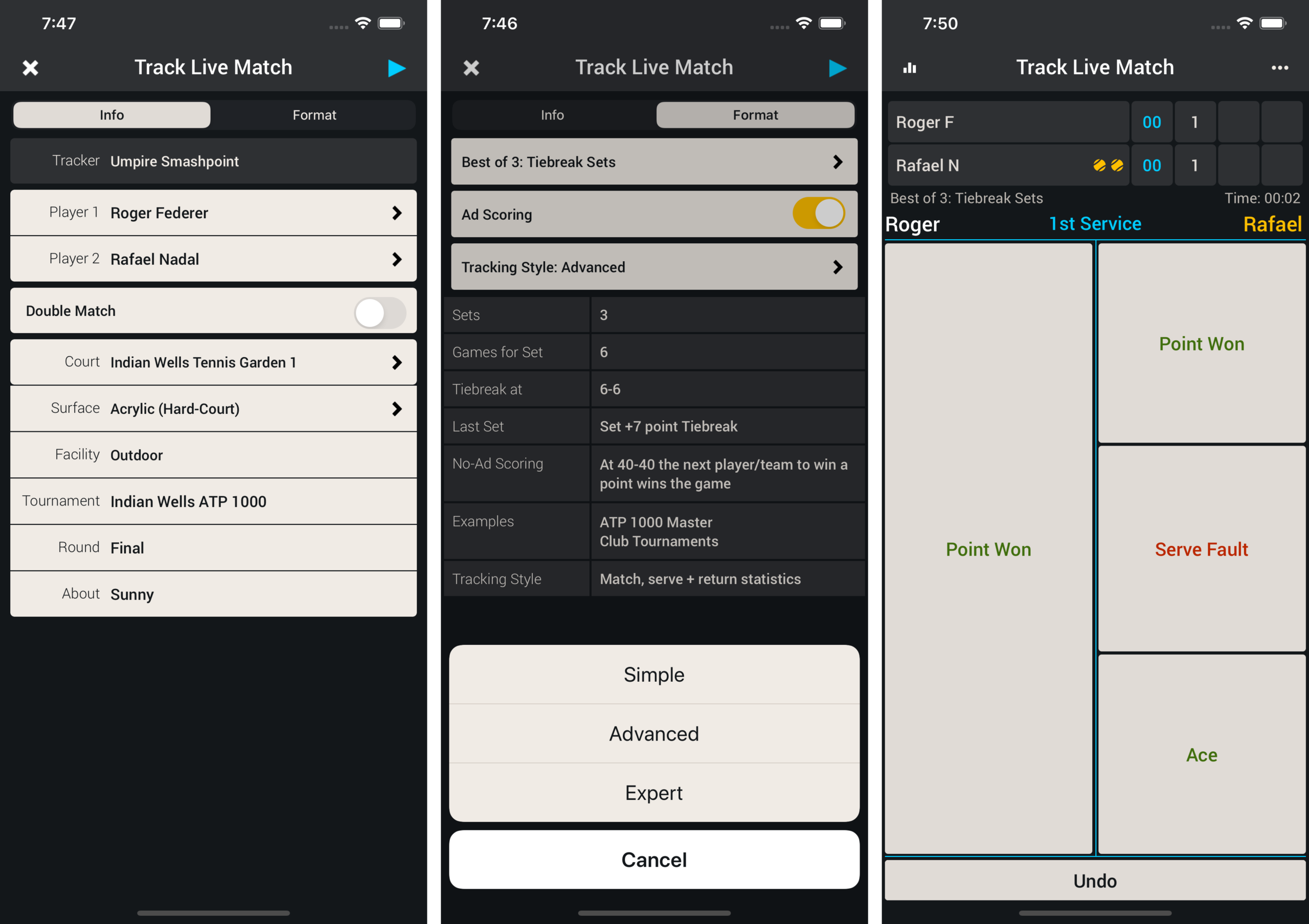
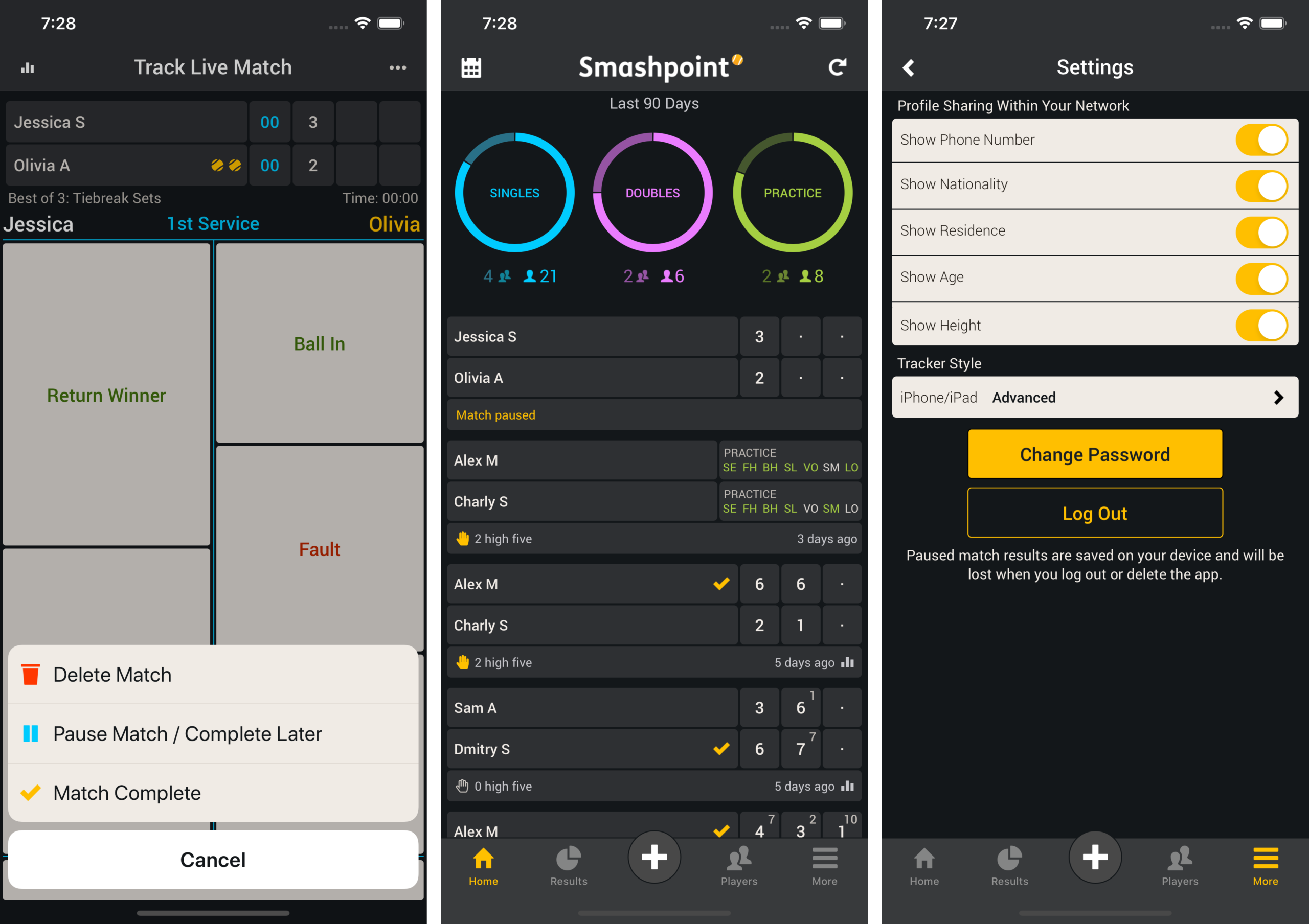
    During Live Match set up (screenshot 1). Go to the Format tab and select Simple from the Tracking Style menu (screenshot 2). Press Play in the upper right hand corner to begin tracking the match. Track the match with simple one touch entry (screenshot 3).

    Smashpoint 2.4

    Pause Match & Save Tracker Style in Settings
    If you need to pause the match during play select the ••• more menu in the upper right hand corner and select “Pause Match” from the menu (screenshot 1). Once the match has been saved it appears on your home screen (screenshot 2). In Settings you can save your preferred tracking style so next time you are tracking a tennis match the correct style is selected for you (screenshot 3).

    Smashpoint iOS Pause Match

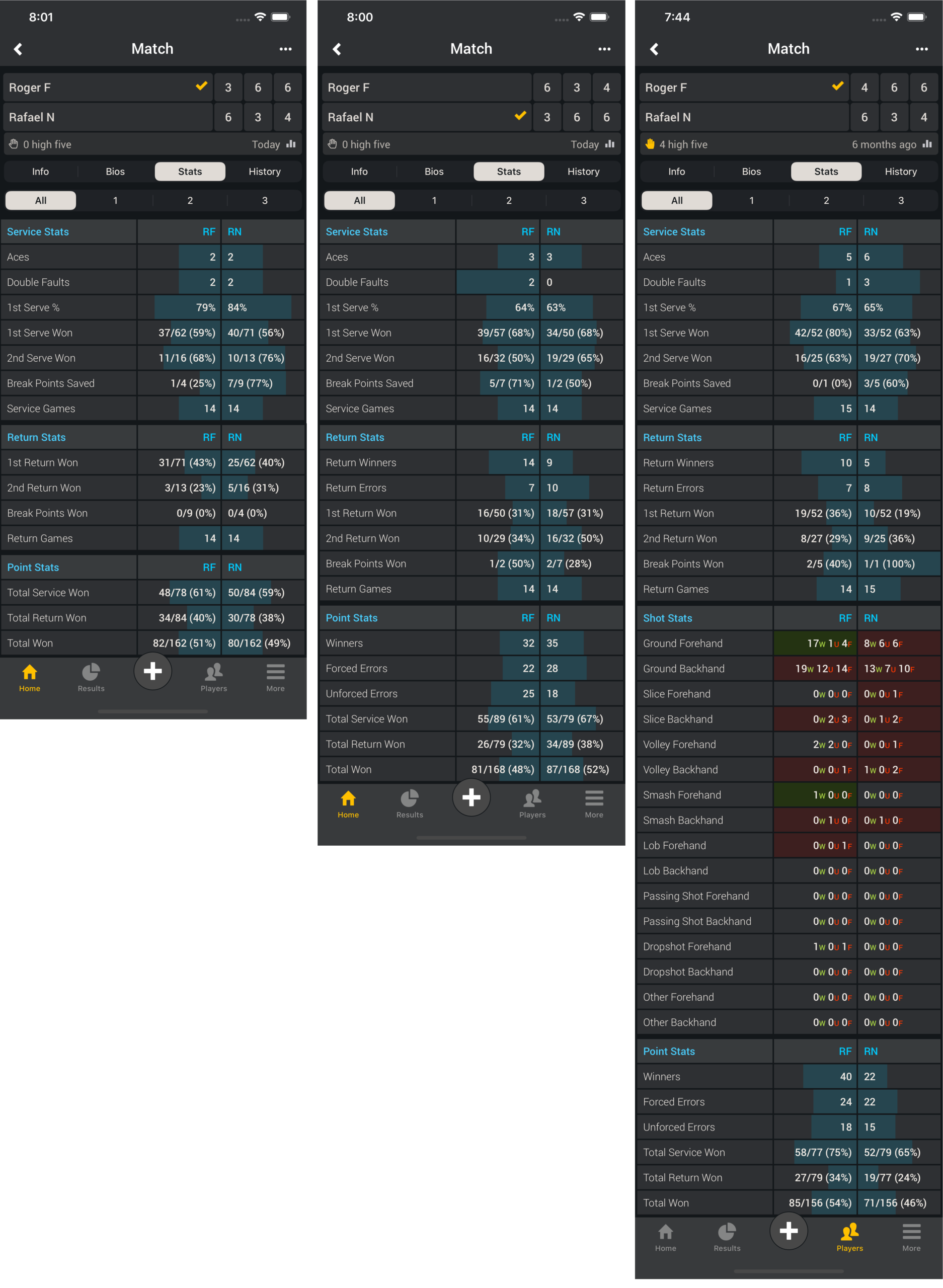
    Match Stats (Simple – Advanced – Expert)
    Simple tracking produces the same stats as the popular ATP/WTA app

    Match Stats

    My Profile (Create Public Link – Remove Public Link – Your Profile in the Web Browser)
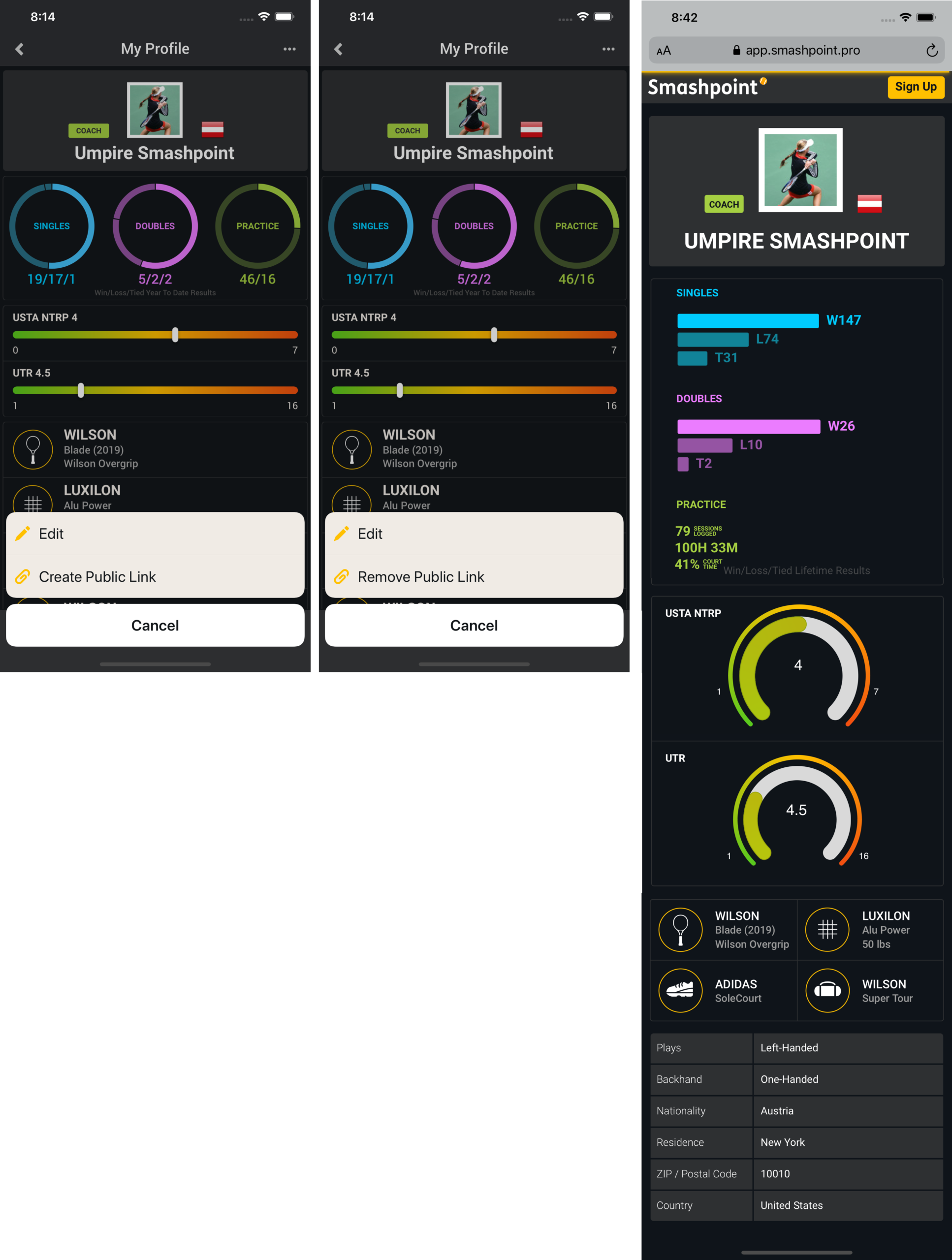
    On your profile page select the ••• more menu in the upper right hand corner. Click “Create Public Link” to make your profile public. Once you profile is public you can share the link. Your profile also appears in Smashpoint Search results. Log into the web app app.smashpoint.pro to give it a try. In iOS release 2.4 you are able to add multiple rating information to your profile. We believe one rating alone doesn’t tell the full story. Enter your UTR and country specific rating (rating name, range and your rating) to display it on your profile.

    Smashpoint My Profile

    Player Profile Connected (Bio – Stats – Results)
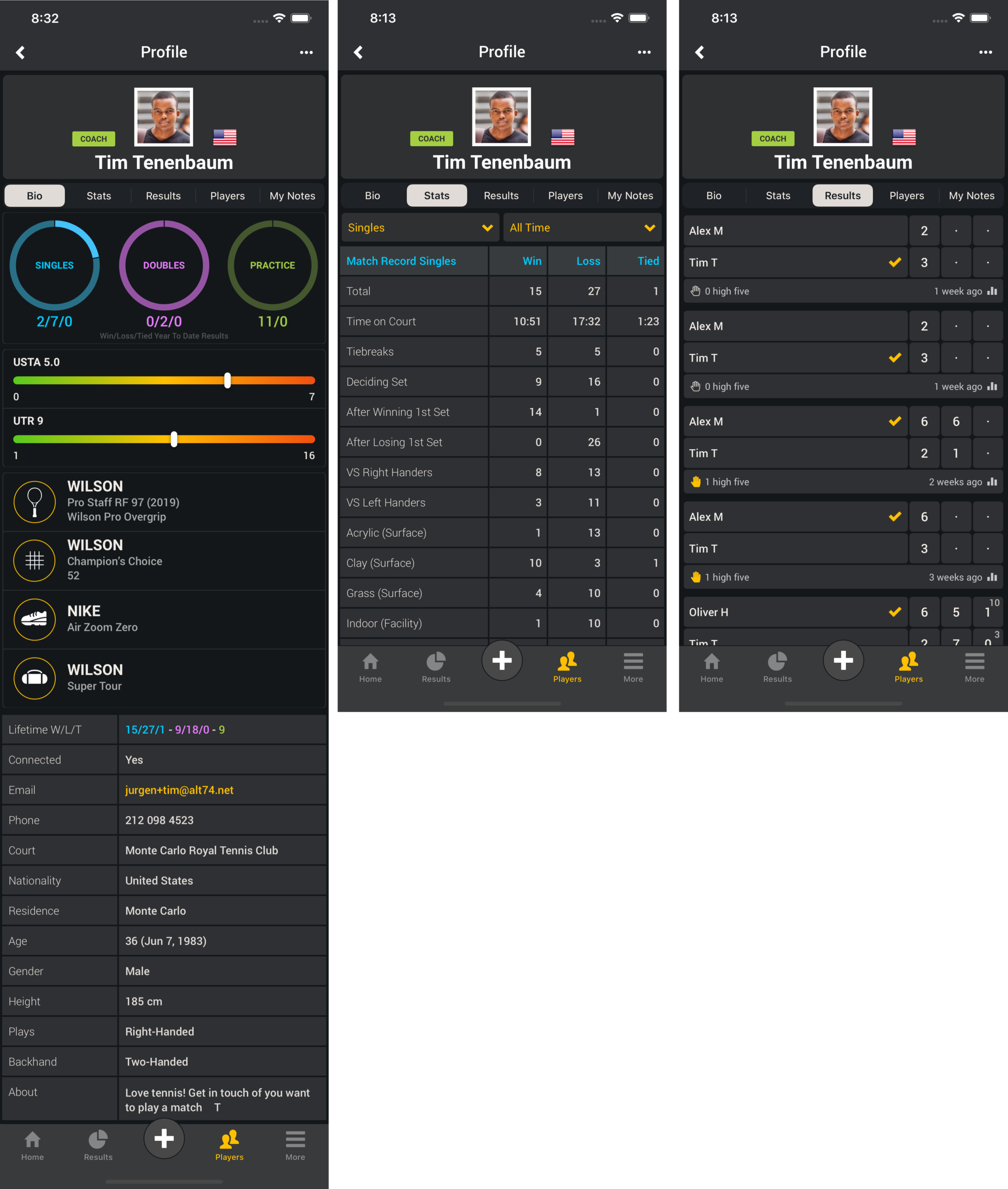
    Select one of your players in your Smashpoint account to see rich details such ratings, equipment, match stats and results.

    Smashpoint Player Profile
    Apple App Store
  • Smashpoint iOS 2.3 Release

    Smashpoint iOS 2.3
    2.3 iOS app release

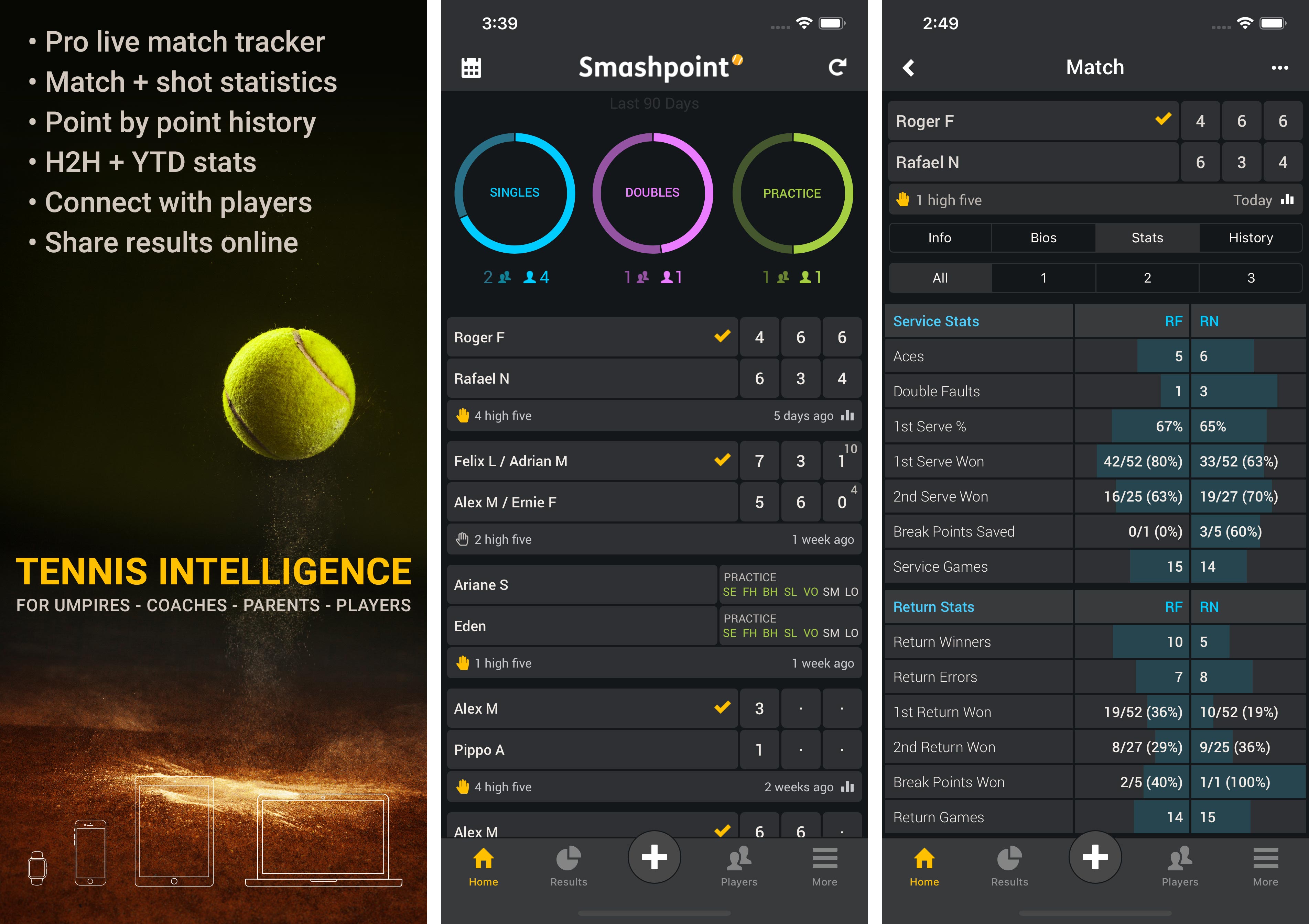
    What’s New in Smashpoint iOS App 2.3

    • Give a high five for a match well played
    • Live tracker usability improvements
    • Additional 10 Game Pro Set match formats
    • Animated bar graphs for match stats table
    • New ITF, UTR, and backhand fields for player profiles
    • Unlocked Pro accounts also have full access at app.smashpoint.pro

    Apple App Store
    iOS App 2.3 Tour
  • Smashpoint iOS 2.2 Release

    Smashpoint iOS APP 2.2

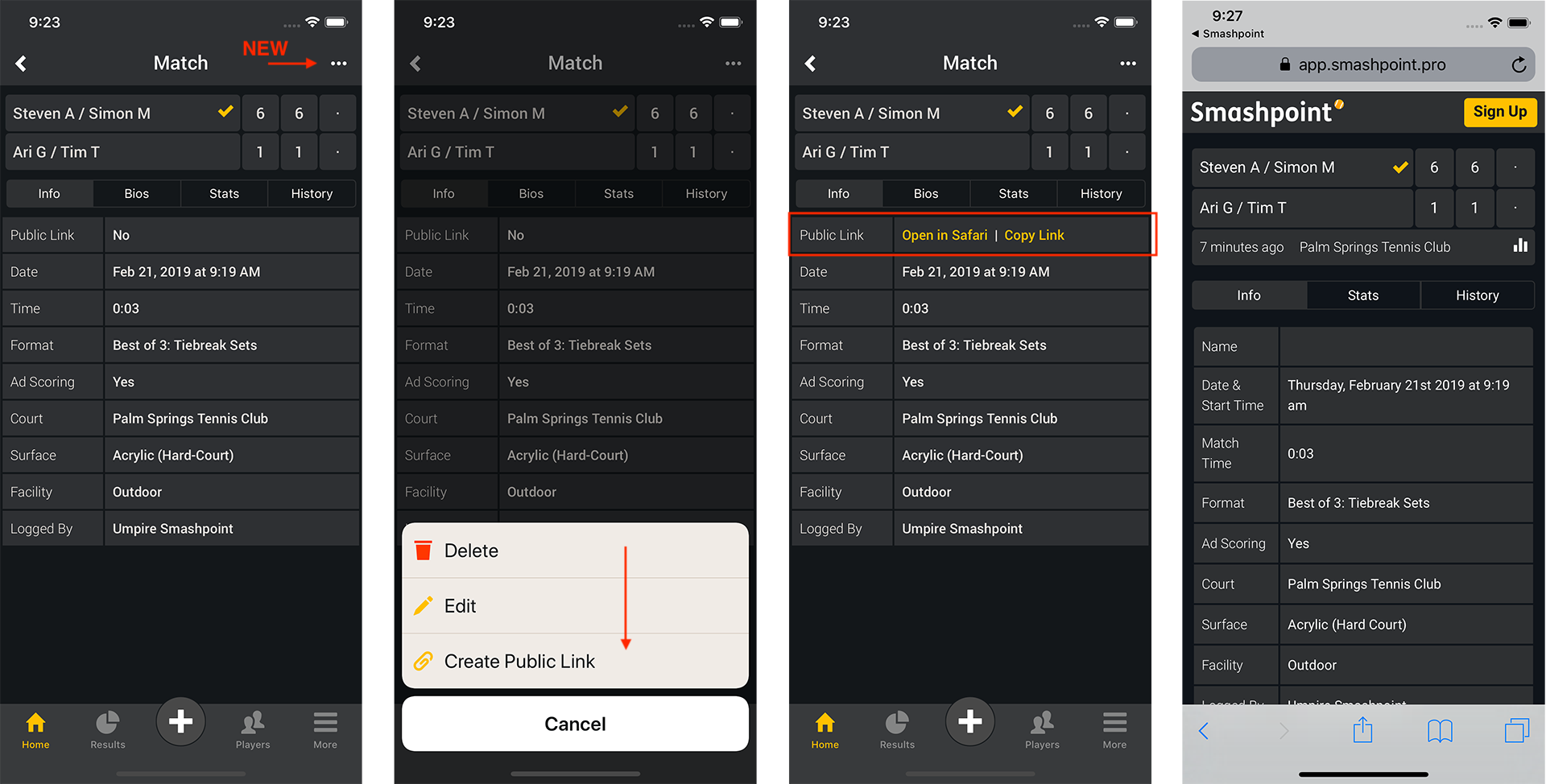
    What’s New in Smashpoint iOS App 2.2

    • Link Sharing: Share match results with anyone on the internet
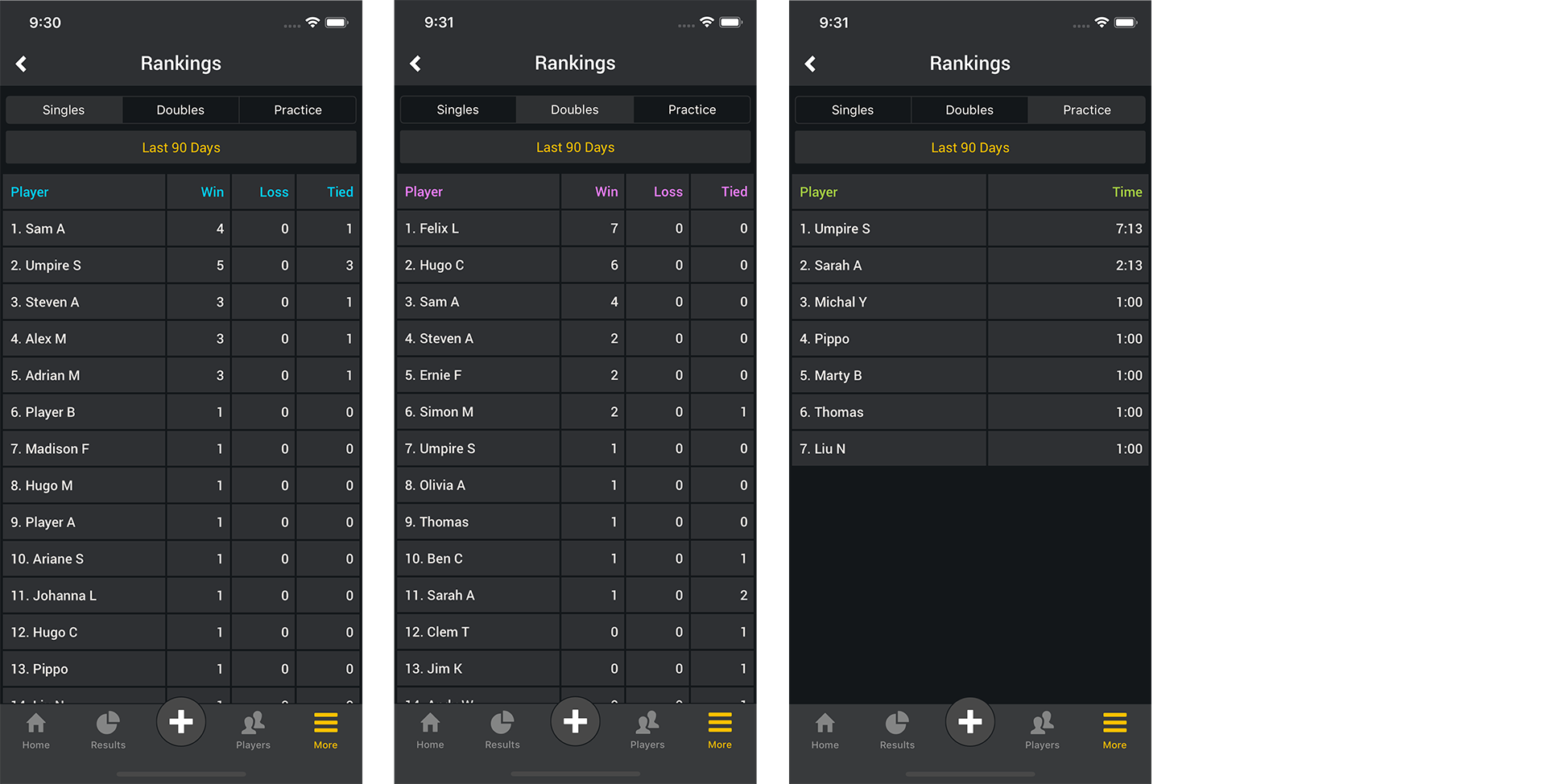
    • Rankings: See who the best players are in your network
    • Player profiles: View results to see player activity
    • Live Match Tracker: Shot tracking on by default + additional match formats
    • Improved offline capabilities and error free data submission to Smashpoint Cloud
    • Usability and performance improvements
    • Unlocked Pro accounts also have full access at app.smashpoint.pro

    Apple App Store
    Smashpoint iOS App 2.2 Tour 1
    Smashpoint iOS App 2.2 Tour 2
    Smashpoint iOS App 2.2 Tour 3
    Smashpoint iOS App 2.2 Tour 4
    Smashpoint iOS App 2.2 Tour 5
  • Smashpoint 2.1 Release Notes

    Smashpoint 2.1 iOS Release

    Smashpoint iOS 2.1 Release 

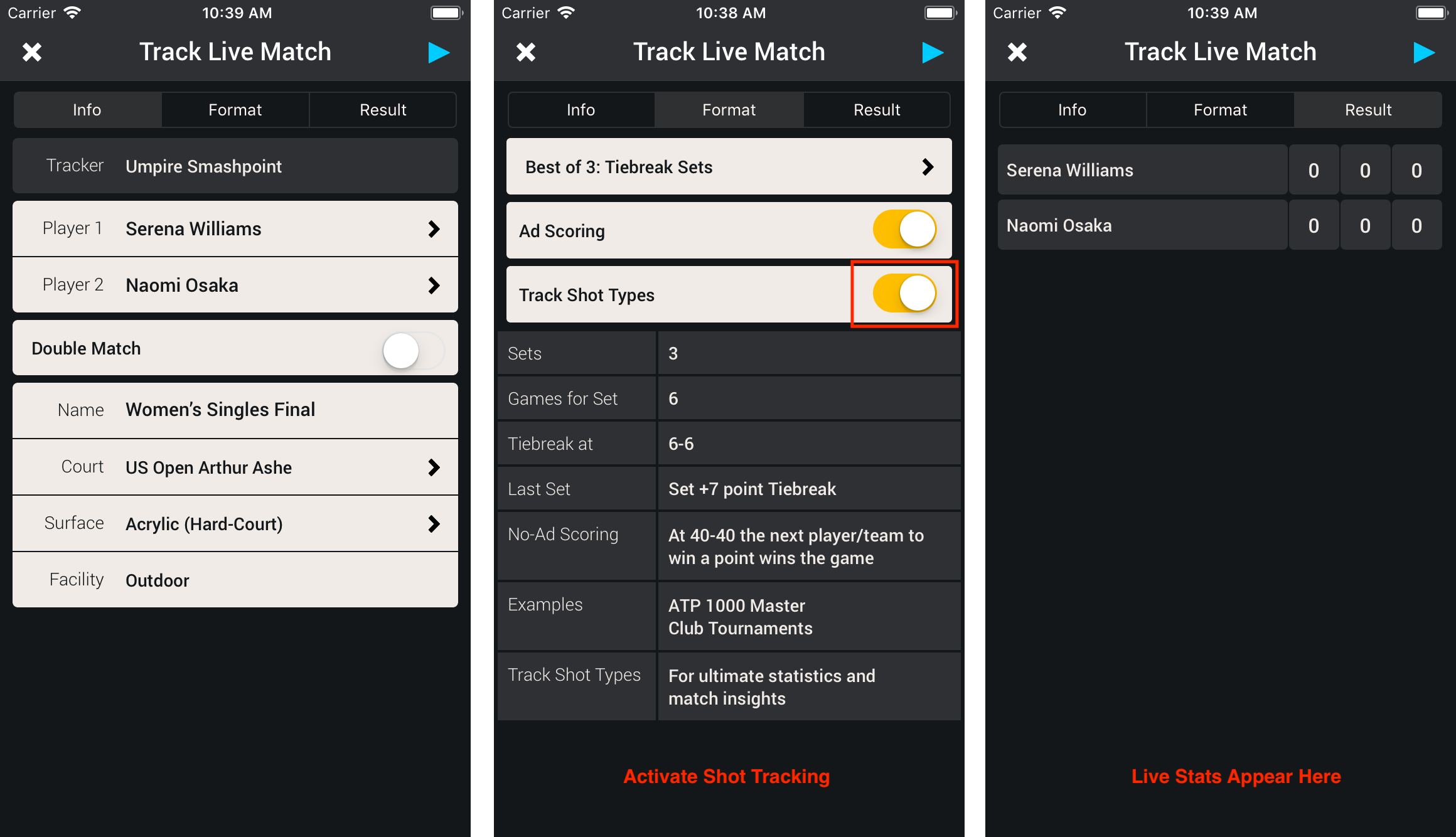
    • Improved live match tracker with detailed shot tracking, statistics, and point by point history
    • Additional match formats:
    – Best of 3: 4 Game Short Sets
    – 6 Game Single Set: Tiebreak to 7 Pts
    – 6 Game Single Set: Tiebreak to 10 Pts
    • Bug fixes and general improvements

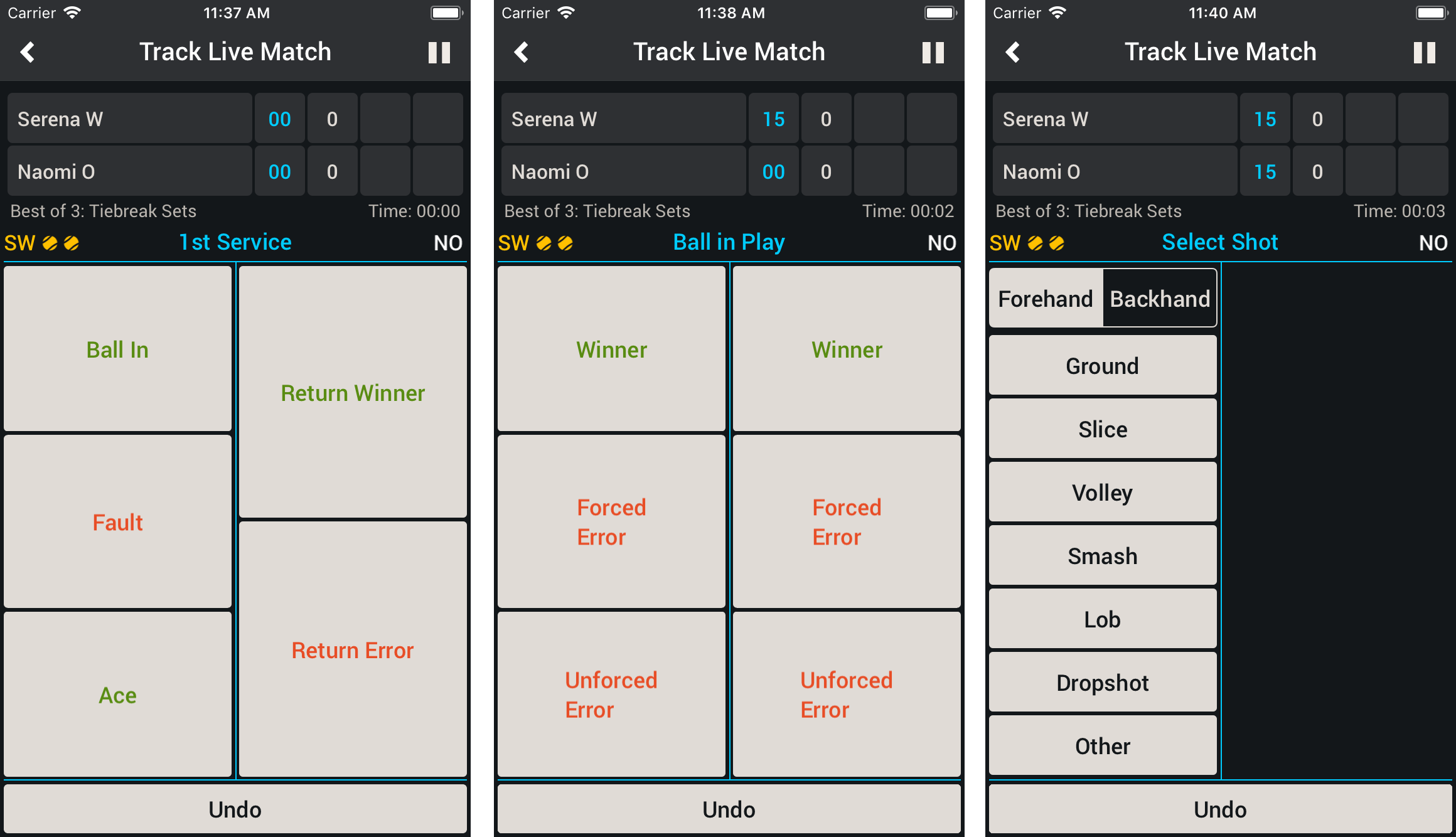
    Track Live Tennis Match: Setup

    Smashpoint Tennis Shot Tracker 1

    Track Live Tennis Match: Score and Shot Tracking

    Smashpoint Tennis Shot Tracker 2

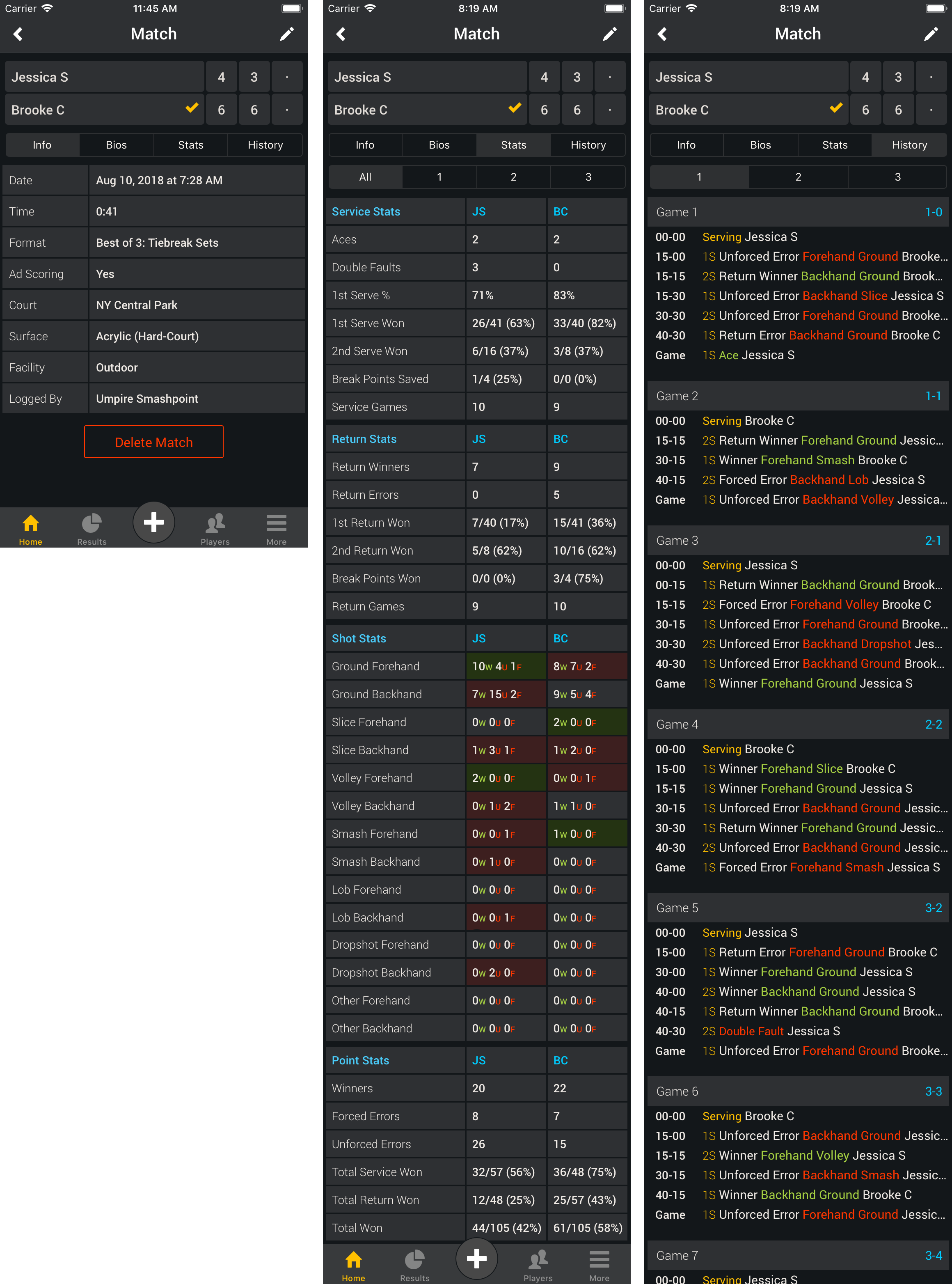
    Match Result: Detailed Service, Return, Shot, and Point Stats

    Shot Stats Table
    W = Winner
    U = Unforced Error
    F = Forced Error

  • Smashpoint 2.0 Release Notes

    Smashpoint iOS 2.0

    Smashpoint iOS 2.0 Release 

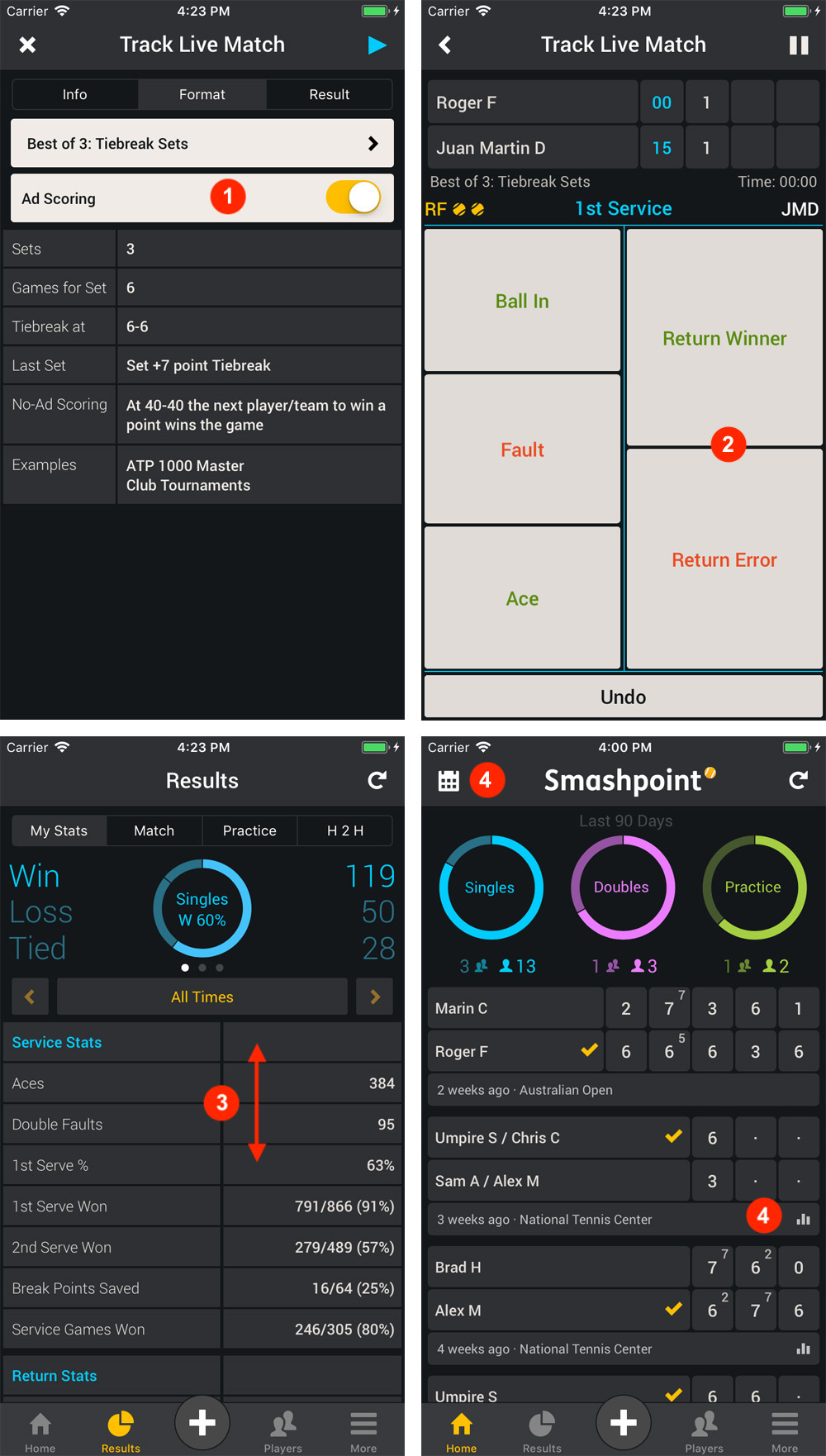
    • Track and log your tennis results with “No-Ad” option [1]
    • Improved return winner/error tracking for live match tracker [2]
    • Results: new yearly summary tables for your service, return and point stats [3]
    • Home: new time filter, new icon for match results with stats [4]
    • Apple Watch: usability improvements during live match
    • Added French and Spanish translations
    • Plus, additional usability and performance improvements

    Highlights

    2.0 Release Highlights

  • Smashpoint 1.9 Release Notes

    Smashpoint release 1.9

    What’s new in version 1.9?

    • New easy to use app navigation
    • Improved tennis court management
    • iPhone X optimizations
    • Bug fixes and general improvements

    Get Smashpoint 1.9 from the Apple App Store

  • Smashpoint 1.8 Release Notes

    Smashpoint release 1.8

    What’s new in version 1.8?

    • Live tracker update for doubles
    • Head 2 Head stats and results for doubles
    • Added “Tied” stats to player profile
    • Chinese language support
    • Performance improvements and bug fixes
    Thank you for using our app <3 your friends at Smashpoint.
    We love to hear your feedback. Get in touch.

    Download Smashpoint 1.8 from the Apple App Store for free.

    Tennis Doubles Head 2 Head

    Smashpoint Apple Watch Chinese