Author: Jürgen Altziebler

  • Dynamic ELO Ratings Have Arrived on Smashpoint

    Dynamic ELO Ratings Have Arrived on Smashpoint

    We’ve all been there. You pack your bags, head to the courts, look across the net at a new hitting partner, and realize within three games that the skill levels are completely off.

    Either you’re scrambling just to get a ball back, or you’re holding back your own game to keep a rally going. In racquet sports, level-based matchmaking is everything.

    That is why we are thrilled to announce that Dynamic ELO Ratings are officially live on Smashpoint! Available right now for all users across our web platform at app.smashpoint.pro, this core analytical upgrade brings professional-grade ranking precision directly to your local courts.

    What is an ELO Rating?

    Originating in chess and widely adapted across professional sports and competitive esports, the ELO rating system measures a player’s relative skill level.

    Instead of static, bracketed ranking systems that only update once a year, Smashpoint’s built-in ELO engine recalculates your rating sequentially after every single match result.

    The Math: It’s Not Just About Winning, It’s About Who You Beat

    In a standard leaderboard, a win is just a win. But Smashpoint’s ELO engine operates on a sophisticated mathematical framework that calculates an Expected Score before you even step on the court:

    • If you defeat a heavily favored opponent, your rating jumps significantly.
    • If you lose to a player with a much higher rating, your ELO barely moves because the system already expected that outcome.
    • To keep your data unified and accurate, every player has one global ELO profile that travels with them, ensuring data liquidity no matter where they play.

    The Ultimate Clay-Courter? Tracking ELO by Surface

    A flat-hitting power player might look like a legend on indoor hard courts but completely lose their edge on slow, gritty red clay. True tennis data shouldn’t ignore the ground beneath your feet.

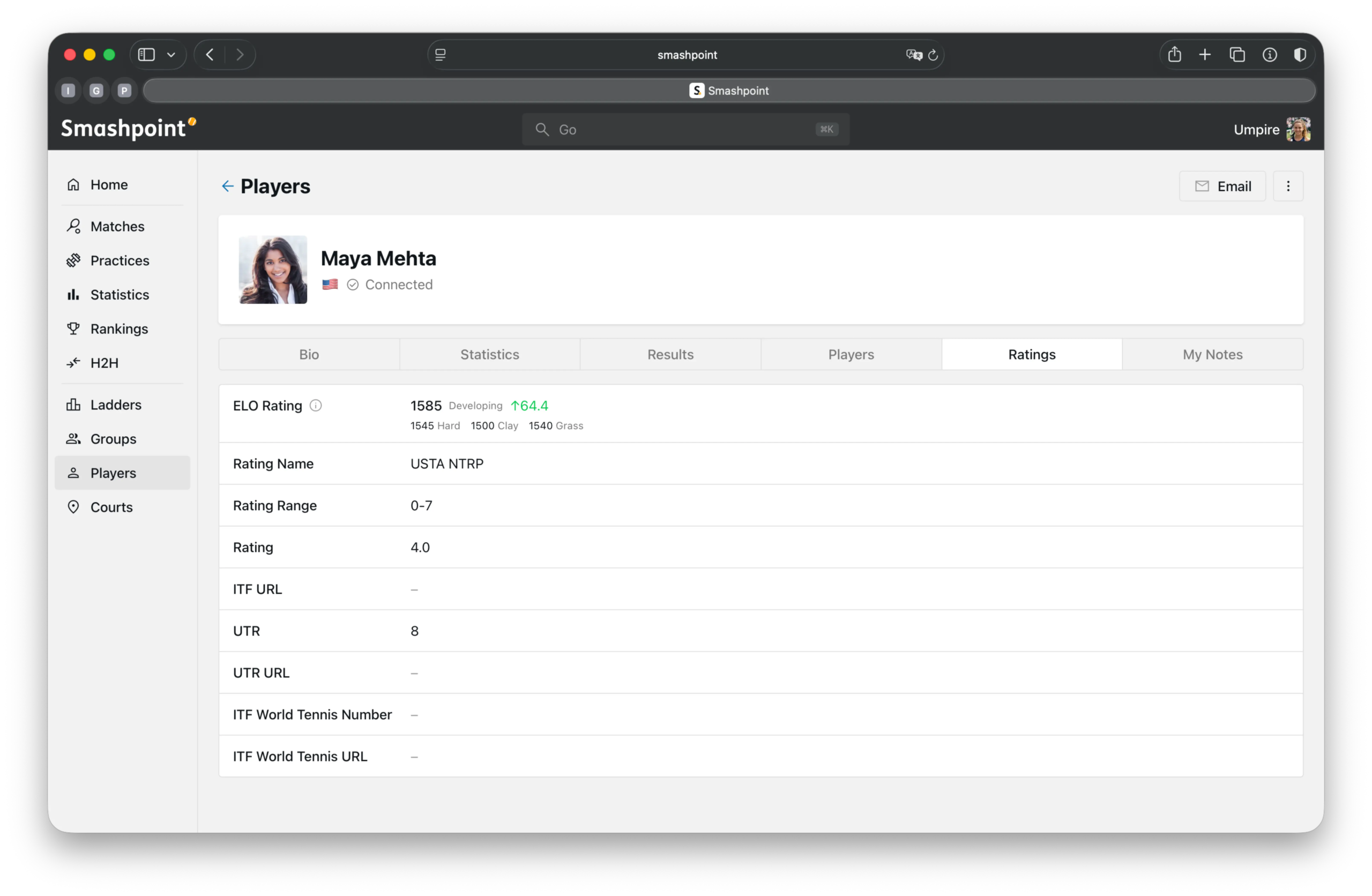
    That’s why we didn’t just build a single tracking metric. When you log into app.smashpoint.pro, your profile now displays a comprehensive ELO Dashboard Breakdown:

    Summary ELO: Your overarching, weighted global rating across all formats and matchups. This is your master seed.

    Surface-Specific ELO: Drill down into the exact environments where you thrive or struggle. Your profile dynamically splits your performance into four distinct court surfaces:

    • Hard
    • Clay
    • Grass
    • Carpet

    Now you can mathematically prove that you’re a 1600-level specialist on the turf, even if your hard-court grind sits at 1450.

    For the Power Users: Query Your ELO via the Smashpoint MCP

    Are you running deep performance analytics on your own data or building custom sports applications? We’ve got some incredible news for the builders and tech enthusiasts in our community.

    Alongside the web dashboard release, our Dynamic ELO data has been fully integrated into the Smashpoint Tennis MCP (Model Context Protocol).

    This means if you are utilizing local AI agents or platforms like Gemini, Claude, or ChatGPT, your large language models can now query your live, real-time ELO ratings and surface-specific metrics seamlessly. You can ask your favorite AI platform things like “Analyze my head-to-head records against left-handed players relative to my current Clay Court ELO” and receive instant, professional-grade insights driven directly by our data pipelines.

    For Players: Find the Perfect Hitting Partner

    No more guessing games or awkward text threads trying to figure out if someone is a “true” intermediate.

    Flawless Matchmaking:
    Your Smashpoint ELO gives you a fluid, real-time indicator of your exact skill level.

    Track Your Real Progress:
    Watch your rating climb dynamically as you improve your game, string together wins, and conquer rival head-to-head (H2H) matchups.

    Every Game Matters:
    Because your rating updates sequentially, every match has real competitive stakes, pushing you to play your best from the first serve to match point.

    For Organizers: Build Flawless Competitions

    If you manage a club, school, university, or local league, you know that seeding can be an administrative nightmare. Manual seeding leads to unbalanced brackets, blowout matches, and frustrated players.

    Smashpoint’s global ELO engine changes the game for facility administrators:

    Balanced Groups & Flights:
    Automatically group players into competitive round-robins or flights where everyone is guaranteed tight, high-energy matches.

    Automated Club Ladders:
    Use real-time ELO data to anchor custom club ladders (like our Accrual or Frog ladder designs), letting the software handle the movement dynamically.

    Instant Seeding:
    Pull up-to-date player ratings directly into your tournament engine to create mathematically fair brackets in seconds.

    Pro Tip for Club Admins:
    Being part of an organization should enrich a player’s data, not fragment it. Organizations can seamlessly filter the global ELO to display localized “Club Leaderboards,” keeping your community connected without isolating their data into a silo.
  • Smashpoint Tennis MCP

    Smashpoint Tennis MCP

    Unlock AI Insights from Your Tennis Data

    Smashpoint Tennis MCP uses the Model Context Protocol to connect Smashpoint.pro’s detailed match data directly to your large language models. It empowers your local AI agents to seamlessly query real-time tennis statistics, head-to-head records, and shot metrics, bridging the gap between professional-grade sports analytics and advanced AI reasoning.

    Smashpoint is now available as a connector inside Claude.

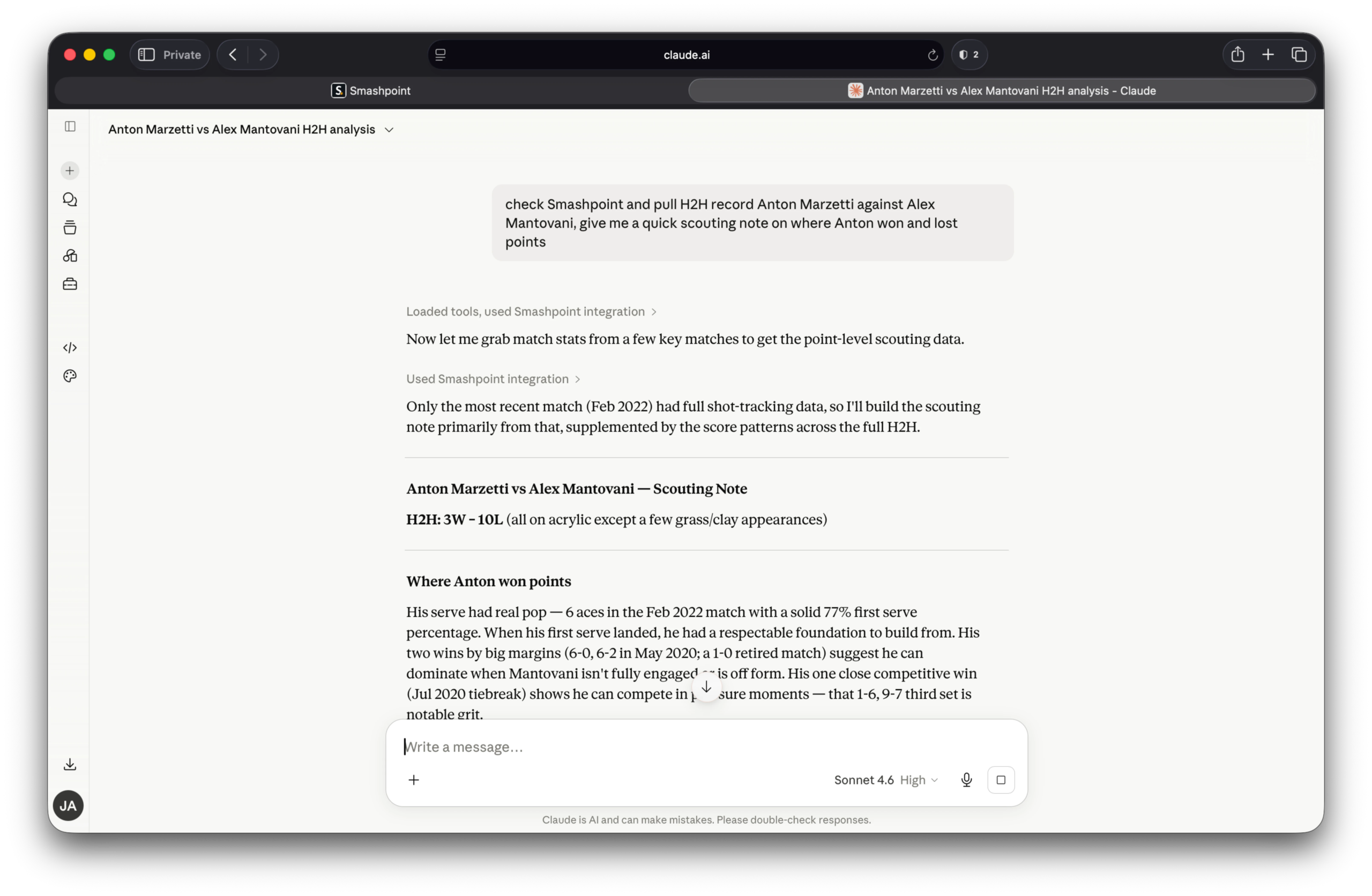
    That means your match history, H2H records, stats, and ladder standings travel with you into every Claude conversation — no copy-paste, no switching apps, no manual context-setting. Ask a real question, get an answer grounded in your actual data. A few things you can do right now:

    Before a match

    “Pull my H2H record against Marcus Webb and give me a quick scouting note on where I’ve won and lost points against him.”

    After a tough loss

    “Look at my last 90 days of singles results and tell me where my win rate drops — by surface, by score line, or anything that stands out.”

    Working on your game

    “Based on my results across hard, clay, and grass, which surface should I be prioritizing in practice right now and why?”

    That’s the idea. Your game, in context, whenever you need it.

    Get Started

    The Smashpoint MCP is fully unlocked for all active Pro subscribers. Free accounts can still test the waters with access to the last 3 match results. If you’re not on Pro yet, this is the perfect reason to upgrade. Go to app.smashpoint.pro to upgrade.

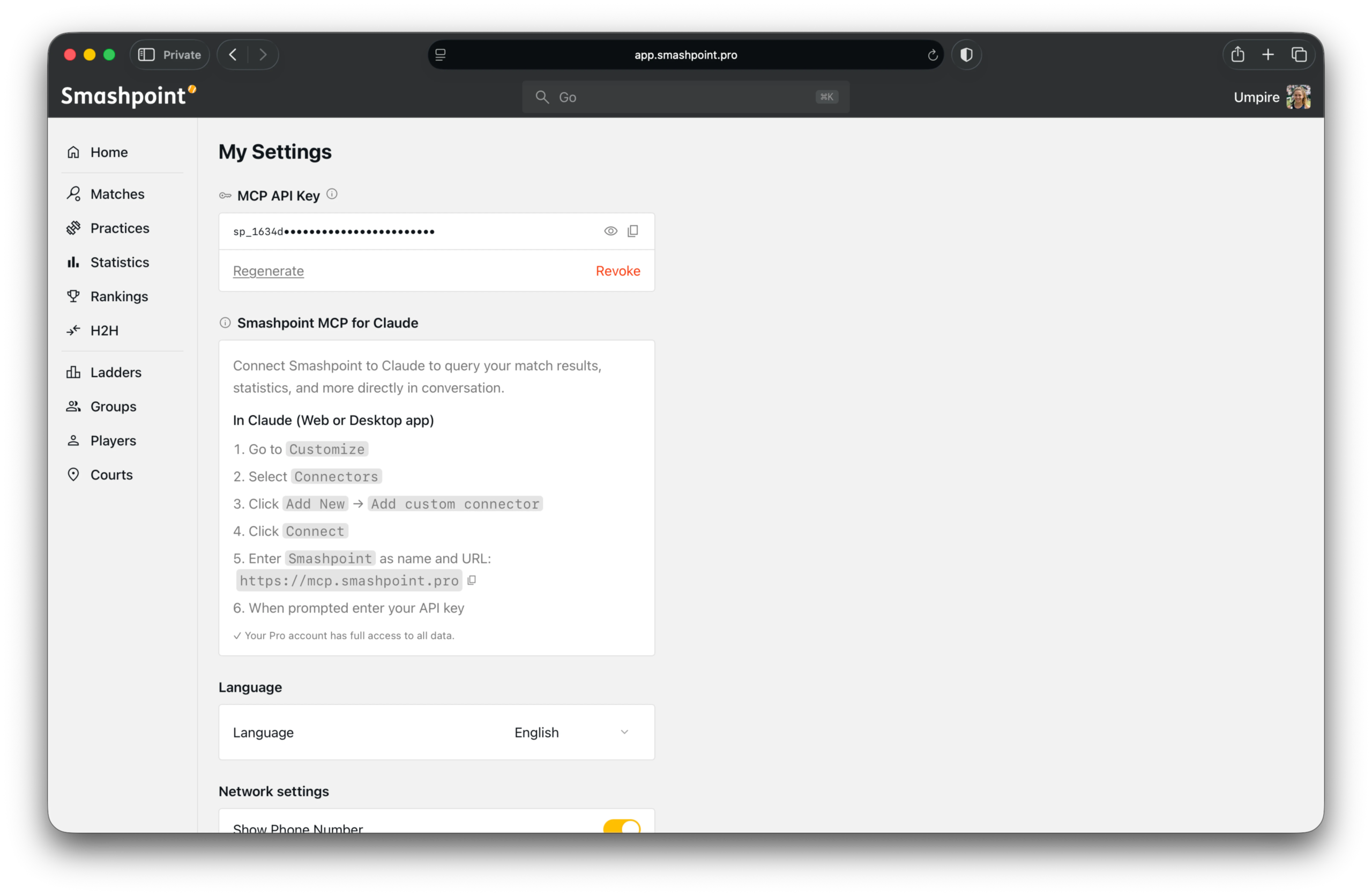
    Connect Claude

    Step 1 — Generate your API key

    Log into your Smashpoint account, go to Settings > Integrations, and generate your MCP API key. Copy it — you’ll need it in the next step.

    Step 2 — Add the connector in Claude
    Open Claude and go to:

    1. Customize
    2. Connectors
    3. Add New — select “Add custom connector”
    4. Enter Smashpoint as the name
    5. Enter https://mcp.smashpoint.pro as the URL
    6. Paste your API key when prompted

    That’s it. Claude will confirm the connection and you’re ready to go.

    A Note on Privacy

    Your data stays yours. The Smashpoint MCP only surfaces data from your own account — your matches, your stats, your connected players. Nothing is shared with other users. You can revoke your API key from Settings at any time and the connection drops immediately.

    What’s Next

    This is the first version. We’re already thinking about what comes after — deeper stats, group and ladder context, and eventually org-level access for coaching programs. If you’re a coach or program director at a university or club and want to talk about what that could look like for your team, please get in touch.

    For now — connect, ask, and let your data do some of the work.

  • Web App Oct 2021 Update

    Smashpoint Ladder

    What’s New

    • Easy to use ladder and group management for players, organizers and clubs

    • Improved performance and bug fixes

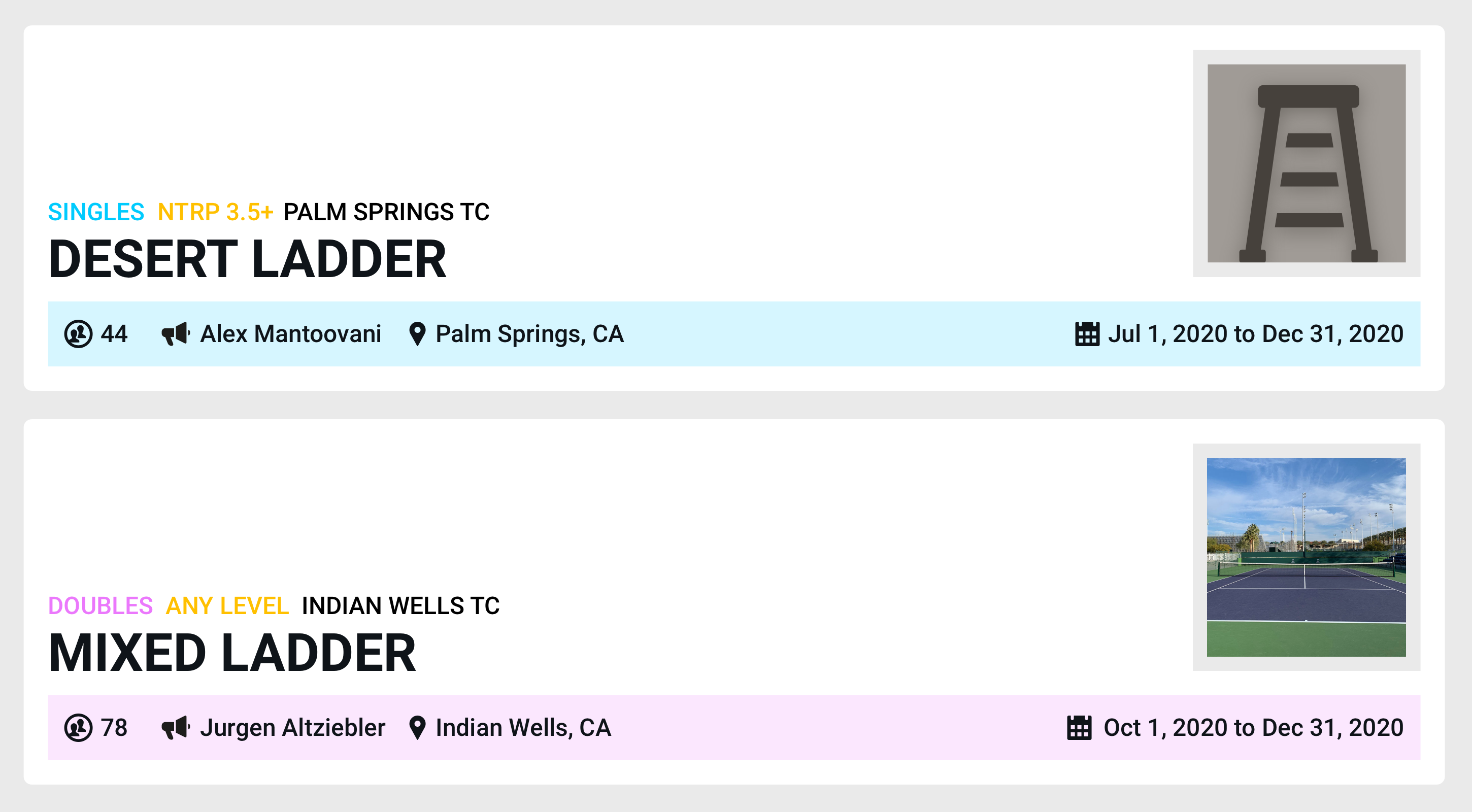
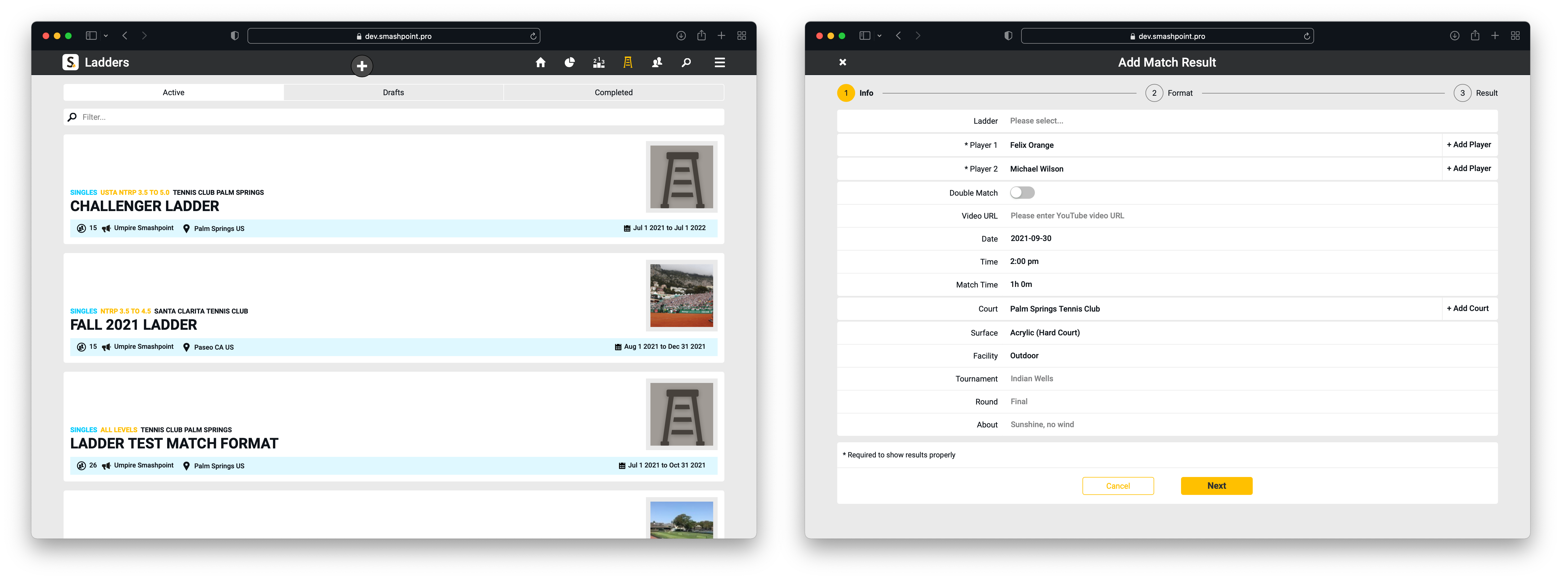
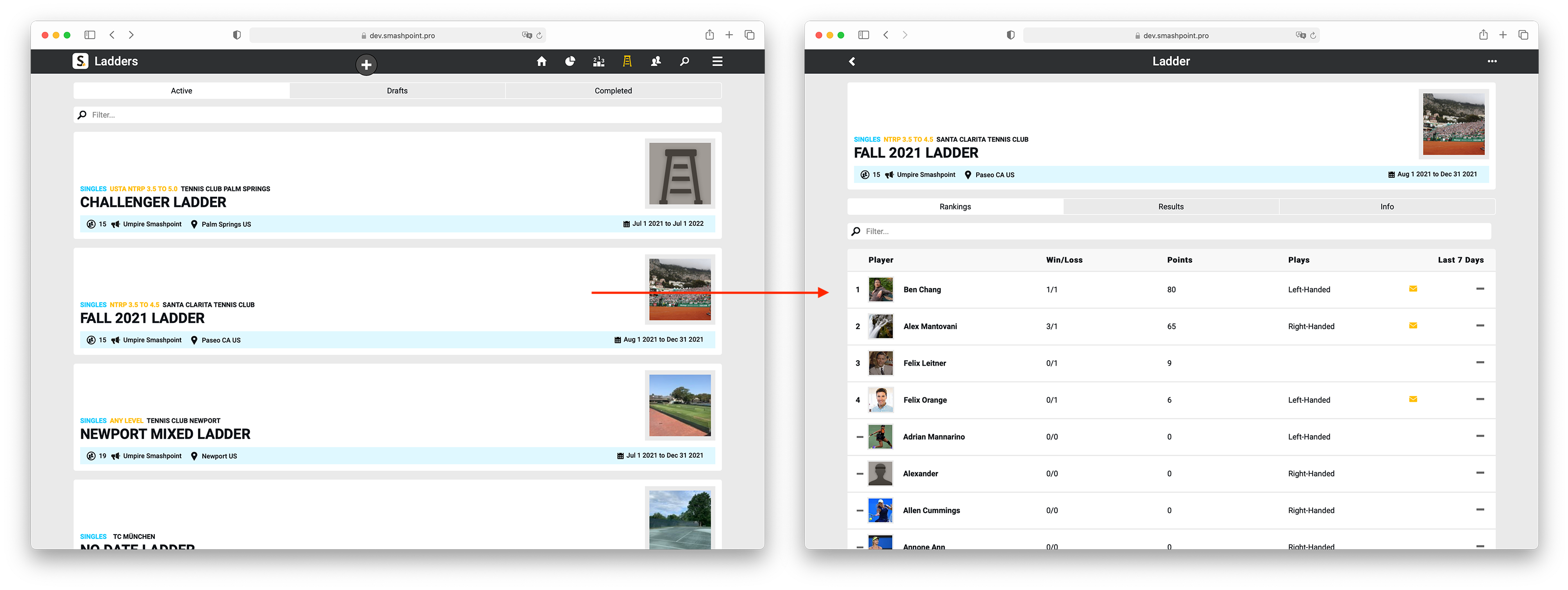
    See Active, Draft and Completed ladders. Add a match result to a ladder from anywhere in the app.

    Smashpoint Ladder Management

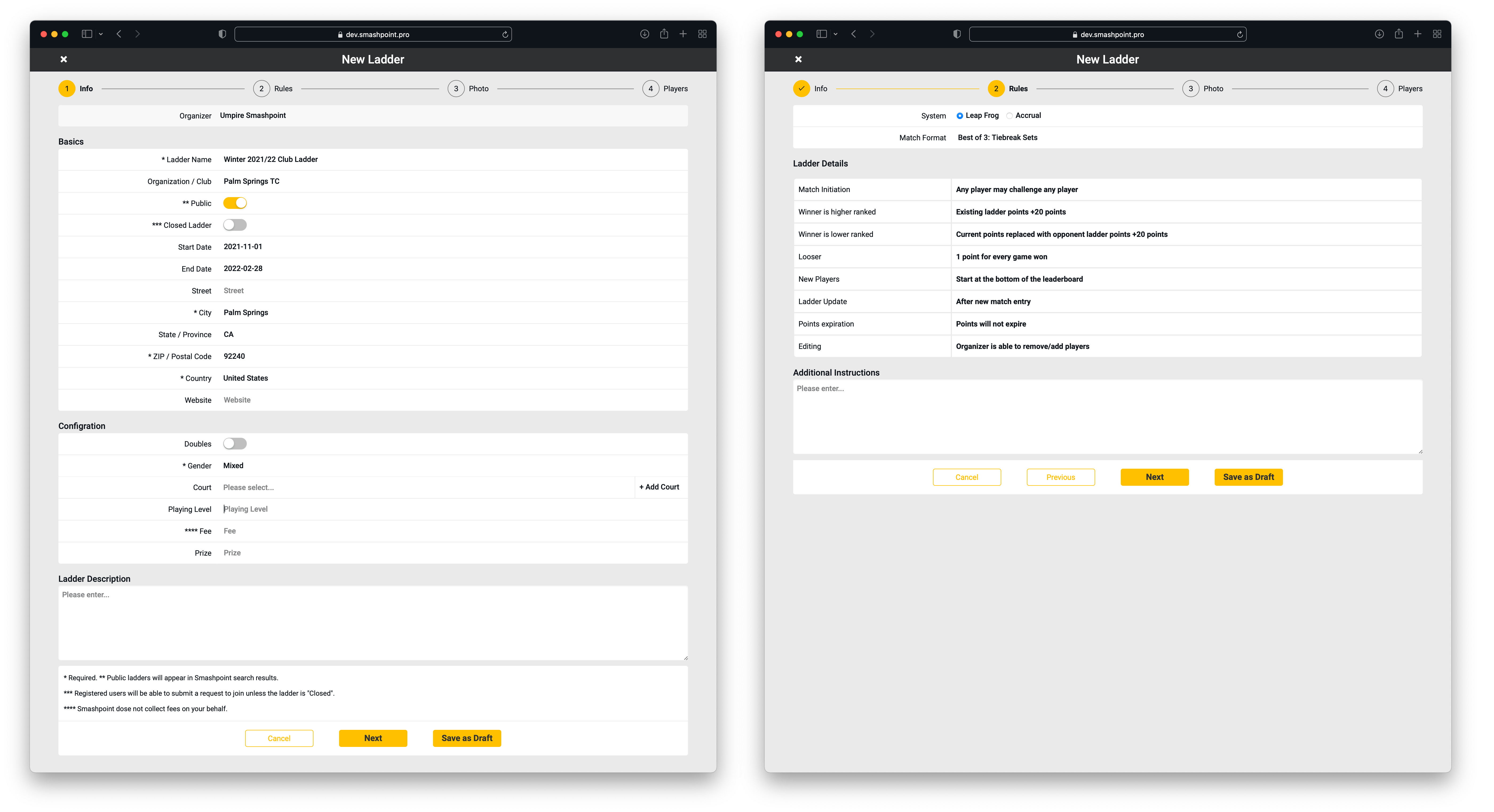
    Create a New Ladder in a few easy steps:

    Smashpoint Ladder Set Up

    TENNIS LADDER MANAGEMENT

    • Organize competitive play for singles or doubles
    • Run your ladder with a Leap Frog or Accrual point system
    • Invite unlimited players to join and enter ladder results
    • Use a start and end date (optional)
    • Rankings are based on points
    • See ranking changes +/- in last 7 days
    • Share a ladder with a public URL
    • Create unlimited ladders with Pro

    TENNIS GROUP MANAGEMENT

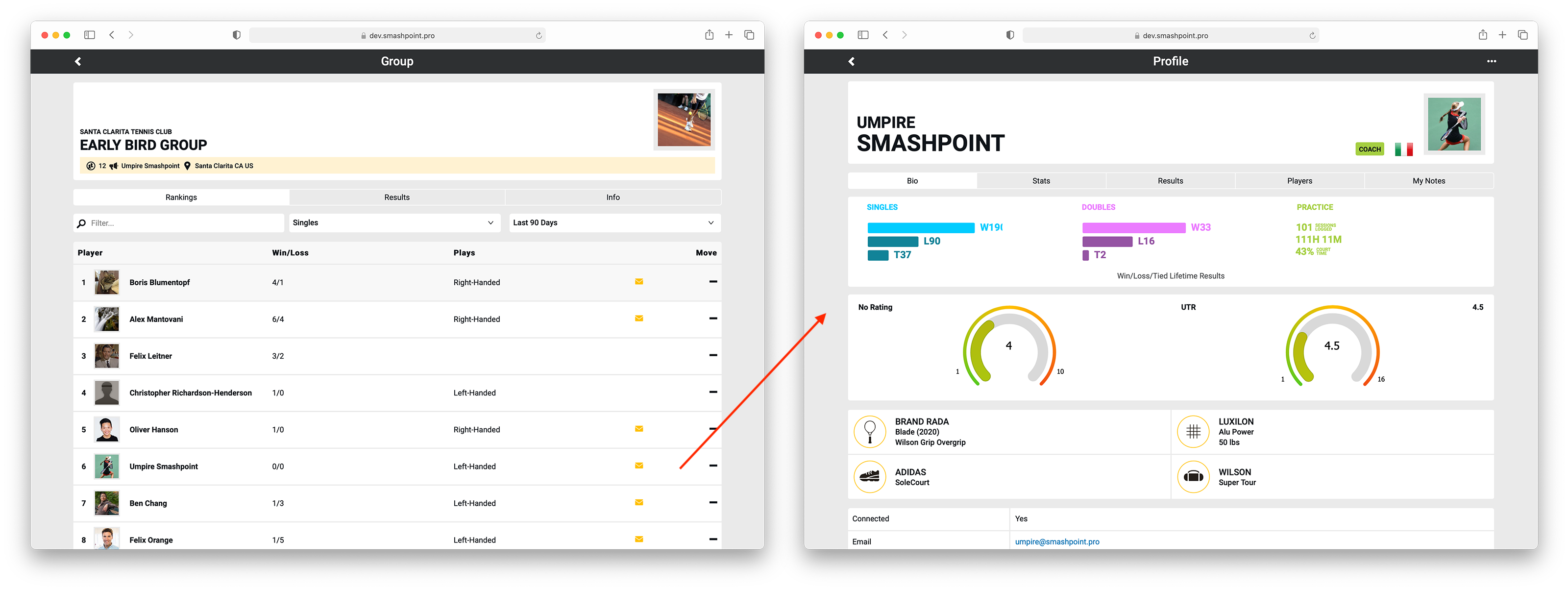
    • Segment and track players
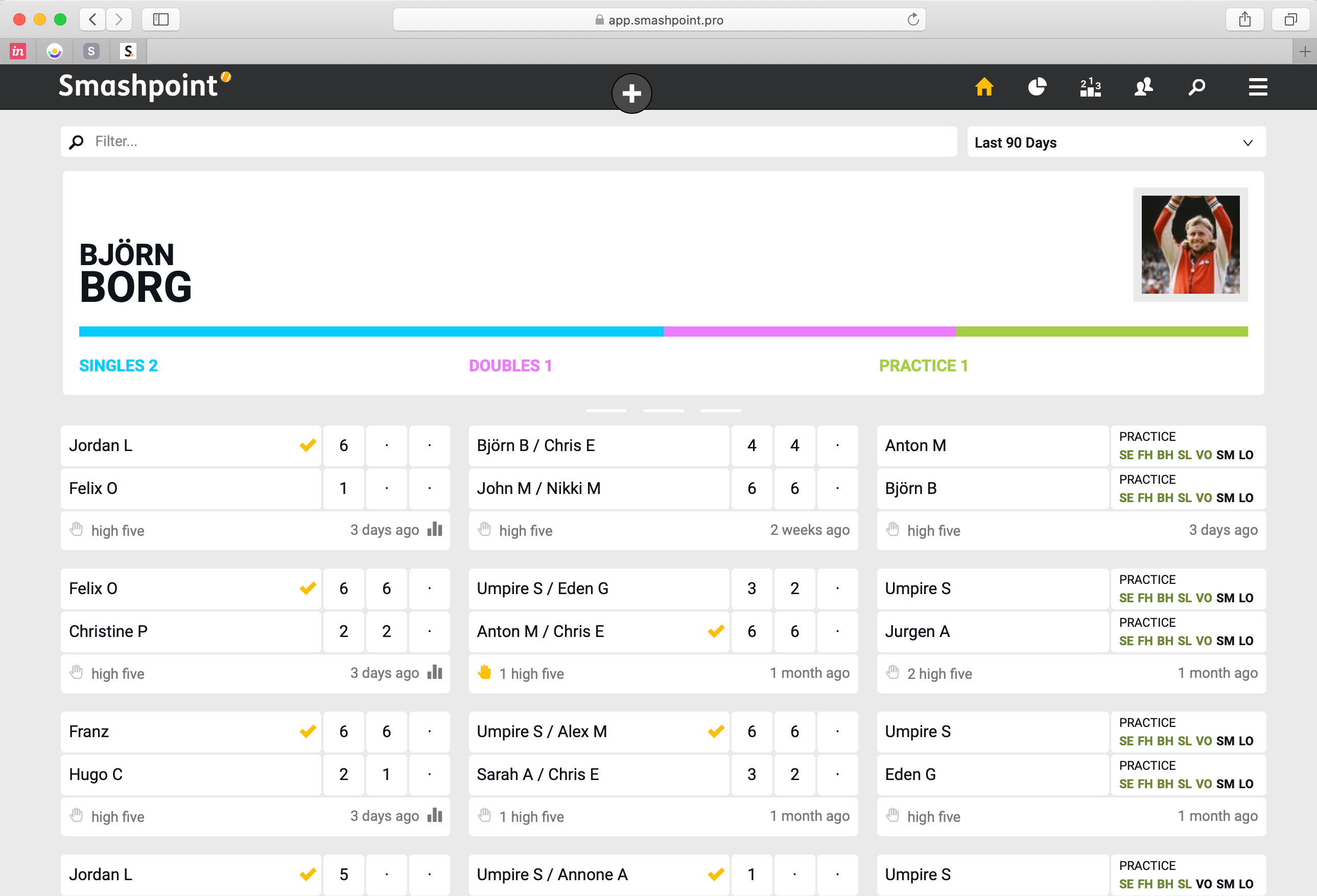
    • See results for singles, doubles, and practice automatically
    • Rankings are based on win/loss results
    • See results and rankings for the last 7, 30, 90, 180 days and per year.
    • Share a group with a public URL
    • Create unlimited groups with Pro

    Please get in touch for a TRIAL

  • Smashpoint Tennis Ladder and Group Management

    Smashpoint Ladders & Groups

    We are very excited to announce Smashpoint Tennis Ladder & Group Management for singles and doubles. This has been in the works for a long time and we are thrilled to release it in September 2021. First, ladders and groups will be available in our web app followed by our popular iOS app. The new functionality is tightly integrated with our existing platform so result entry and overall management is extremely easy. We would like to thank all of our Tennis friends for your support and interest. Here is a quick overview:

    TENNIS LADDER

    • Organize competitive play for singles or doubles
    • Run your ladder with a Leap Frog or Accrual point system
    • Invite unlimited players to join and enter ladder results
    • Use a start and end date (optional)
    • Rankings are based on points
    • See ranking changes +/- in last 7 days
    • Share a ladder with a public URL
    • Create unlimited ladders with Pro

    TENNIS GROUP

    • Segment and track players
    • See results for singles, doubles, and practice automatically
    • Rankings are based on win/loss results
    • See results and rankings for the last 7, 30, 90, 180 days and per year.
    • Share a group with a public URL
    • Create unlimited groups with Pro

    Please get in touch for a TRIAL

  • Smashpoint Cloud Update May 2021

    Smashpoint Cloud

    Smashpoint Cloud Update

    We need a bigger boat! We have outgrown our current cloud hosting and we need to upgrade to a bigger system for best in class performance and so we can continue to ship new features. During the upgrade window our Smashpoint Cloud will be offline for 1-2 hours during that time you will not be able to log into your account.

    LOS ANGELES: MAY 26, 2021 – 10 PM
    NEW YORK: MAY 27, 2021 – 1 AM
    LONDON: MAY 27, 2021 – 6 AM
    MOSCOW : MAY 27, 2021 – 7 AM
    BEIJING: MAY 27, 2021 – 1 PM
    TOKYO: MAY 27, 2021 – 2 PM
    MELBOURNE: MAY 27, 2021 – 3 PM

    Please get in touch if you have any questions or feedback.

  • Smashpoint iOS 2.5 Release

    Smashpoint iOS 2.5 Hero Image

    What’s New in Smashpoint iOS App 2.5

    APPLE WATCH
    • Updated design
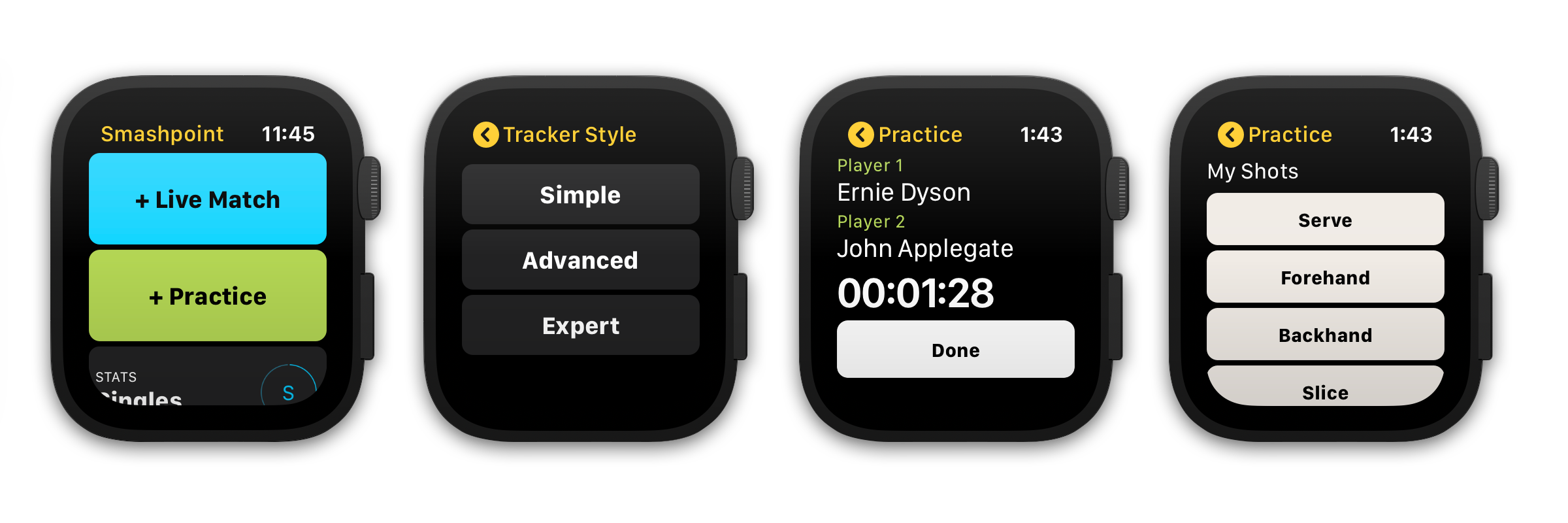
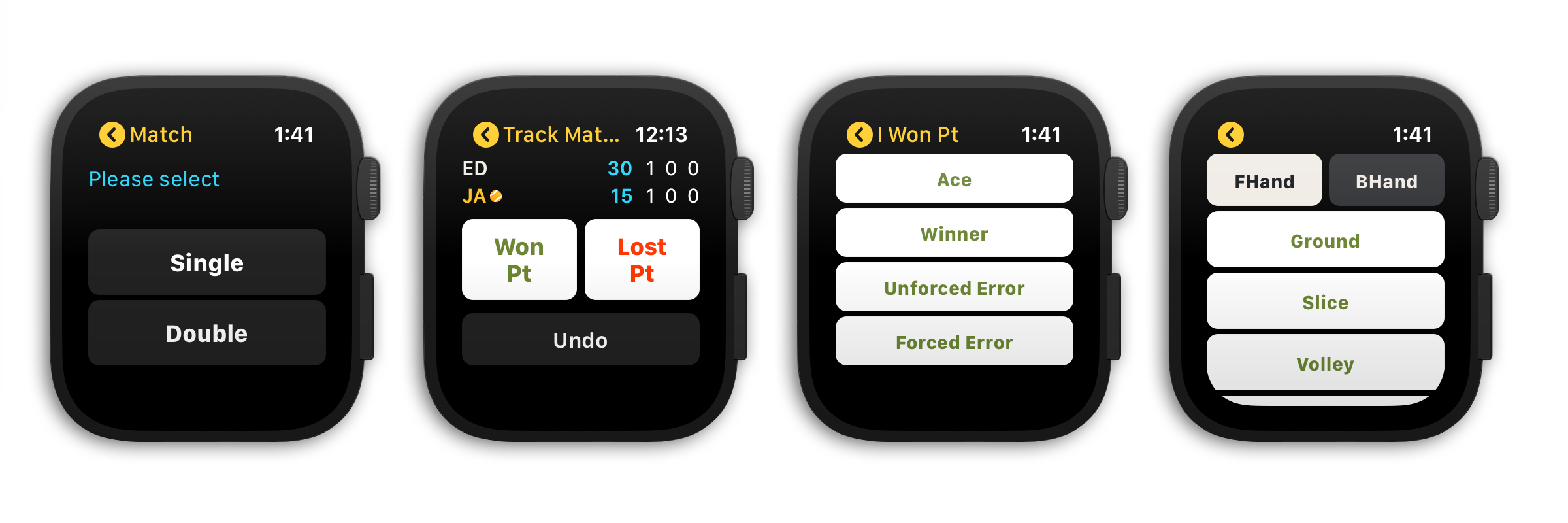
    • Select from 3 match tracking styles (Simple, Advanced, Expert)
    • Track a single or double match and practice sessions
    • Save your preferred tracking style in settings
    • New Apple Watch Complications
    • Complete a match or practice session at any time

    GENERAL
    • Updated home banner design (switch between Player Profile and Activity Rings in Settings)
    • 3 new match scoring rules
    • Embed a YouTube video in match and practice results
    • Updated match bio table design
    • Added shot results to player profile stats tab
    • Add photo and additional information to player profile

    CLOUD PLATFORM ACCESS FOR ALL USERS
    https://app.smashpoint.pro

    Apple App Store

    New and Improved Apple Watch Design
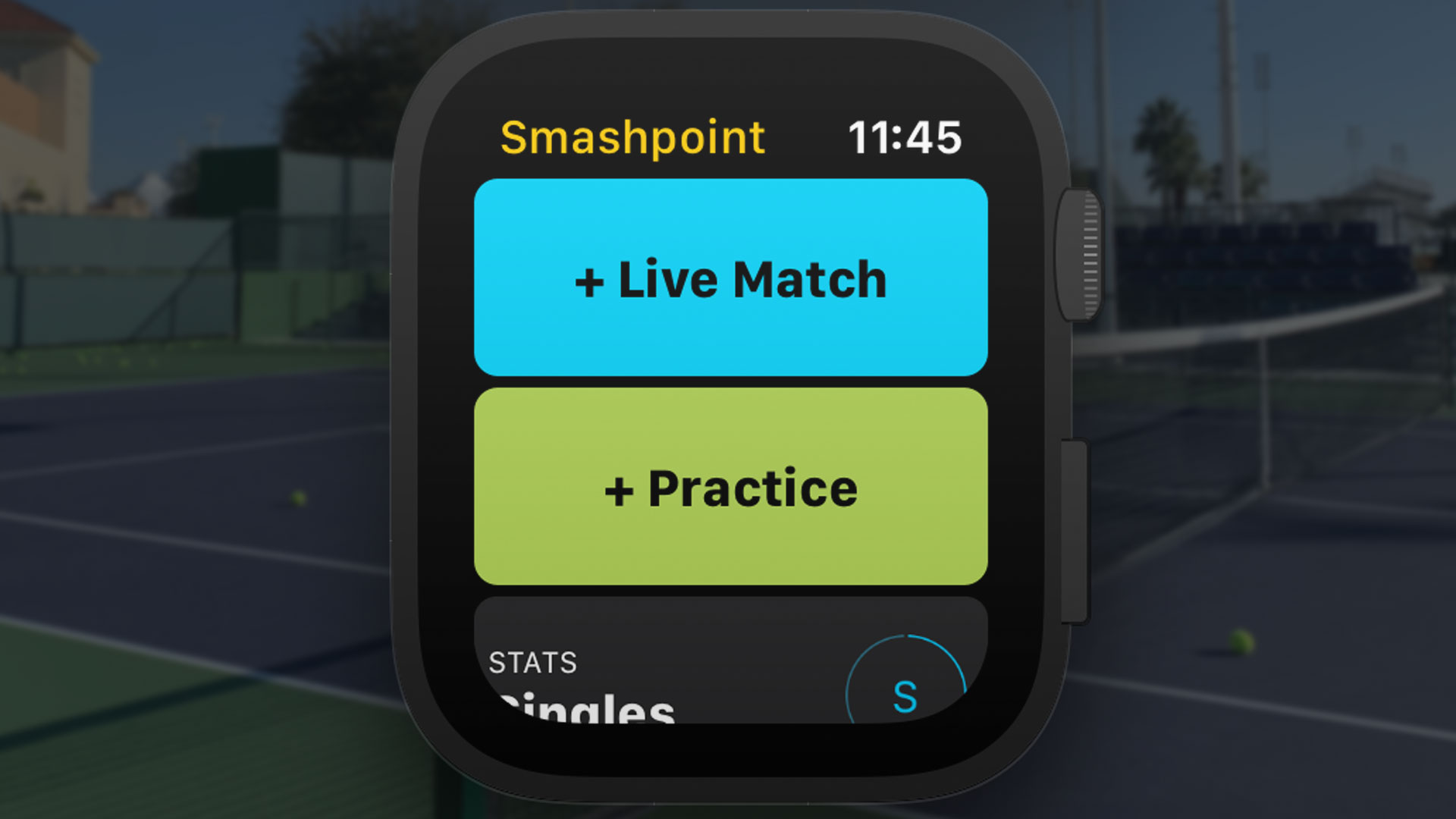
    Select from 3 tracking styles that fit your needs to track your match or practice session directly on the Tennis court.

    Smashpoint Apple Watch App
    Smashpoint Apple Watch App
    Smashpoint Apple Watch App 2.5

    New Mini User Profile & Add Video to Match and Practice Results
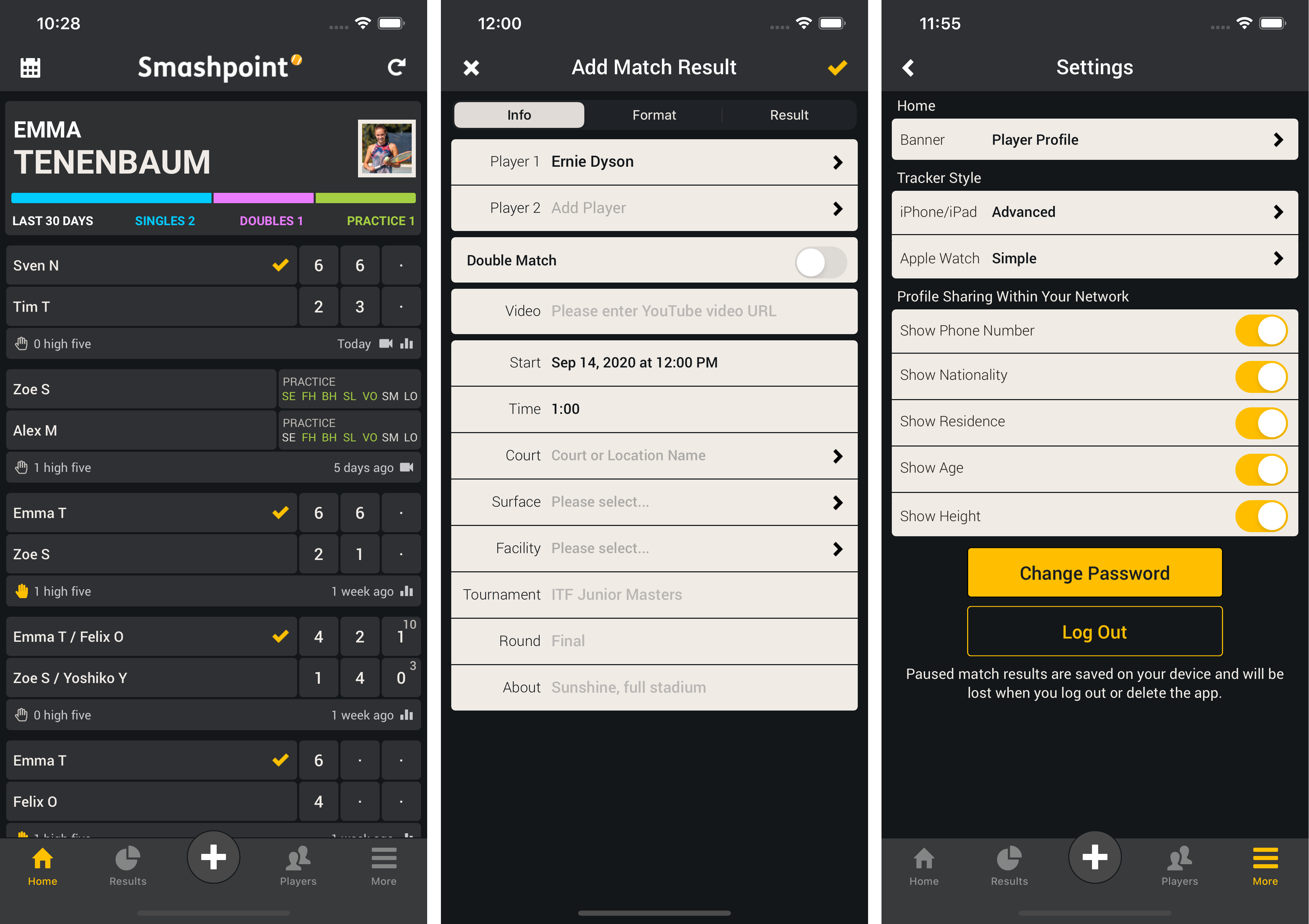
    Show your mini user profile directly on the home screen to see quick statistics (screenshot 1). Go to Settings to switch between Player Profile and Activity Rings (screenshot 3). Embed a YouTube URL in a match or practice result (screenshot 2).

    Smashpoint iOS 2.5

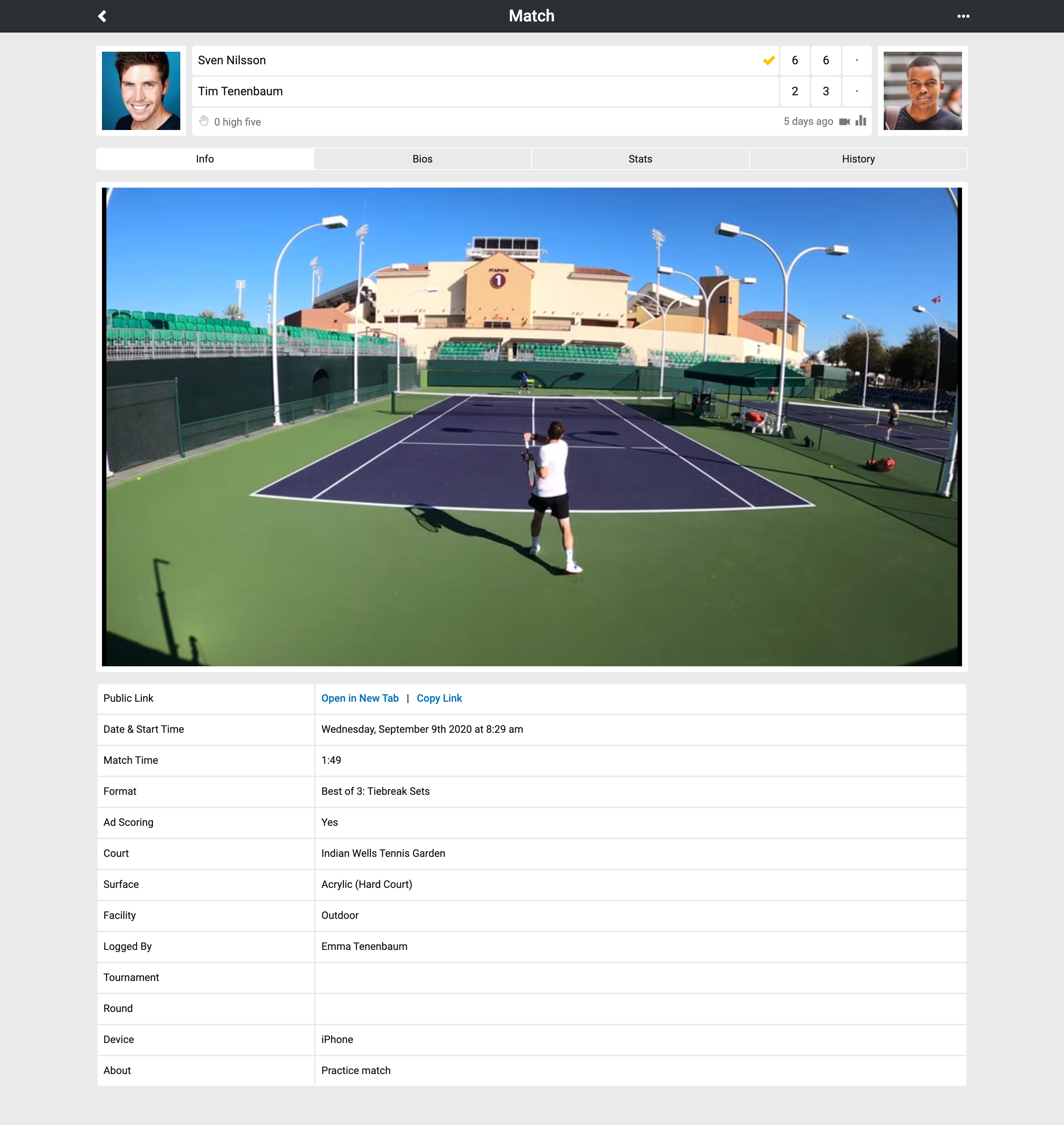
    Show YouTube Video in Results & Updated Bio Table Design
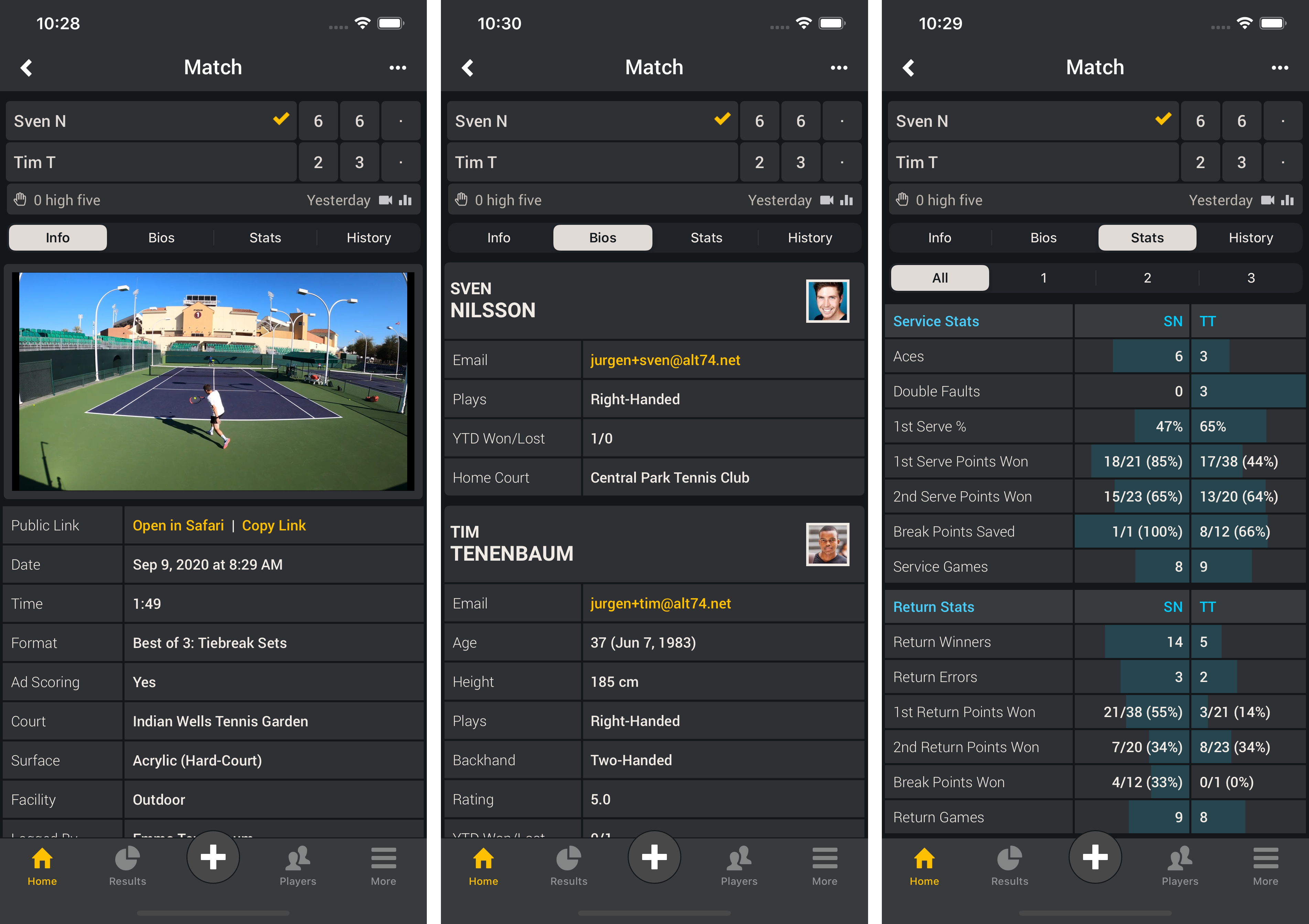
    Once you added a YouTube URL to a match or practice result you can view the video directly in the Smashpoint app. Shared results will show the video as well (screenshot 1). Updated result bio table to show player photos (screenshot 2).

    Smashpoint iOS 2.5

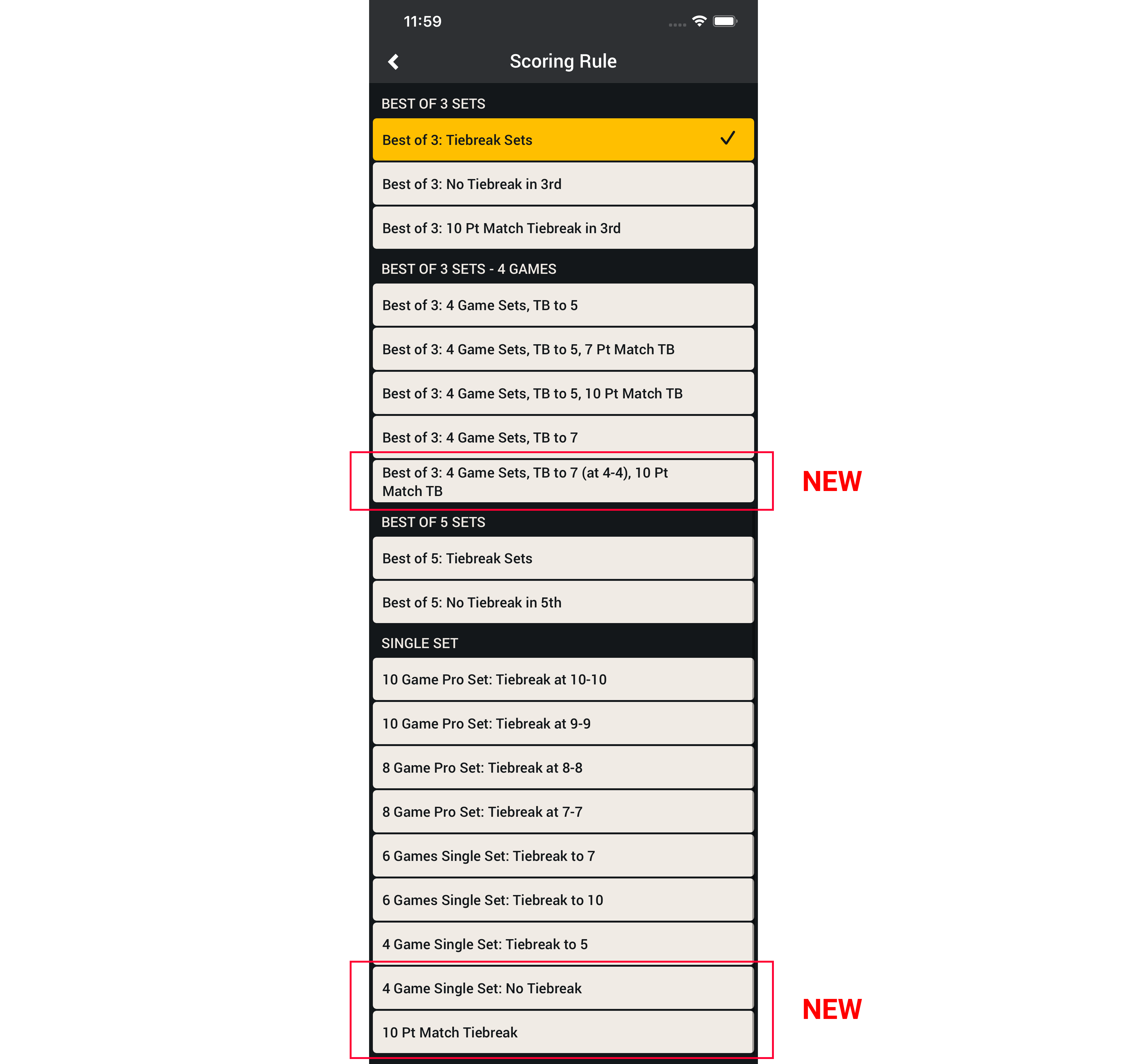
    Updated Match Scoring Rules
    We improved the layout for quicker access and added 3 new formats.
    • Best of 3: 4 Games Sets, Tiebreak to 7 (at 4-4), 10 Pt Match Tiebreak
    • 4 Game Single Set: No Tiebreak
    • 10 Pt Match Tiebreak

    Smashpoint iOS app match scoring rules
    Apple App Store

    To learn more about how to record and add video to Smashpoint Tennis results please visit our Tennis Gear blog.

  • Our Favorite Tennis Video Gear

    Video Gear Details

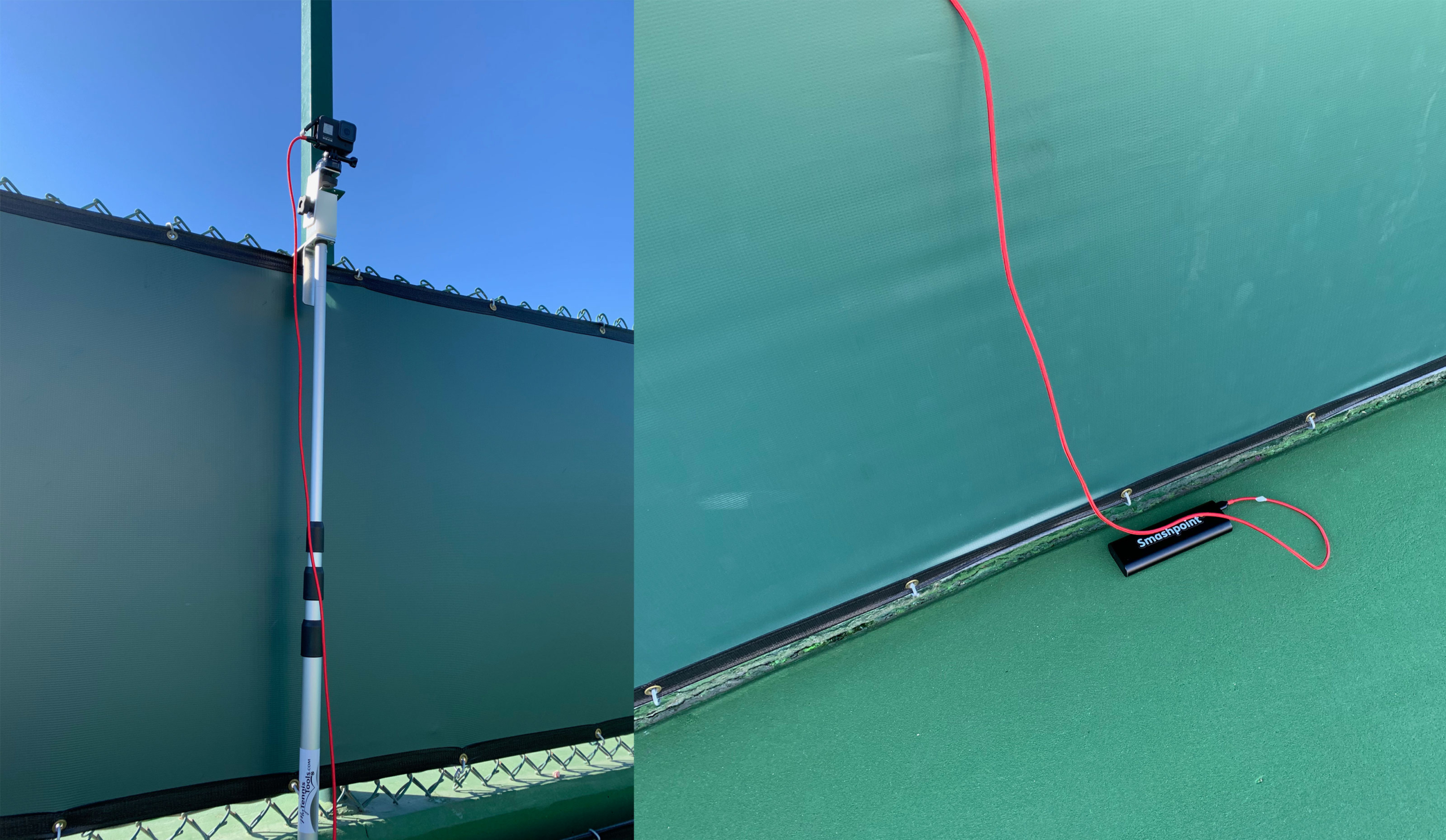
    With Smashpoint, it is easy to add your videos to a match or practice result. Upload your video to your YouTube account and then embed the YouTube URL in a Smashpoint match or practice result. YouTube is the global standard for video sharing and by keeping your videos in your account, you can watch videos on any platform including your big TV. We are big GoPro fans for Tennis videos. The GoPro camera is lightweight and can handle being out in the sun. With an extra battery attached, you can record many hours of video without breaking a sweat. We have tested many video solutions and here is our favorite set up:

    • GoPro Hero (4K at 60 FPS or less resolution with higher FPS for detailed slow motion playback)

    • Anker Battery Pack + USB Extension Cord

    • Fence Camera Mount

    To learn how to add video to Smashpoint please visit our blog.

    Smashpoint YouTube Video

  • Web App June 2020 Update

    Smashpoint Web App Home

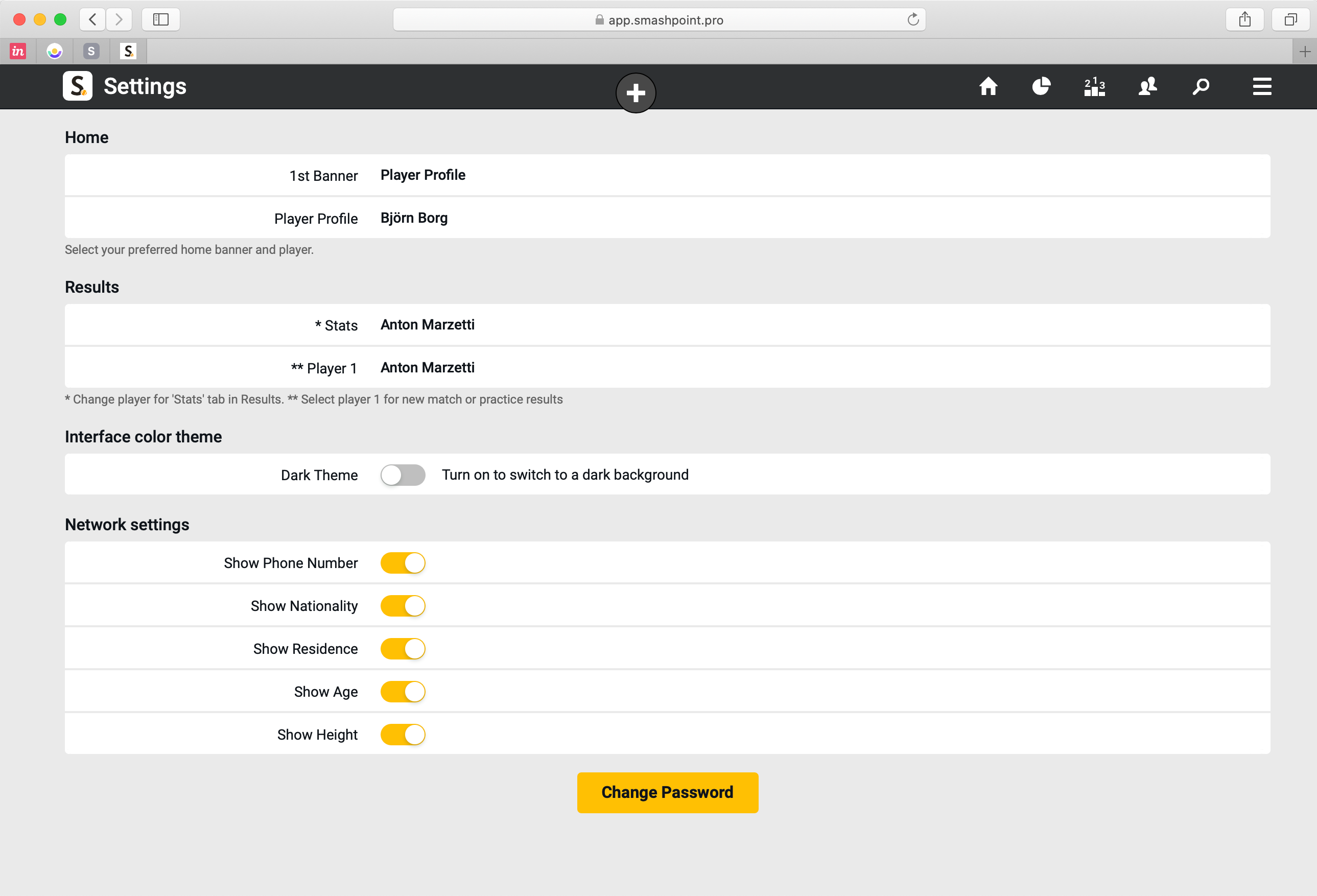
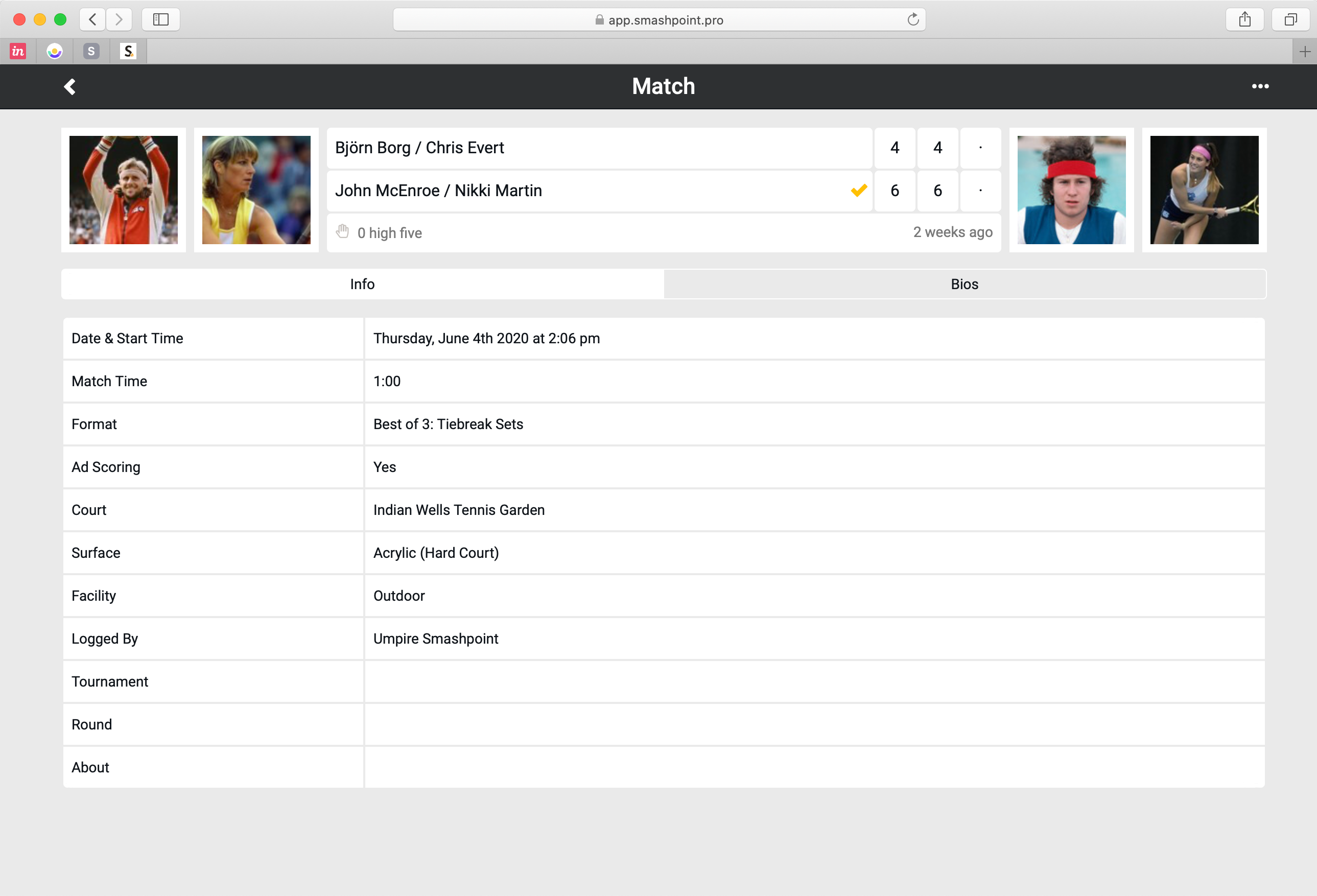
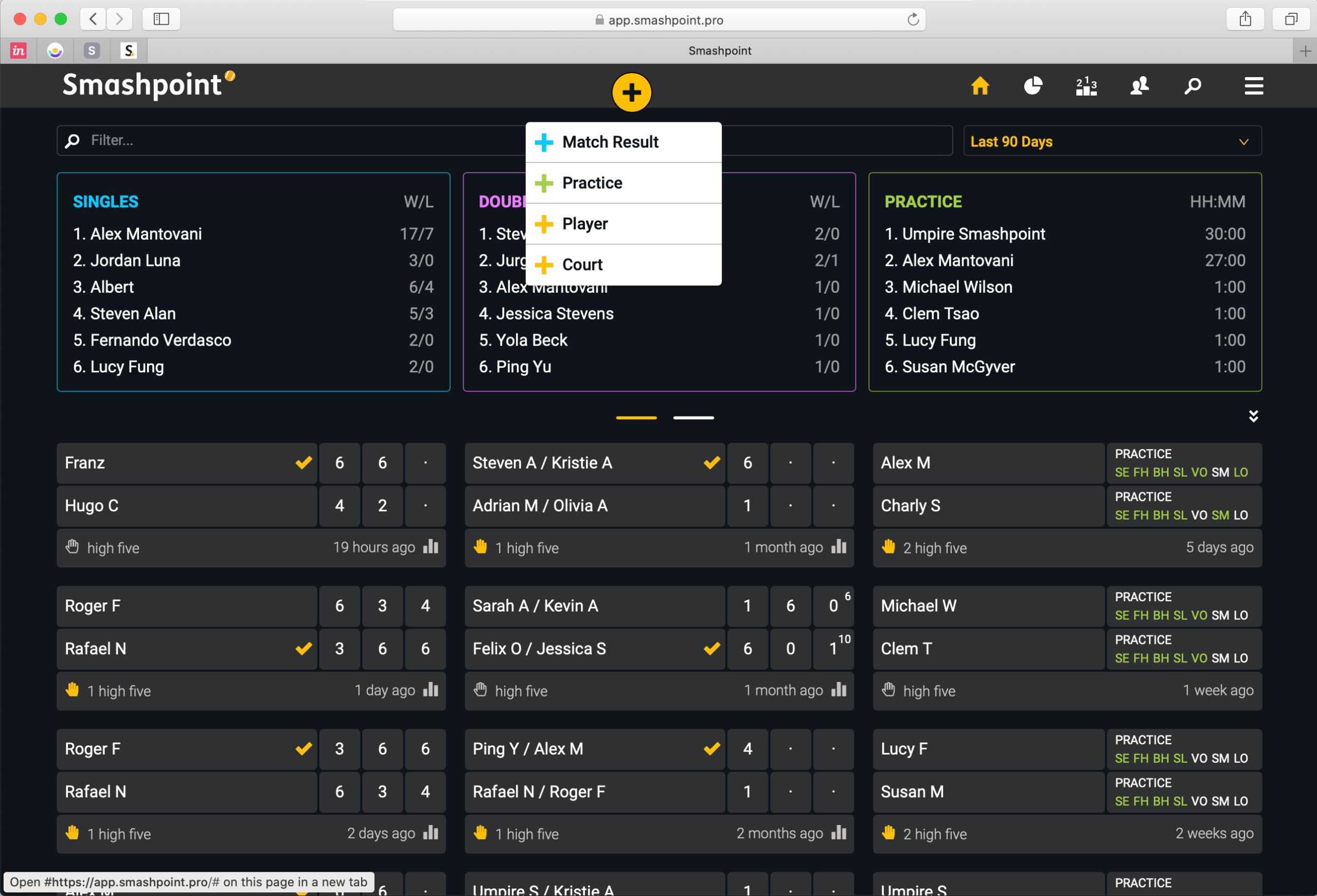
    Our latest web app release includes new customization features for a better experience. Go to Settings to select what player should be featured on the new home profile banner. If you prefer to see Activity Rings or a Rankings table simply select a different banner. You can also select what player stats should be shown in /Results. When you log a new match result you can now select who the 1st player should be in Settings. The new features should speed up and enhance the app experience for tennis parents, coaches and organizers. We also added player profile photos in this release to all match results (see doubles match result below).

    What do you think of the design updates? Please get in touch to let us know…

  • Web App Nov 2019 Update

    We added over 30 new improvements to the Smashpoint web app. Highlights:

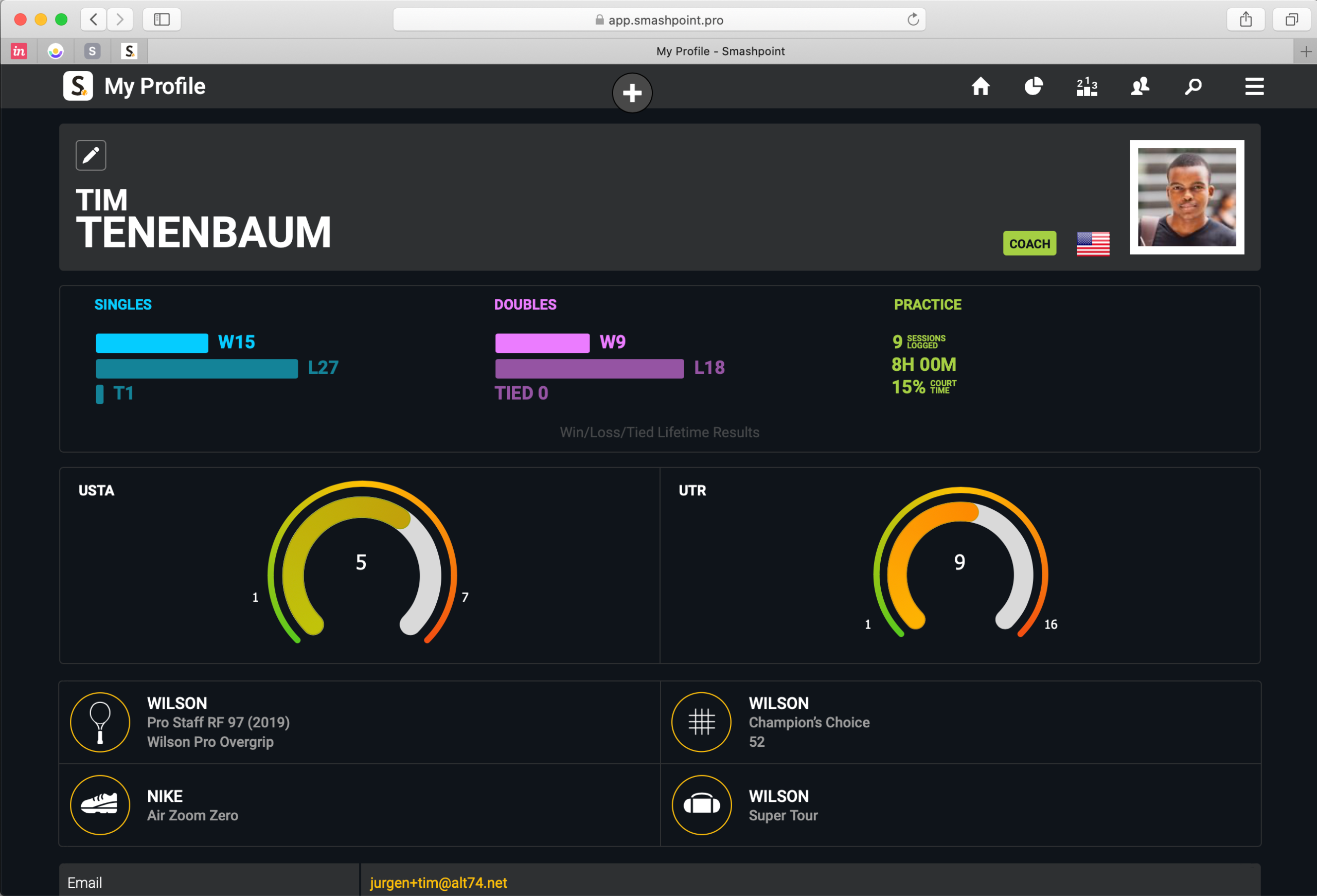
    • New Player Profile design (compare your ratings side by side: UTR, USTA, etc)
    • Add your gear to your profile
    • Publish your player profile online to share with a coach and friends
    • Stats tab with insights for every player
    • Additional Fast4 match format (UK/LTA rules)
    • Add Passing Shot to match history (tracked with iPhone/iPad)

    Log In or Sign Up at app.smashpoint.pro

    Player Profile with Custom Rating (USTA in this example) and UTR side by side

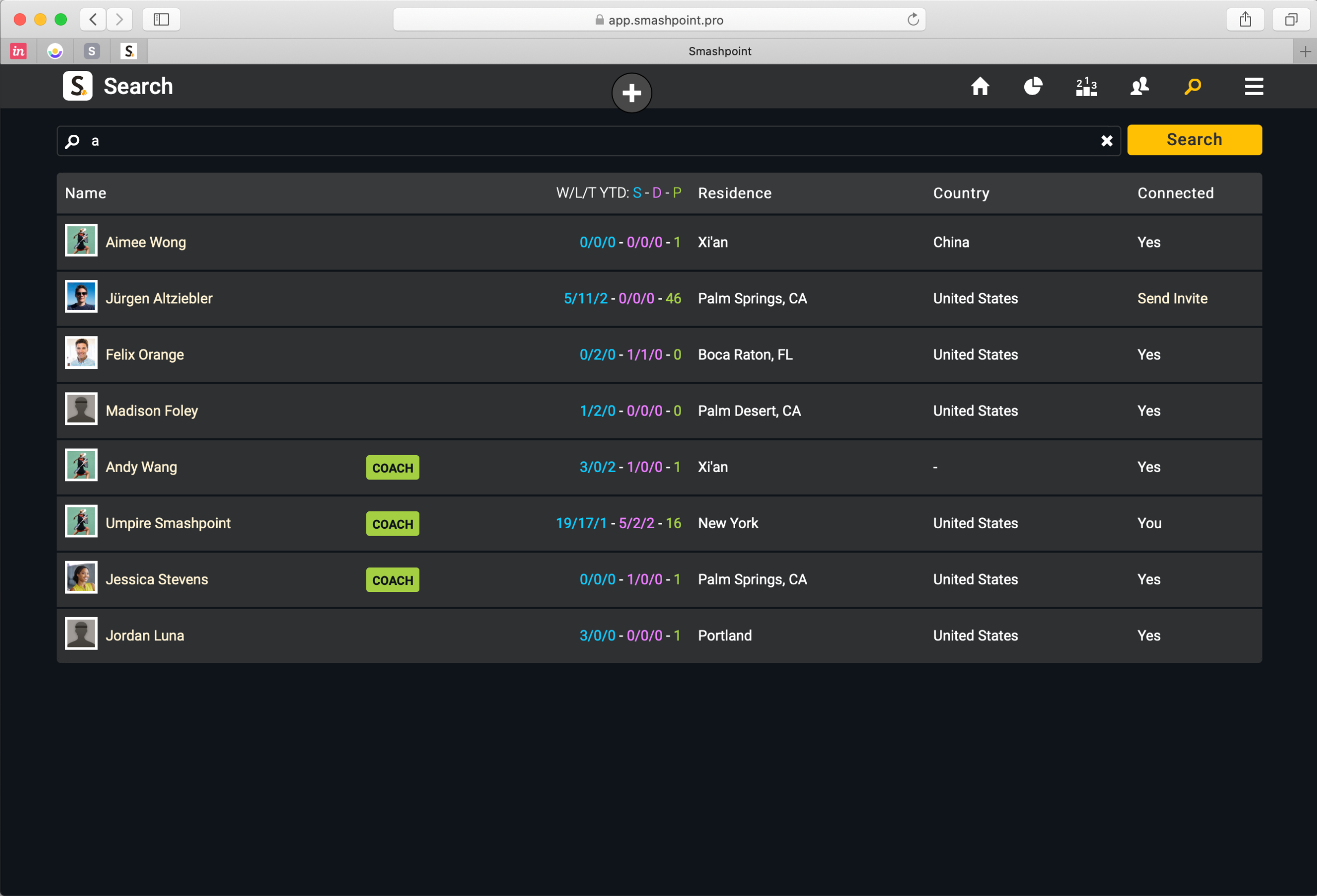
    Smashpoint Search: public player profiles appear in search result

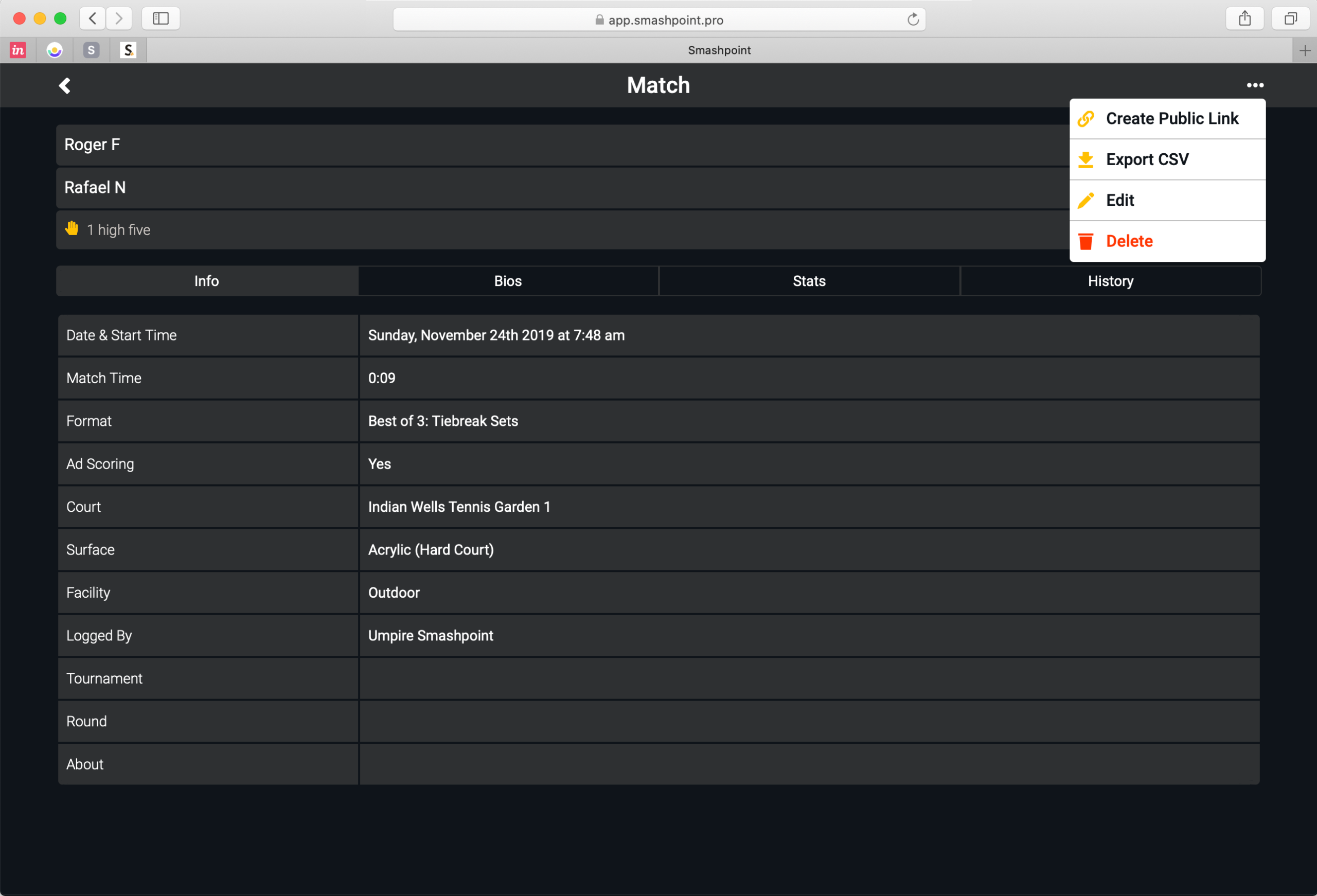
    Match Options (Create Public Link, Export to CSV, Edit, Delete)

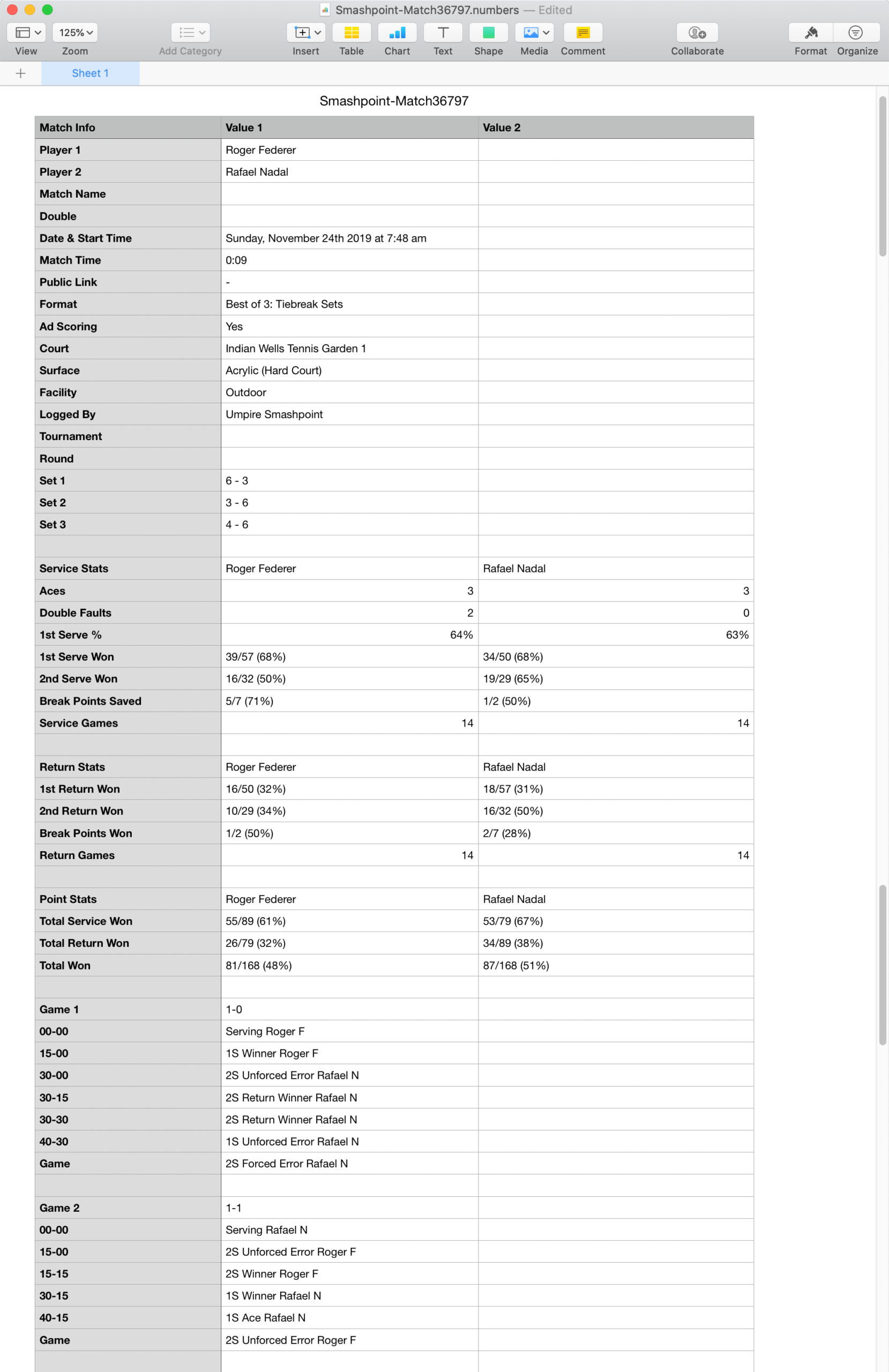
    CSV File in Apple’s Numbers Application

    Log In or Sign Up at app.smashpoint.pro

  • Smashpoint iOS 2.4 Release

    Smashpoint iOS 2.4

    What’s New in Smashpoint iOS App 2.4

    LIVE TRACKER
    • New simple one touch tracking
    • Select from 3 tracking styles (Simple, Advanced, Expert)
    • Save your preferred tracking style in your settings
    • Added “Passing Shot” to Expert mode
    • New “Pause Match / Complete Later” functionality
    • Quick access to live stats during match play

    GENERAL
    • New Player Profile design (compare your ratings side by side: UTR, USTA, etc)
    • Add your gear to your profile
    • Publish your player profile online to share with a coach and friends
    • Stats tab with insights for every player
    • Additional Fast4 match format (UK/LTA rules)
    • Improved player list design
    • Improved user interface for iOS 13
    • Improved Login and Sign Up design
    • Unlocked Pro accounts also have full access at app.smashpoint.pro

    Apple App Store

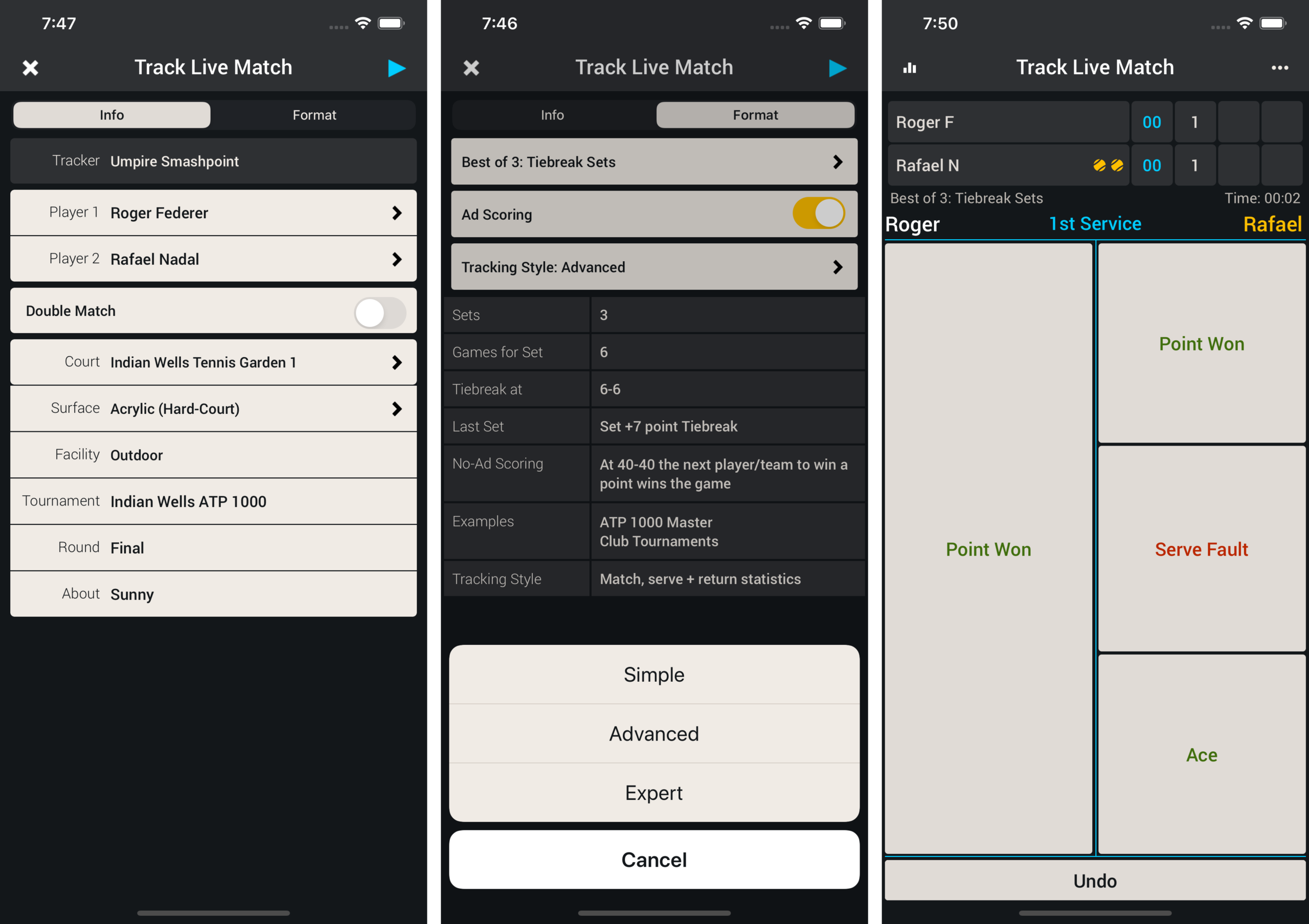
    Live Match Set Up & Simple Tracking
    During Live Match set up (screenshot 1). Go to the Format tab and select Simple from the Tracking Style menu (screenshot 2). Press Play in the upper right hand corner to begin tracking the match. Track the match with simple one touch entry (screenshot 3).

    Smashpoint 2.4

    Pause Match & Save Tracker Style in Settings
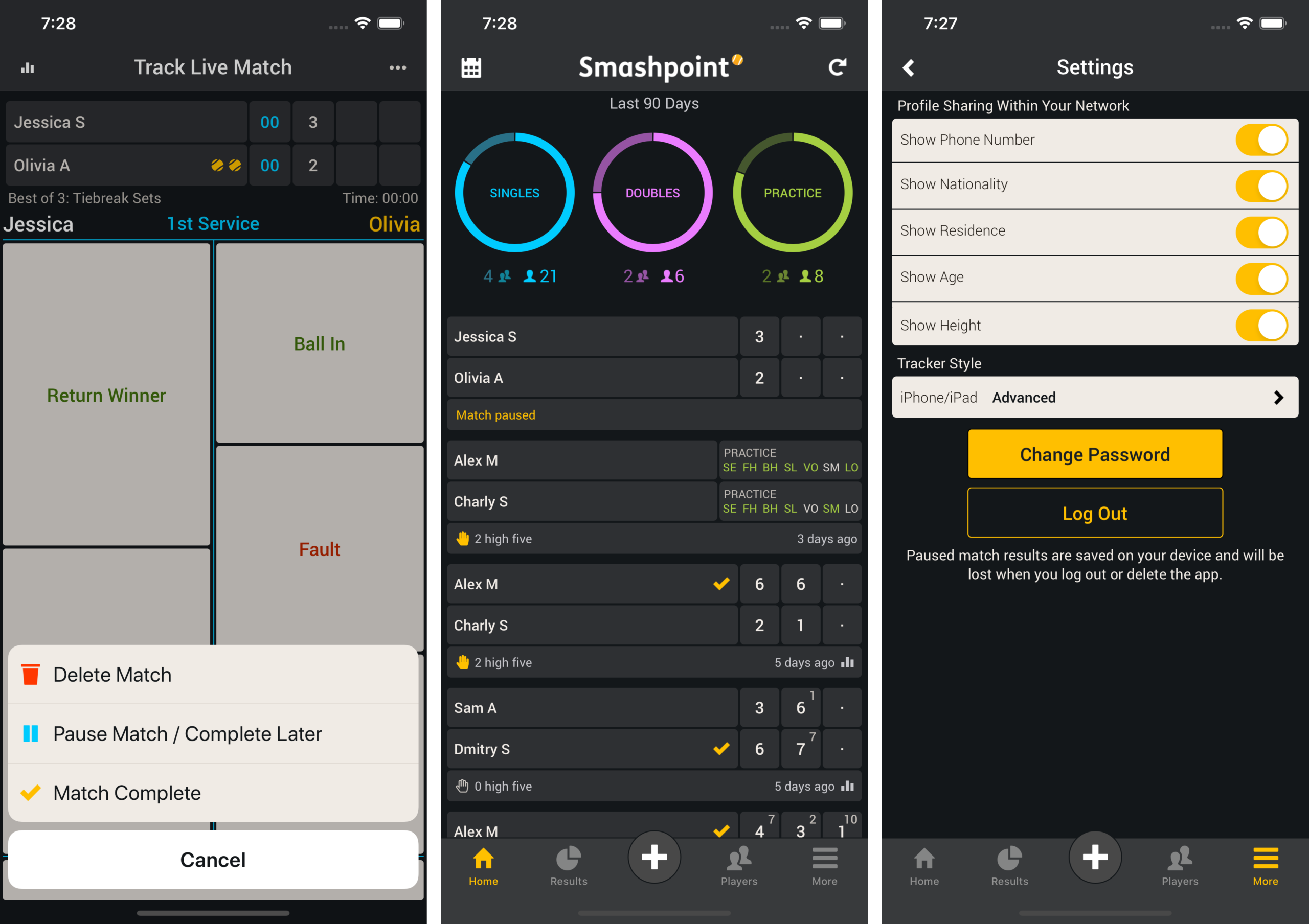
    If you need to pause the match during play select the ••• more menu in the upper right hand corner and select “Pause Match” from the menu (screenshot 1). Once the match has been saved it appears on your home screen (screenshot 2). In Settings you can save your preferred tracking style so next time you are tracking a tennis match the correct style is selected for you (screenshot 3).

    Smashpoint iOS Pause Match

    Match Stats (Simple – Advanced – Expert)
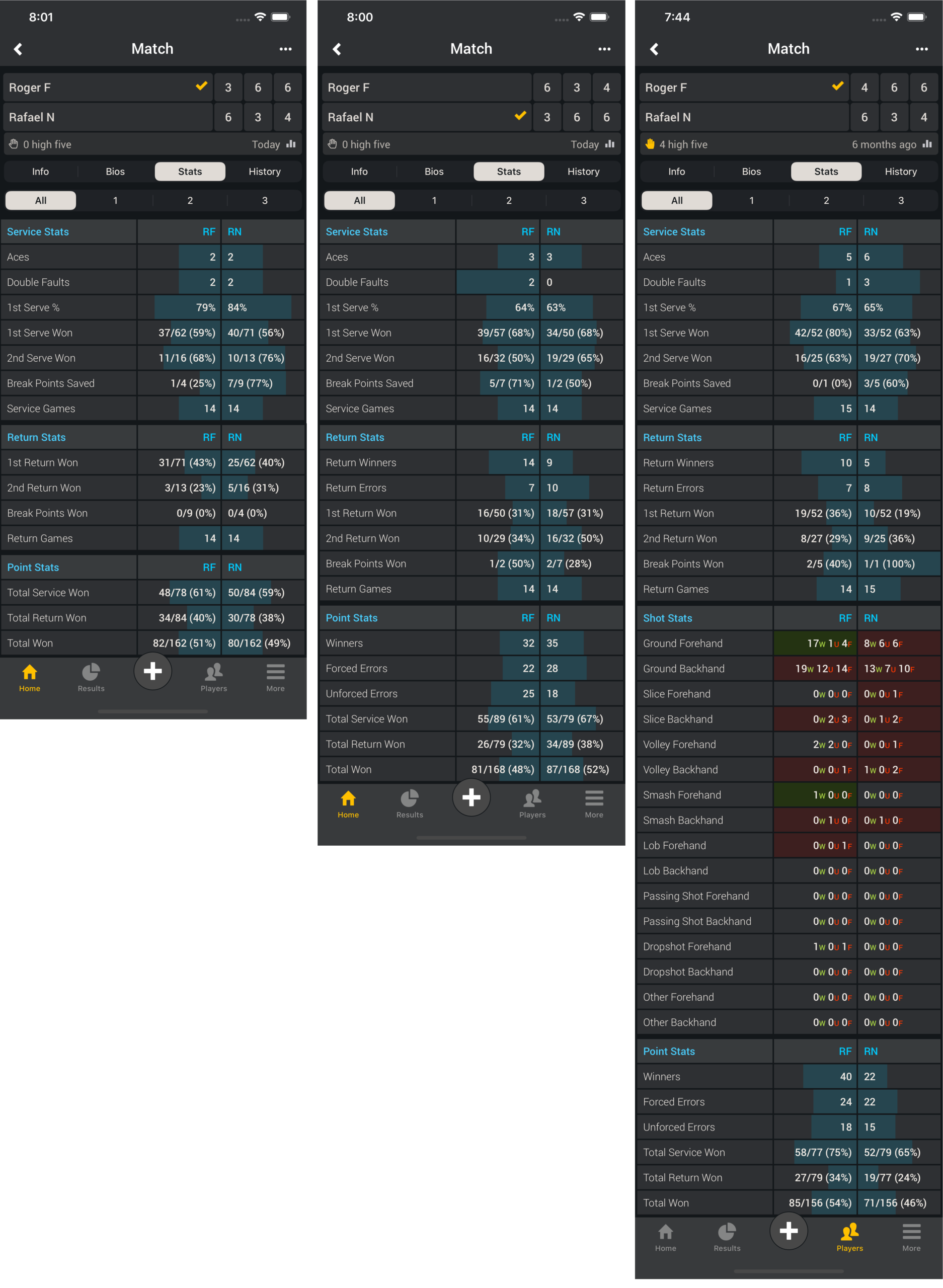
    Simple tracking produces the same stats as the popular ATP/WTA app

    Match Stats

    My Profile (Create Public Link – Remove Public Link – Your Profile in the Web Browser)
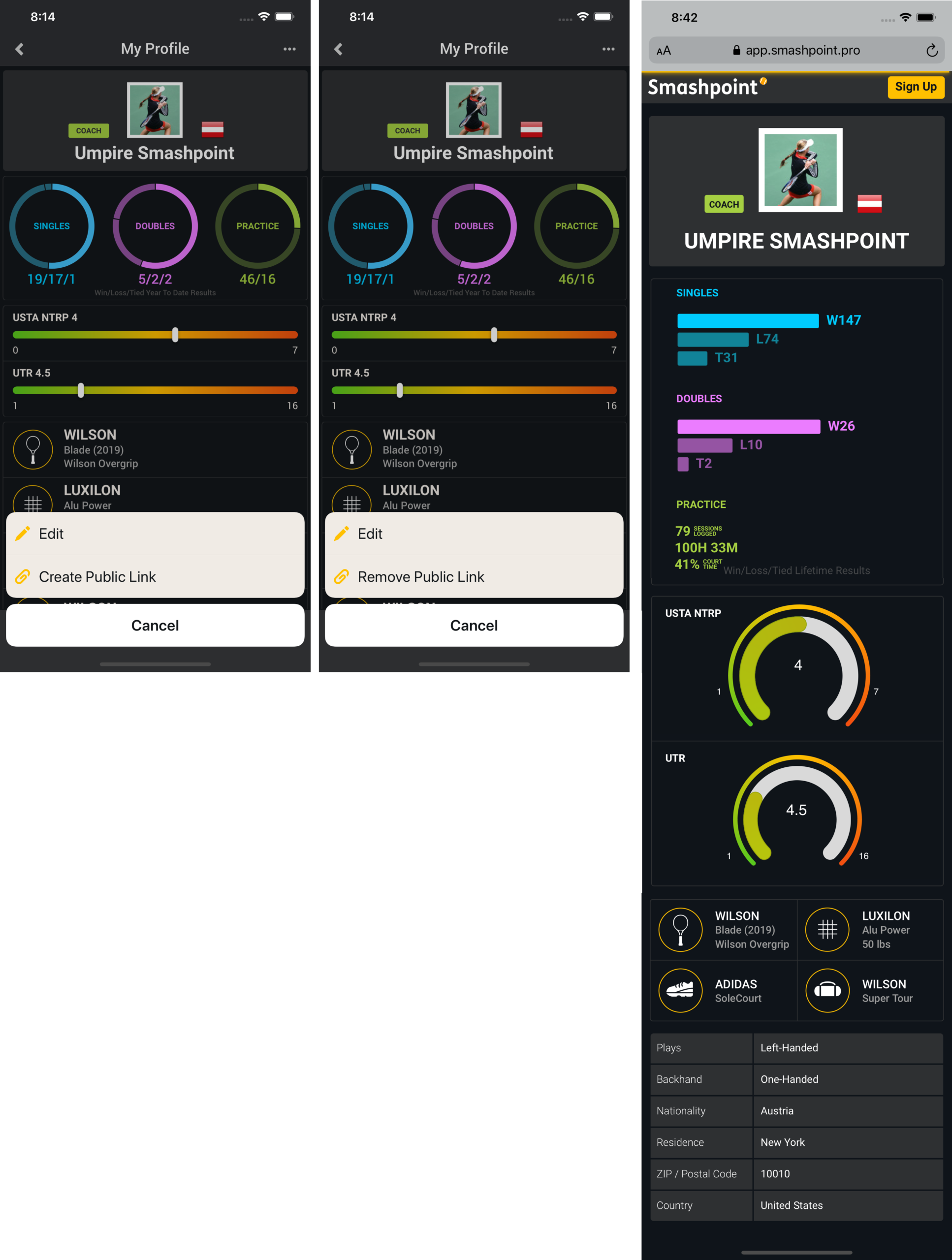
    On your profile page select the ••• more menu in the upper right hand corner. Click “Create Public Link” to make your profile public. Once you profile is public you can share the link. Your profile also appears in Smashpoint Search results. Log into the web app app.smashpoint.pro to give it a try. In iOS release 2.4 you are able to add multiple rating information to your profile. We believe one rating alone doesn’t tell the full story. Enter your UTR and country specific rating (rating name, range and your rating) to display it on your profile.

    Smashpoint My Profile

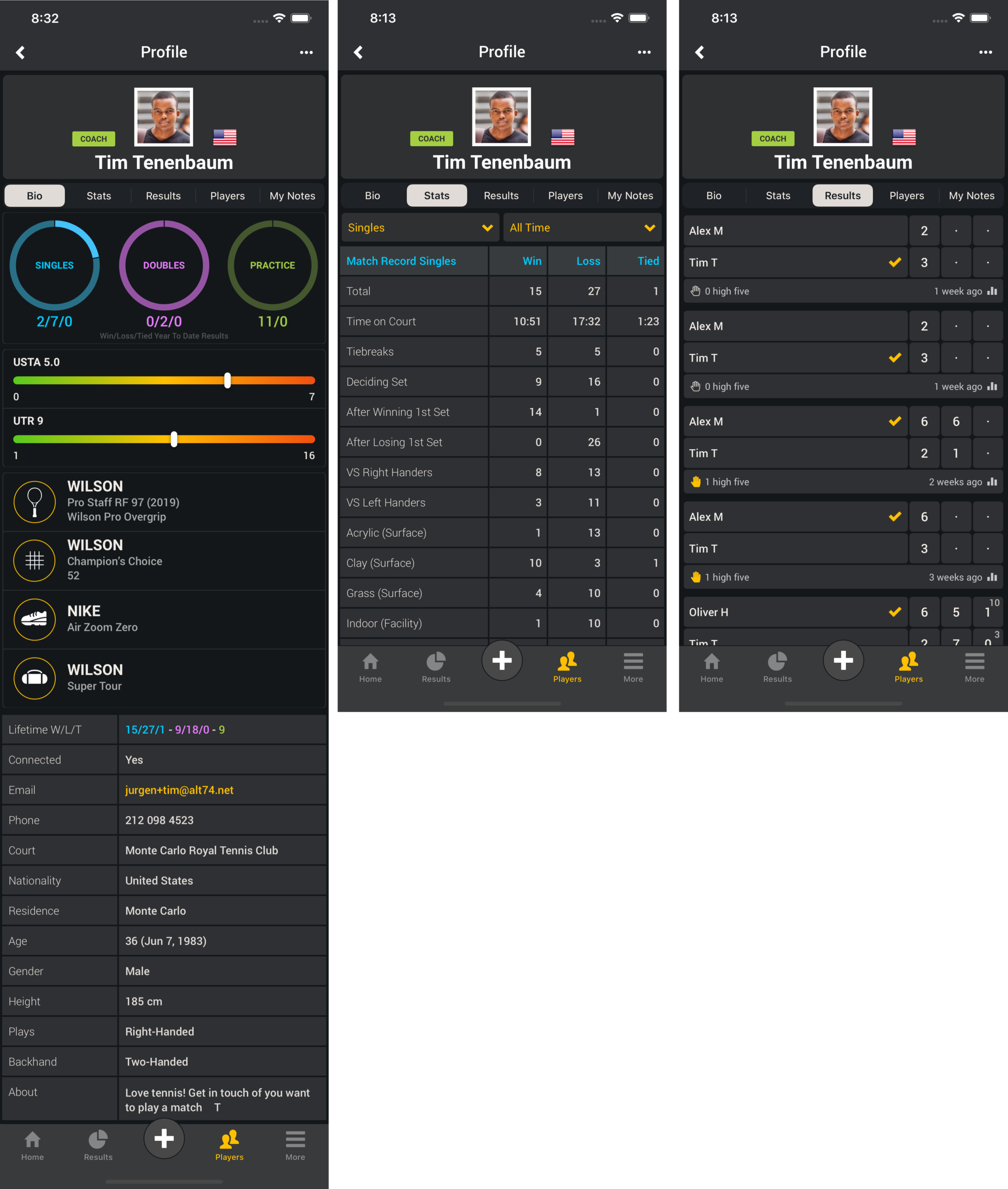
    Player Profile Connected (Bio – Stats – Results)
    Select one of your players in your Smashpoint account to see rich details such ratings, equipment, match stats and results.

    Smashpoint Player Profile
    Apple App Store